New enhancements in this release for this role:
(Tip: You can use the Table of Content  on the right side to view the list of all enhancements)
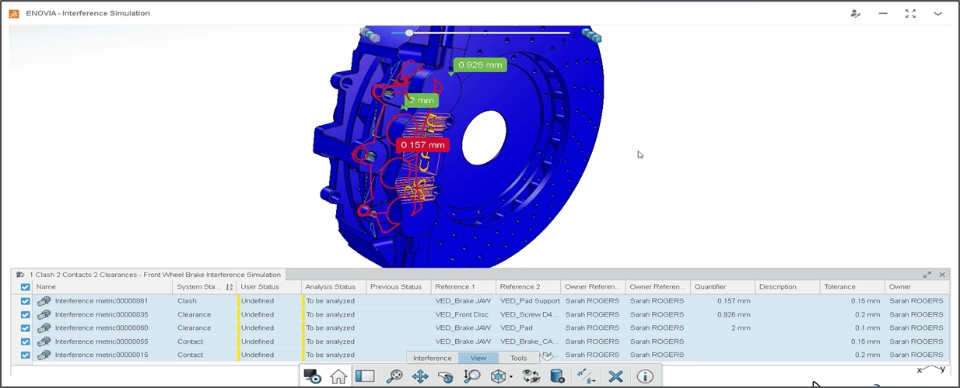
Automatically Display Interference Metric |
Why Quick and effective analysis thanks to the ability to automatically display interference metric/s |
How - You can now select the "Automatically Display Loaded Metric" option to automatically display Interference Geometry and Quantifiers upon loading metric/s.
- This option is available in the Preferences > Interference Metric section of the app.
|
Copy/Save/Print Review Screenshot |
Why Improved productivity by copying review screenshot directly into community post or conversation |
How - •Following new options are provided in the Tools tab of the action bar:
- Copy Screenshot: Lets you capture a screenshot of slide containing review annotations and copy it to the clipboard. You can then Paste screenshot into the 3DSwym Post, Conversation, or MS Office Document to provide visual clarity of the context
- Save Screenshot: Captures the screenshot of the current view and lets you save it to the local drive
- Print Screenshot: Captures the screenshot of the current view and lets you Print it.
|
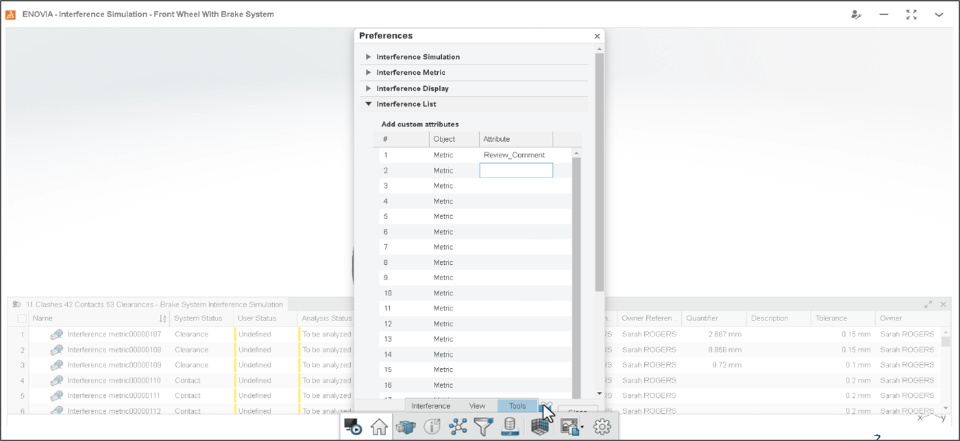
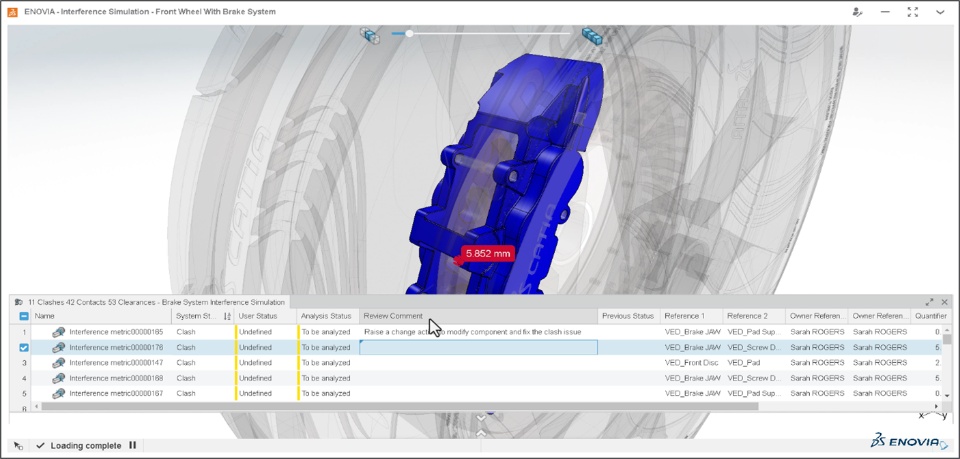
Interference Metrics: Displaying Custom Attributes |
Why Improved clarity by ability to display insightful custom attributes in the interference metrics |
How - You can now use the app Preferences to add the Custom Attributes in the Interference List
Prerequisite: Custom Attributes for "Interference Metric" object type must be pre-defined by Administrator. - You can then leverage the Custom Views option to seamlessly manage the visibility and sequence of these custom attributes
- You can provide more insights about interference metrics by updating the values of these custom attributes.
|
Extending Measure Support for Point of Interests (POI) |
Why Improved accuracy by ability to create measurement using Point of Interest (POI) |
How - You can now create measurement using Point of Interest (POI) to improve accuracy and eliminate errors
Note: POI (Point Of Interest) are added on top of geometry through a 3D enrichment layer from another widget or application
|
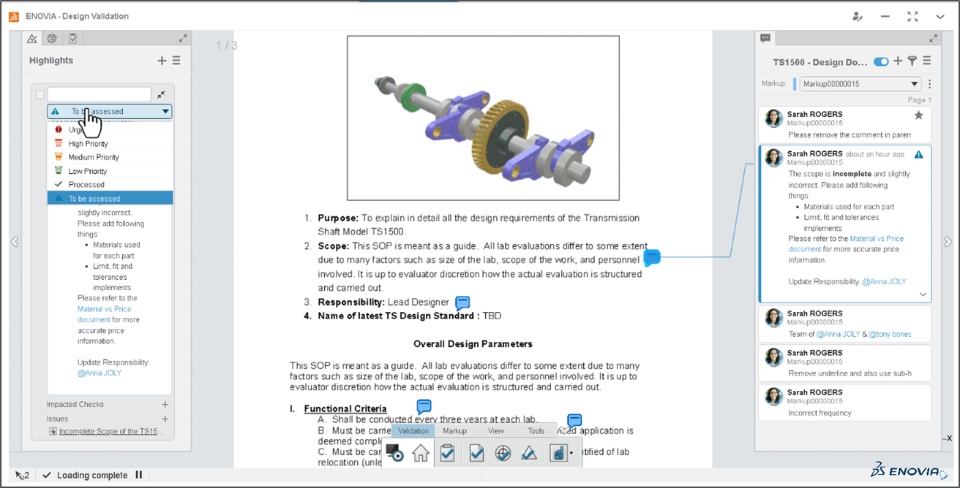
Improved Commenting Experience While Reviewing Documents |
Why Improved effectiveness of document review thanks to the enhanced commenting experience |
How - You can now use the new Rich Text format to effectively comment your review observations on the documents (For example: PDF Documents, Requirement Documents)
- This enhancement also allows you to:
- Use Bullets or Numbering for ease of understanding and improved clarity of the review
- Add a Hyperlink of external or internal references to quickly access the relevant data
- Tag any stakeholder to easily notify them about further actions
|
Separate Panel for Review, Checks, and Highlights |
Why Improved navigation experience thanks to the separate panels for different review elements |
How - You can now use the separate panels for Review, Checks, and Highlights for ease of access and improved productivity.
- The option to generate issue is now provided in the context menu of the review comment. The Highlight is automatically generated and connected with the issue raised on specific comment.
|
🎬 To discover more about these enhancements, watch the video below:
If you have any question or comments on these highlights, please share them with us below. 👇
Thanks!

