New enhancements in this release for this role:
(Tip: You can use the Table of Content  on the right side to view the list of all enhancements)
Support for Comparison |
Why Eased decision making by easily comparing two software items |
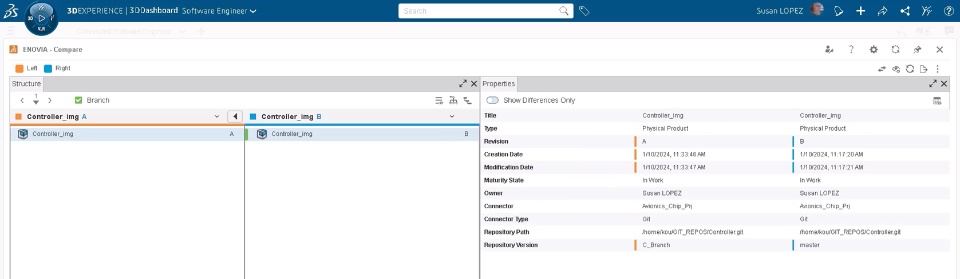
How - The new Compare option on the home page allows you to compare of two (Software) Physical Products or two Software Logical Items.
- When you click Compare, the ENOVIA Compare app displays distinctions in hierarchy and properties of chosen objects through color-coded indicators.
|
Registering Multiple GIT Repositories |
Why Save time and improve efficiency thanks to the ability to register multiple GIT repositories at once |
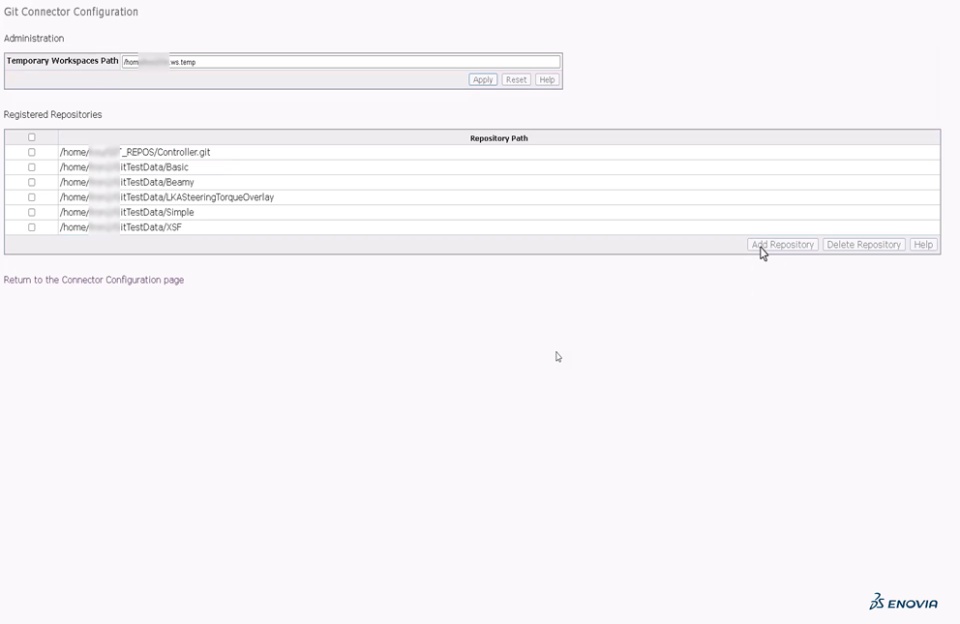
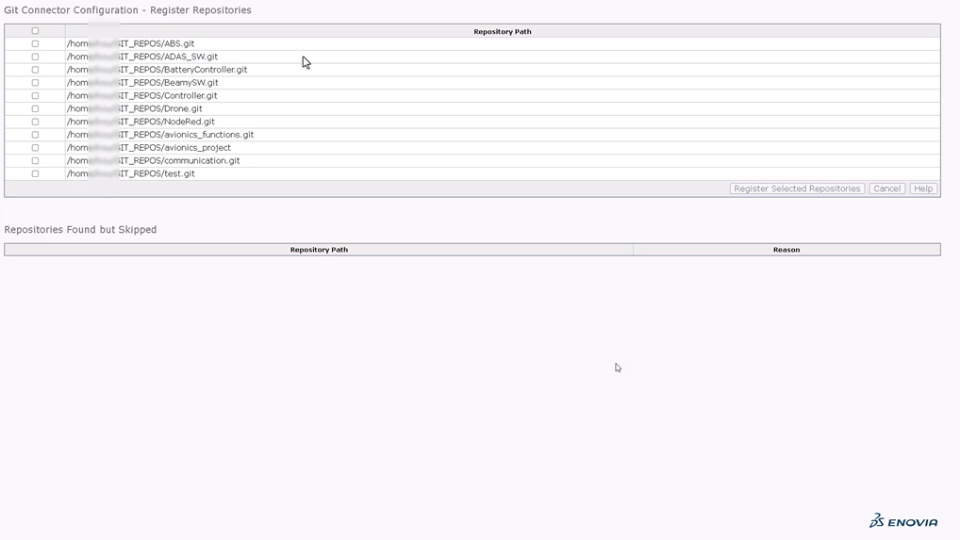
How - While Git Connector Configuration, you can now specify a folder containing multiple GIT repositories when defining GIT repositories.
- The system presents all the repositories within the folder, allowing you to choose which ones to register.
- This is useful while registering multiple repositories on a single server
|
Support for Comments |
Why Enhanced collaboration through comments and user tagging for timely updates |
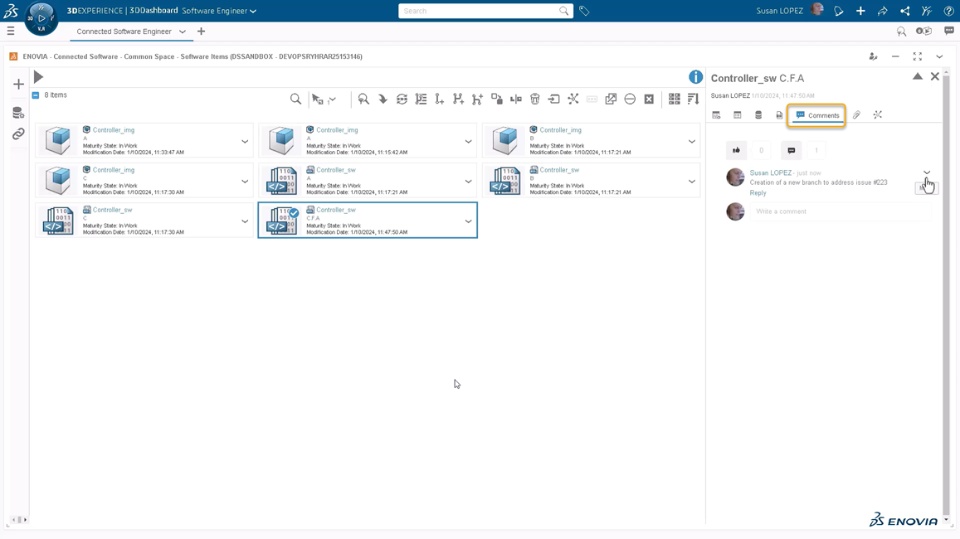
How - The new Comments tab is now added in the Properties panel of the (Software) Physical Products or Software Logical Items.
- You can effectively collaborate with any stakeholders by commenting and tagging them for timely updates
|
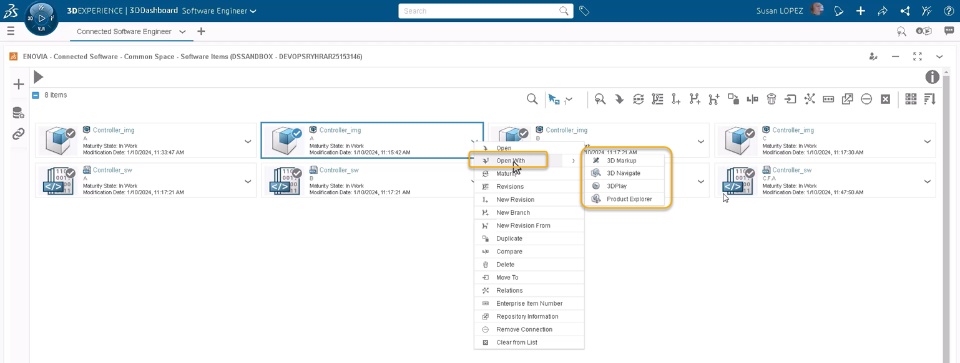
Quick Open with Supported App |
Why Quickly open the software item thanks to the support for “Open with” option |
How - The new “Open with” command is added in the context menu of the (Software) Physical Products. This shows the list of supported apps that you can access to quickly open it.
- The displayed app list includes all supported apps available with licenses assigned to you.
- The list only shows 4 apps. If the app you want doesn’t exists in the list, you can click on the compass and access required app to open it.
|
🎬 To discover more about these enhancements, watch the video below:
If you have any question or comments on these highlights, please share them with us below. 👇
Thanks!

