New enhancement in this release:
Publishing Themes for PDF |
Why Improved consistency thanks to the standardization using Publishing Themes |
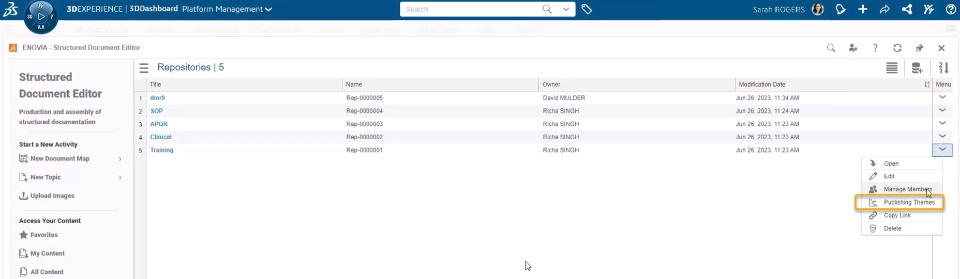
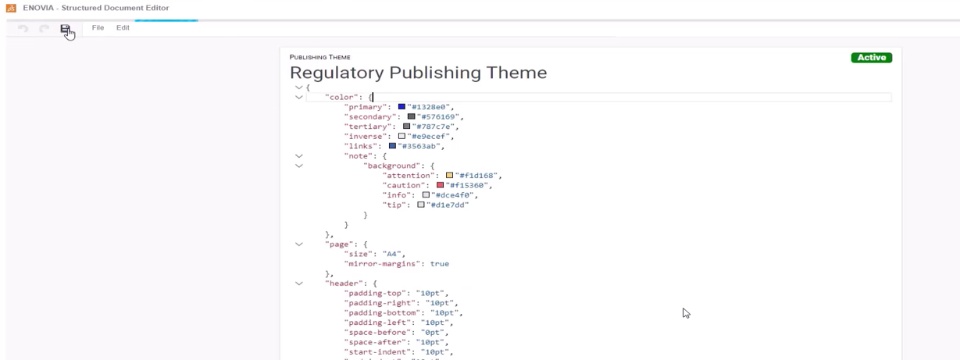
How - You can now create Publishing Themes (Templates) that lets you customize the style and format of the PDF. This allows you to standardize your documents to have the same layout and style.
- In the Publishing Theme, you can set the font color and size. You can also customize header, footer, or any other attribute to standardize your PDF.
|
Landscape Mode Support |
Why Improved readability of tabular data thanks to the landscape mode support |
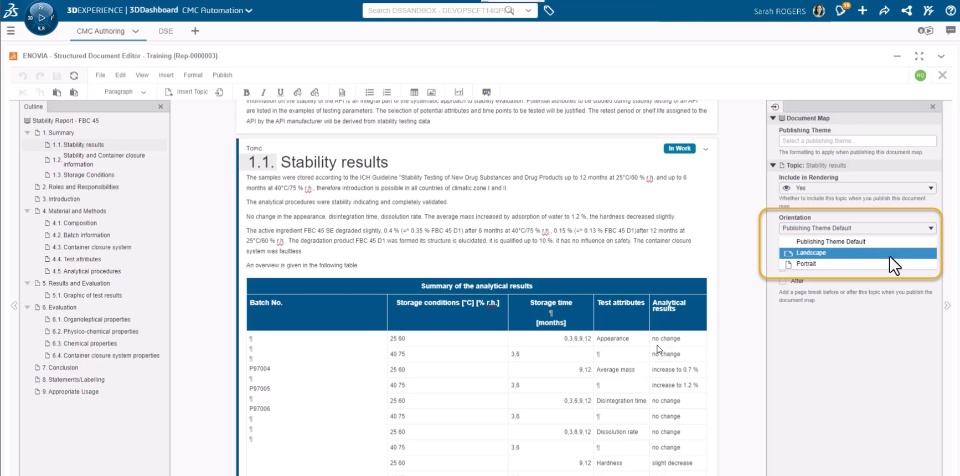
How - You can now render topics in a landscape view. This allows you to traverse wider tables with horizontal scrolling.
- To set orientation, you can select the required topic, and from Publishing Theme section, set Orientation to “Landscape” or “Portrait” as required.
|
Enhanced Data Connectivity |
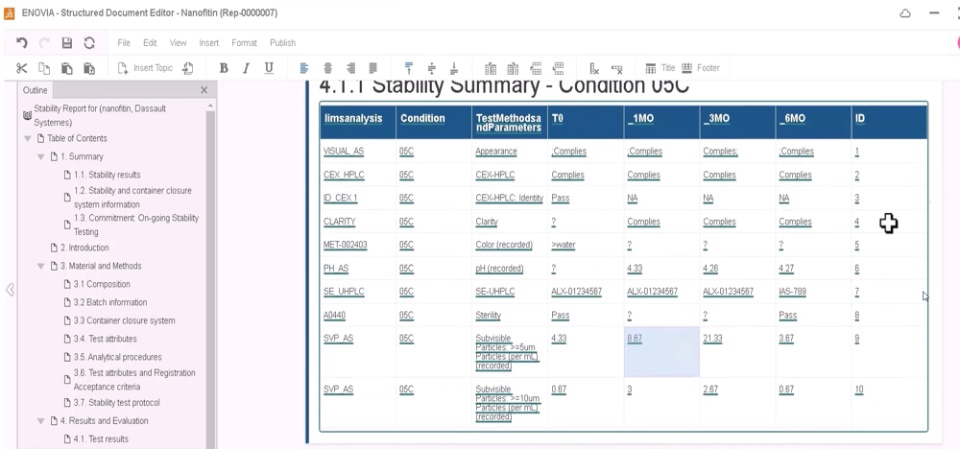
Why Improved productivity thanks to the ability to insert real-time data from the Data Perspective dataset |
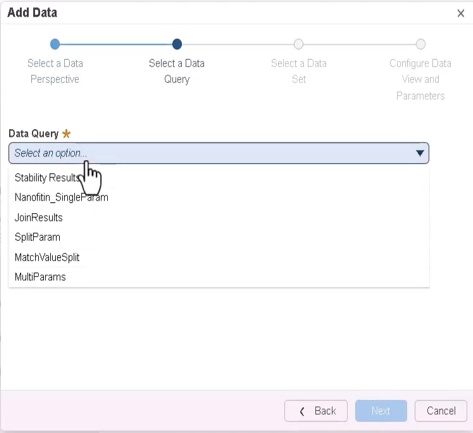
How - You can now use the Insert > Data Reference > 3DS Semantic Graph Index option to insert the data from the Data Perspective Studio.
- This allows you to select Data Reference obtained from specific data query. You can also choose to insert specific value or insert entire table.
- The inserted data remains live: Any changes made in the source data are also reflected in the data inserted in your document.
|
🎬 To discover more about this enhancement, watch the video below:
If you have any question or comments on this highlight, please share them with us below. 👇
Thanks!

