New enhancements in this release:
(Tip: You can use the Table of Content on the right side, to view the list of all enhancements)
Generate PDF and Preview PDF in 3DPlay On Cloud |
|---|
Why Improve Controlled Documents process on cloud by supporting PDF rendering and preview |
How PDF rendition file is now generated automatically on cloud, when one of the following actions occurs: Upload of a new file Update of an existing file Deletion of an existing file and at least one other file remains attached to the controlled document. Maturity change of the controlled document Change in sequence number of any file in the document
The generated PDF includes the following : Header (Object Name, Type, Revision, State, Organization) Footer (Uncontrolled Copy & Page Number) Watermark (Object Status)
- You can preview the generated pdf using 3DPlay
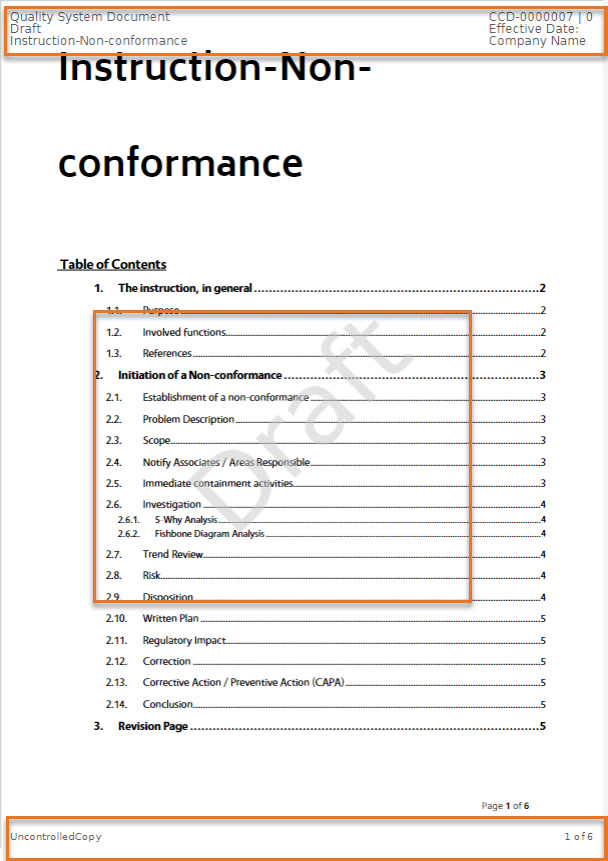 Notes: This is available On-Cloud only The current supported file types are Word and PDF Rendering PDF on cloud doesn't have any dependency on 3rd Party PDF rendering software,
It is OOTB capability available with ‘Controlled Document Management’ App.
|
Create Controlled Document from Questionnaire |
|---|
Why Improve Controlled Document creation process through Questionnaire |
How 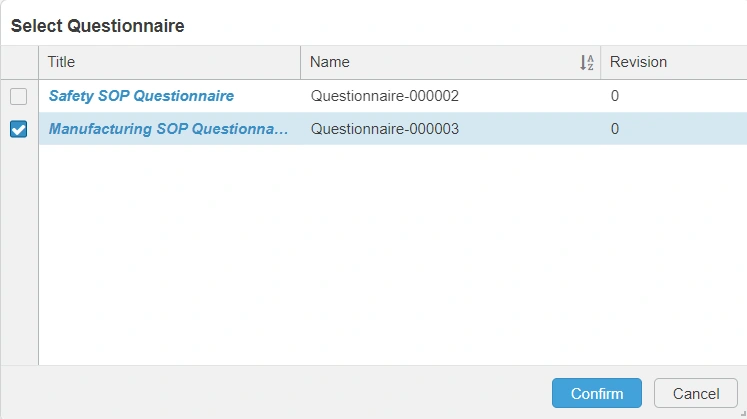 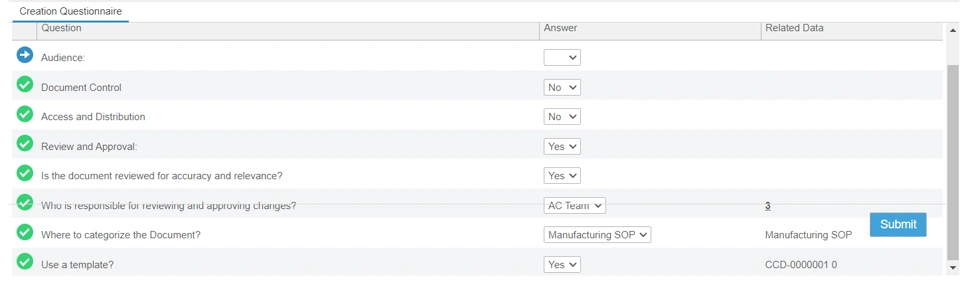 |
Enable and Configure Custom File Categories |
|---|
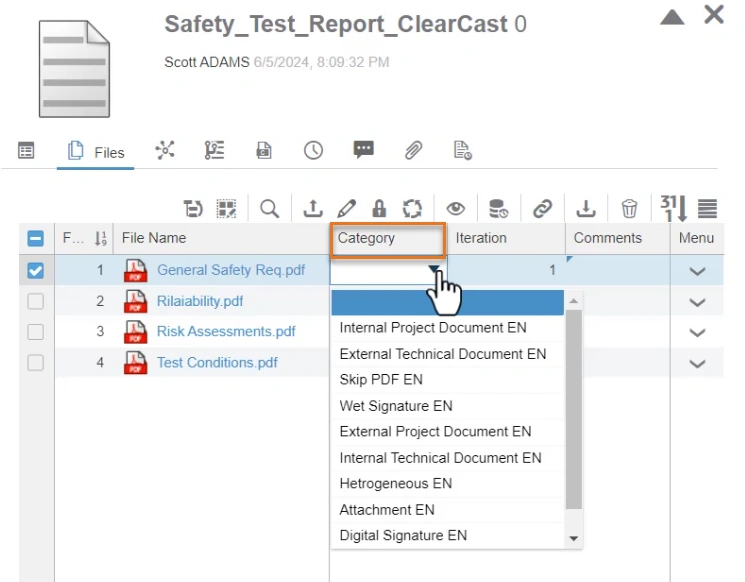
Why Improve Controlled Documents distribution by categorizing files on cloud |
How - A new setting, ‘Enable File Category’ is introduced in the ‘Collaborative Space Configuration Center’ under the ‘Controlled Document Management’ section, which allows you to enable the configuration of file categorization.
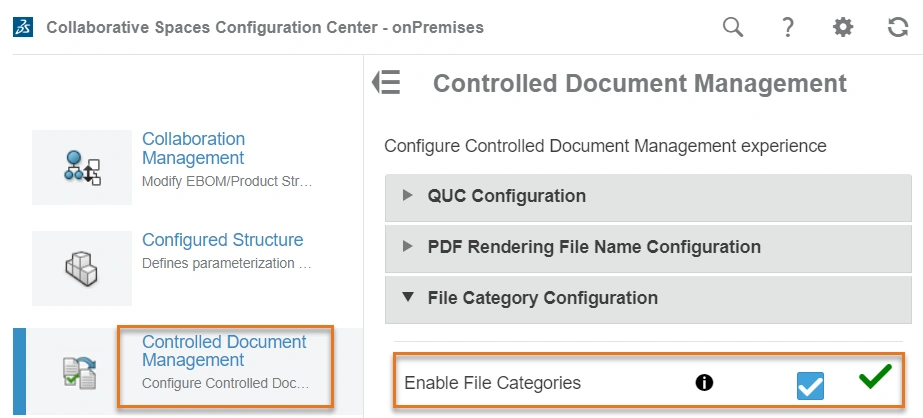 - The setting is disabled by default
When enabled, as administrator you can upload a configuration file to define the file categories,
by using the new ‘Import File Categorization Configuration’ command available in
My Controlled Documents toolbar menu.
  |
🎬 To discover more about these enhancements, watch the video below:
If you have any question or comments on these highlights, please share them with us below. 👇
Thanks!

