New enhancements in this release for this role:
(Tip: You can use the Table of Content  , on the right side, to view the list of all enhancements)
Display Change Actions Associated to a Model Version or Manufacturing Plan |
Why Improved traceability by viewing details about associated Change Actions in the Model Definition app |
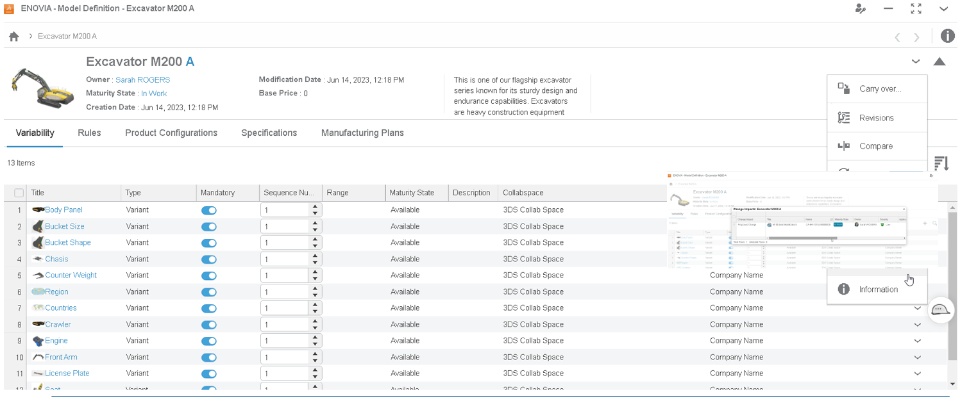
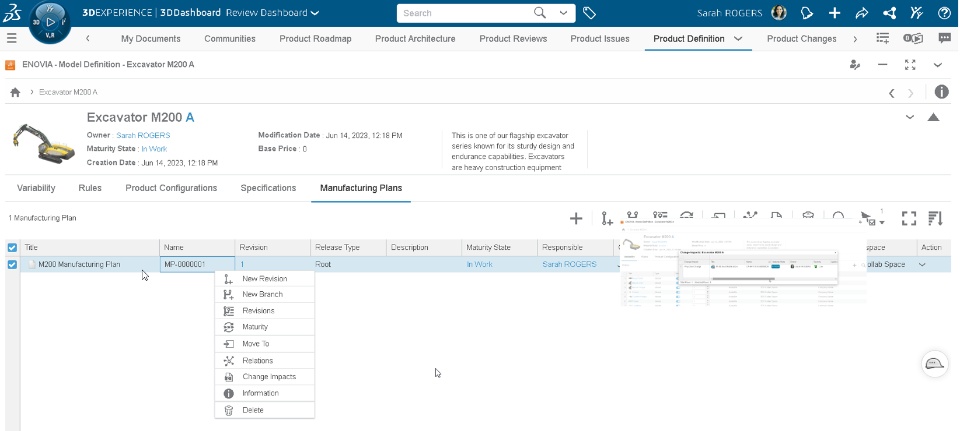
How - The new “Change Impacts” option is now available in the following locations in the Model Definition app:
- Context menu of the Model Versions in the My Model Versions page.
- Menu option of the Model Version when it is open.
- Context menu of the Manufacturing Plans listed in the Manufacturing Plan tab.
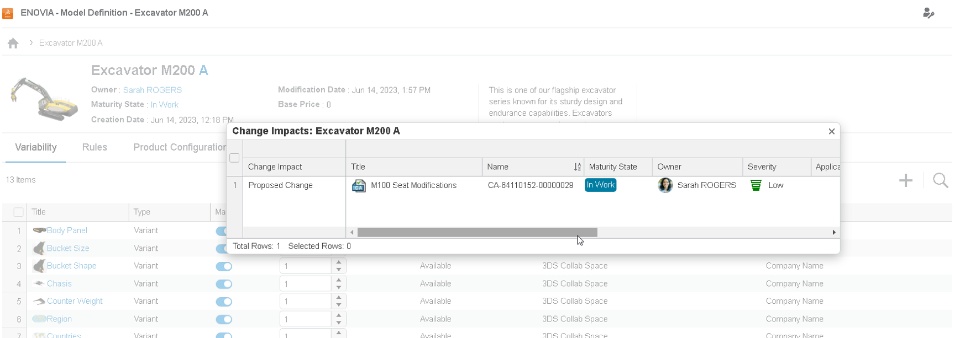
- When you select the “Change Impacts” option, the dialog box showing the associated change actions and its details appears.
- You can easily trace the status, owner, and other details of the associated Change Actions.
 |
If you have any question or comments on these highlights, please share them with us below. 👇
Thanks!

