New enhancement in this release:
Support for Slide Thumbnail (Available On Cloud Only) |
Why Easily recognize your review thanks to the review thumbnail |
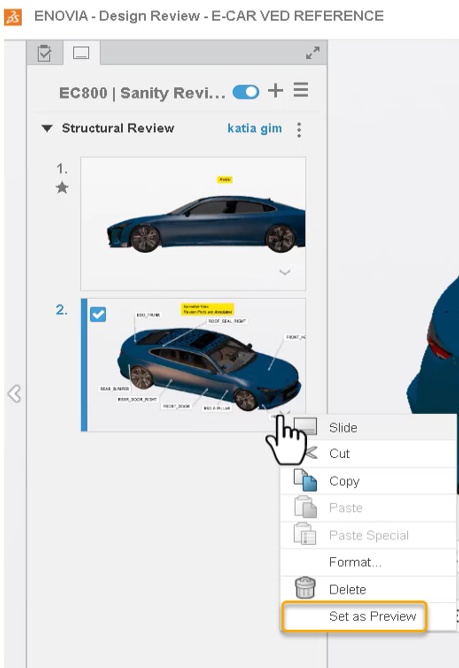
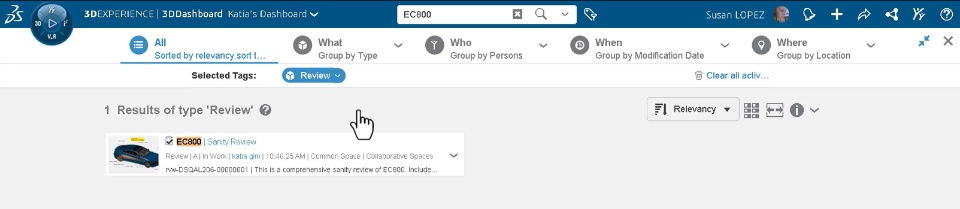
How - You can now set review slide as a thumbnail of your review in the Design Validation app. This is useful to quickly recognize your review without opening it.
- To do this, you can select the required slide in your review and click the “Set as Preview” option. The star icon to the left of slide indicates that the slide is set as thumbnail.
- By default, first slide is set as thumbnail of your review
|
Clipping: Customizing Hatching Properties |
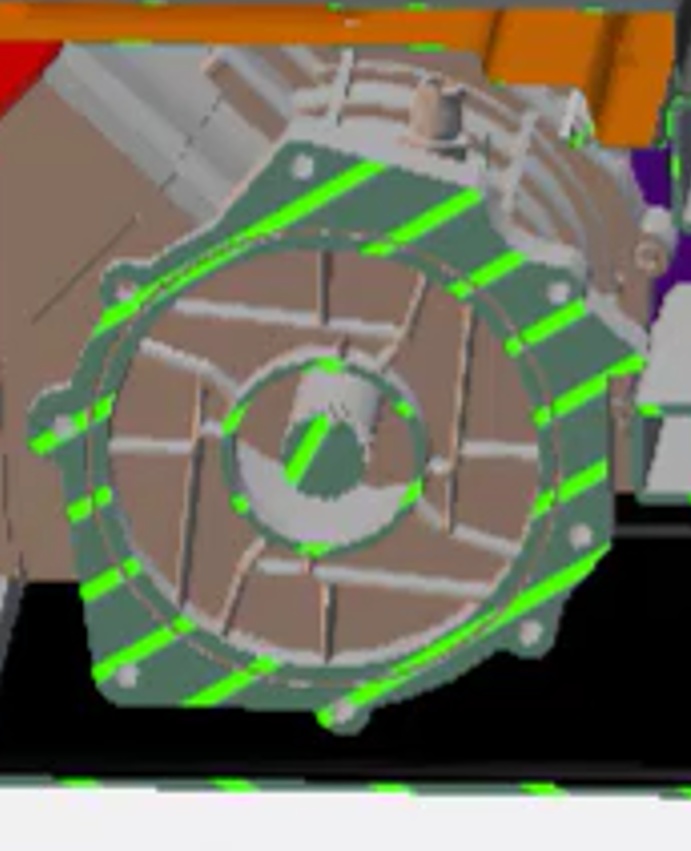
Why Quickly recognize sectional view thanks to the ability of customizing hatching properties |
How - In the Design Validation app, you can now customize the hatching properties as required to quickly recognize the sectional views.
- The new Hatching section is added in the properties panel that lets you customize following attributes of a hatch pattern:
|
Retain Preferences for All Devices |
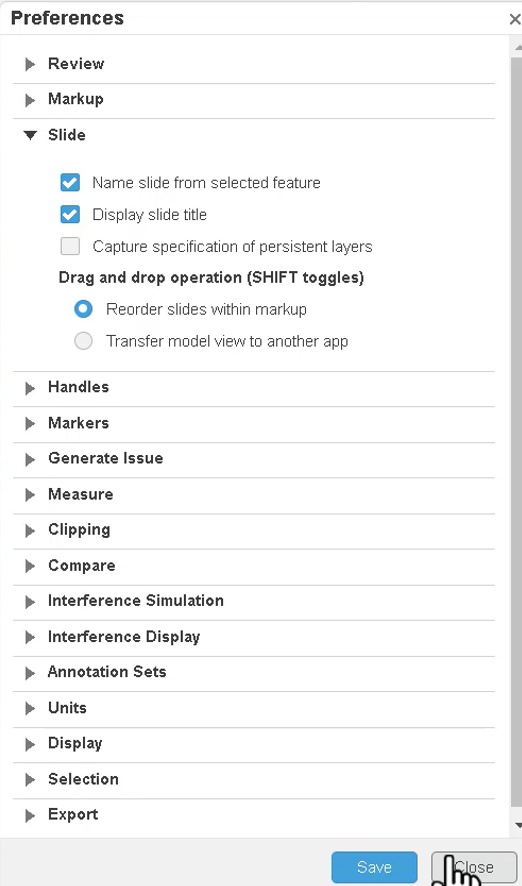
Why Reduced errors and improved consistency with the ability to retain preferences on all the devices |
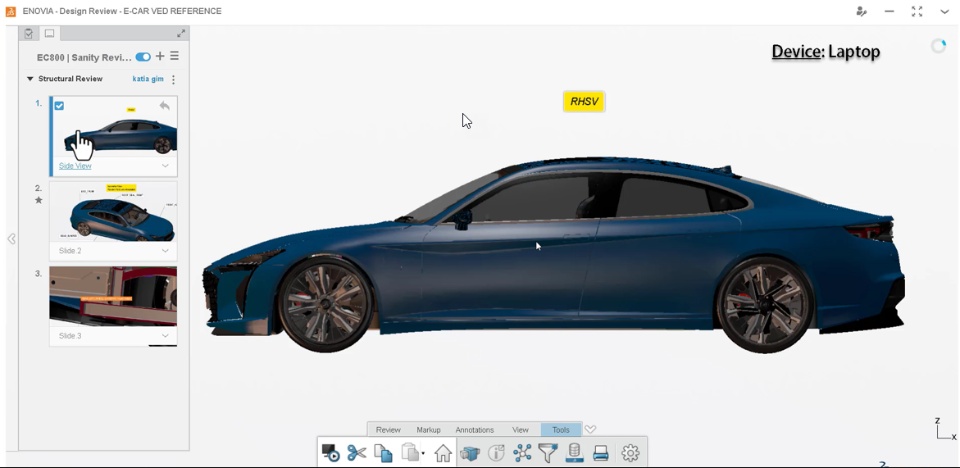
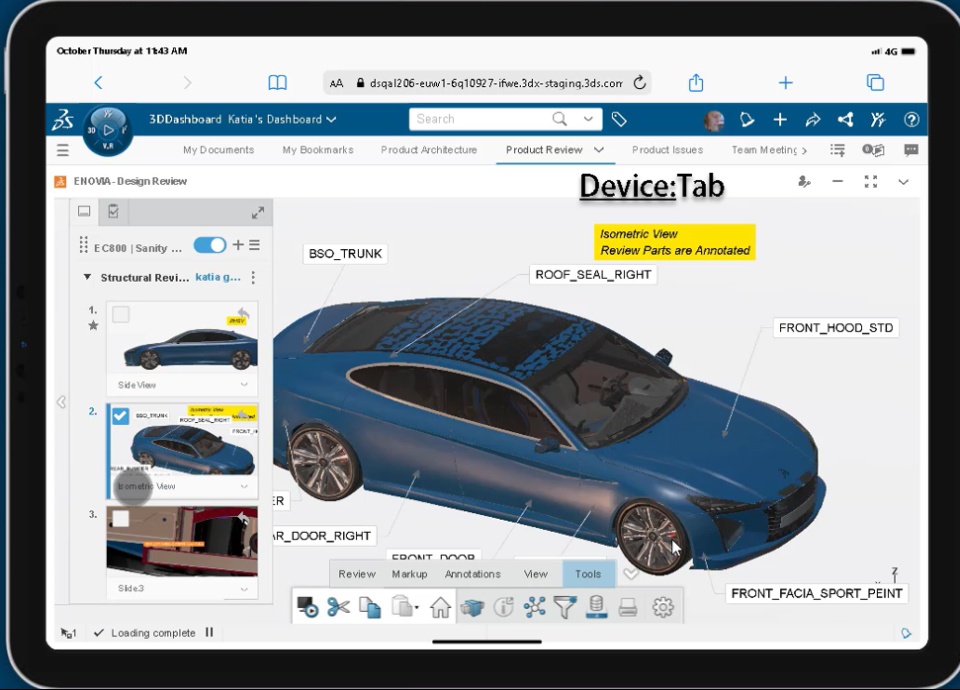
How - In the Design Validation app, all the selected preferences are now retained for all the devices. This means, when you set preferences (For example: Slide Title) while working on your laptop, these preferences are retained while using mobile or tab device.
Note: Before this enhancement, preferences were stored in the local storage of each browser on that device.
|
Review with Restricted Access |
Why Improved adherence to the regulatory compliances thanks to the ability to author restricted review |
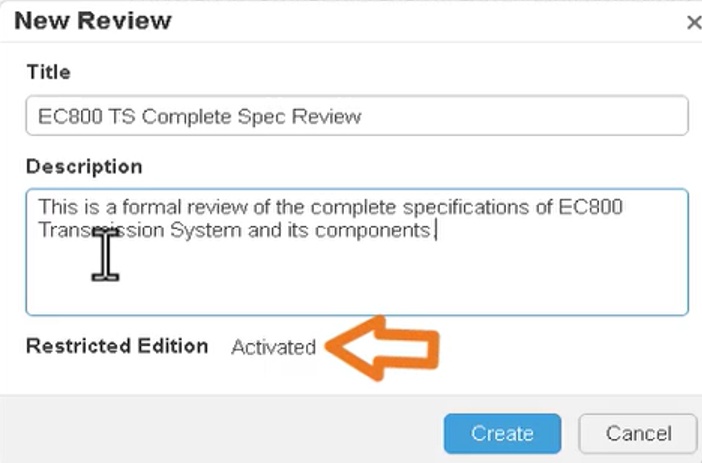
How - You can now create a restricted review to restrict edition access to unauthorized users.
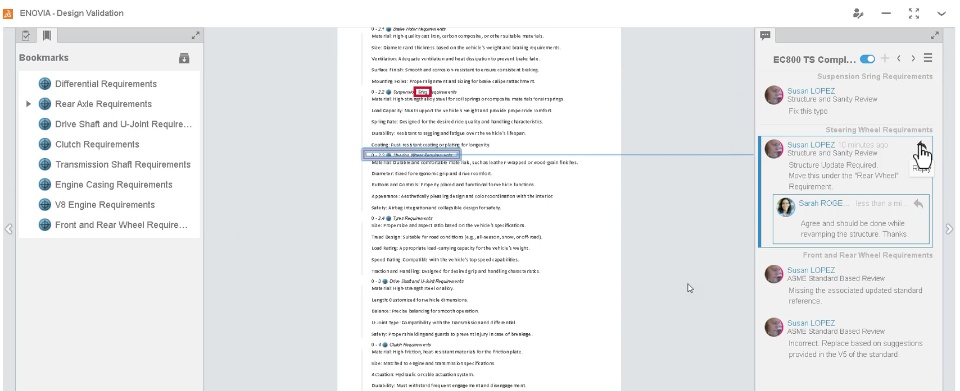
- For example, using the restricted review, the review manager can create a markup. Due to restriction, only review manager can add slides/comments in this markup. Other collaborators can only reply to the slide/comment in this markup but cannot edit/add the slides/comments in the markup.
- The option to Activate or Deactivate the restricted review is provided in the properties of the review.
|
🎬 To discover more about this enhancement, watch the video below:
If you have any question or comments on this highlight, please share them with us below. 👇
Thanks!

