New enhancements in this release:
(Tip: You can use the Table of Content  on the right side, to view the list of all enhancements)
| Transfer Enterprise Item Number for Board and Assembly |
|---|
Why Improve continuity between the ECAD and the platform during PCB development through Engineering Item Number support |
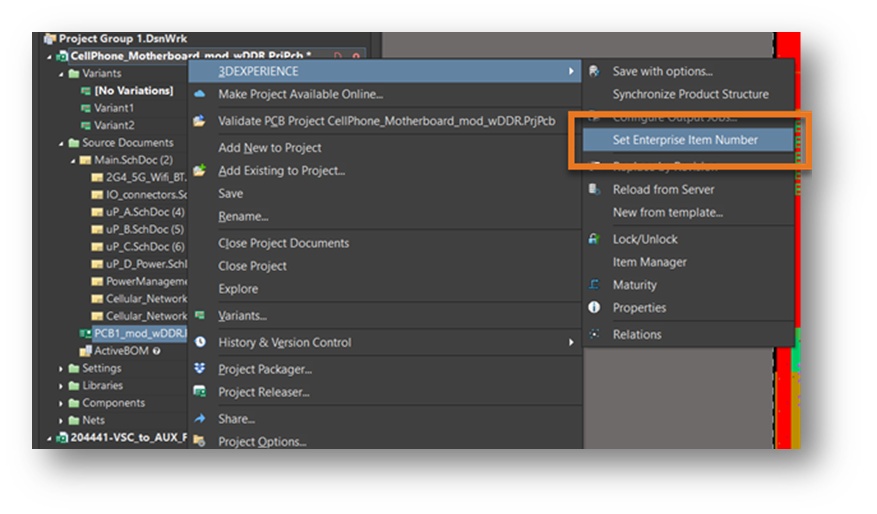
How - You can now transfer a defined Enterprise Item Number (EIN) from a printed circuit board or assembly to the CAD design during the Open or Reload operation.
- A new menu entry for setting the EIN is added to the Altium Project Tree which will launch the EIN prompt to set the value in 3DEXPERIENCE
 |
| Single Selection of Manufacturing Data |
|---|
Why Improve the user experience when saving components to the platform by simplifying the section method |
How - You can now choose the manufacturing data first and the system will include the objects in the design tree that it is dependent upon.
For example: The user includes the GERBER to the save scope. As a result, the PCB will also be selected in the save scope.
|
| Select Multiple Bookmarks during Save Operation |
|---|
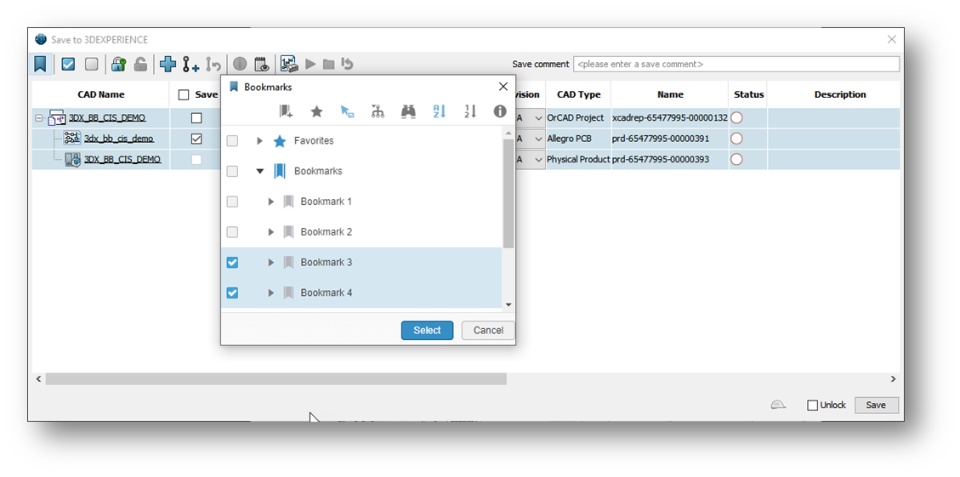
Why Expanded flexibility in organizing data through multiple bookmark assignments per object type in Altium |
How - You can now select one or more bookmarks per selected object type (eBOM/Drawing/manufacturing data) where the same object can be linked.
- It is also possible to unassign objects that were assigned in previous operations
 |
| Derived Output to be Optional and not Mandatory |
|---|
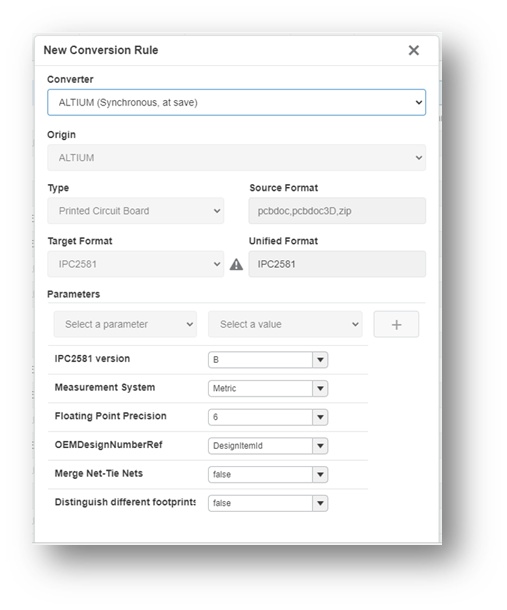
Why Improve performance on Save operations through control of IPC2581 derived out creation |
How - You can now select or deselect the creation of IPC2581 derived output data during the Save operation.
- A new converter for synchronous conversion will enable/disable the conversion.
- Access to this functionality is within the Collaborative Spaces Configuration Center > Derived Format Management
 |
If you have any question or comments on these highlights, please share them with us below. 👇
Thanks!

