New enhancements in this release for this role:
(Tip: You can use the Table of Content  , on the right side, to view the list of all enhancements)
UI and Performance Improvements while Classifying Content |
|---|
Why
Save time while searching and classifying content into libraries |
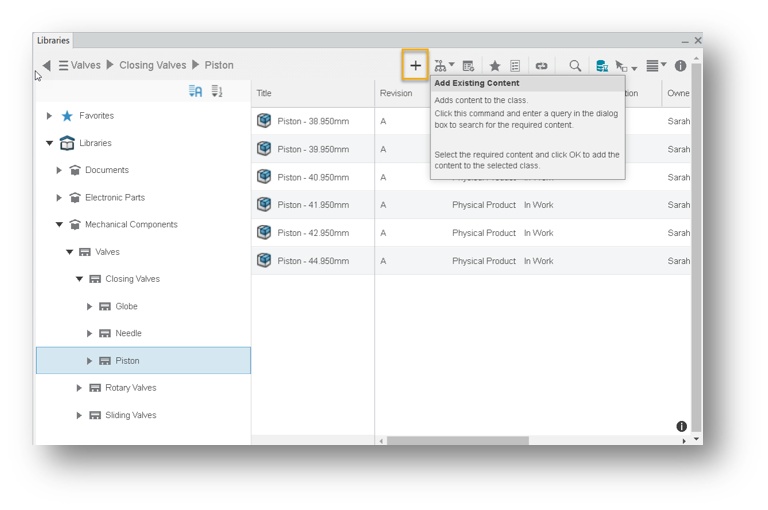
How - The ‘Add Existing Content’ command is now available also in the Native app, allowing you to search and classify content into classes.
- When clicking on the ‘Add Existing Content’ command, in both Native and Web environments, the search panel is loaded, allowing you to search for the content and to classify it.
- You can now classify a list of objects successfully even if some of the objects are already classified in the class.
|
Classifying & Declassifying using Business Logic on Cloud |
|---|
Why
Improve cloud administration through usage of Business Logic |
How
The Business Logic (BL) ‘ENOLibraryBusinessLogicServer’ is now available also on cloud.
Using this Business Logic, you can condition the classification / declassification of objects based on object information and targeted class name.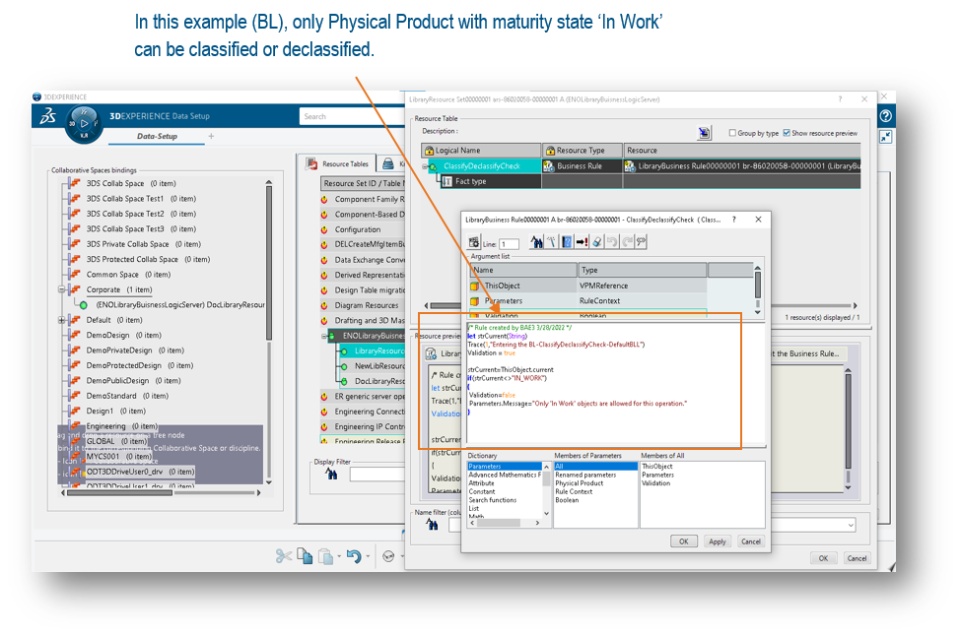 |
Attribute Management in IP Classification Editor Widget |
|---|
Why
Create classification attributes in IP Classification Editor widget |
How
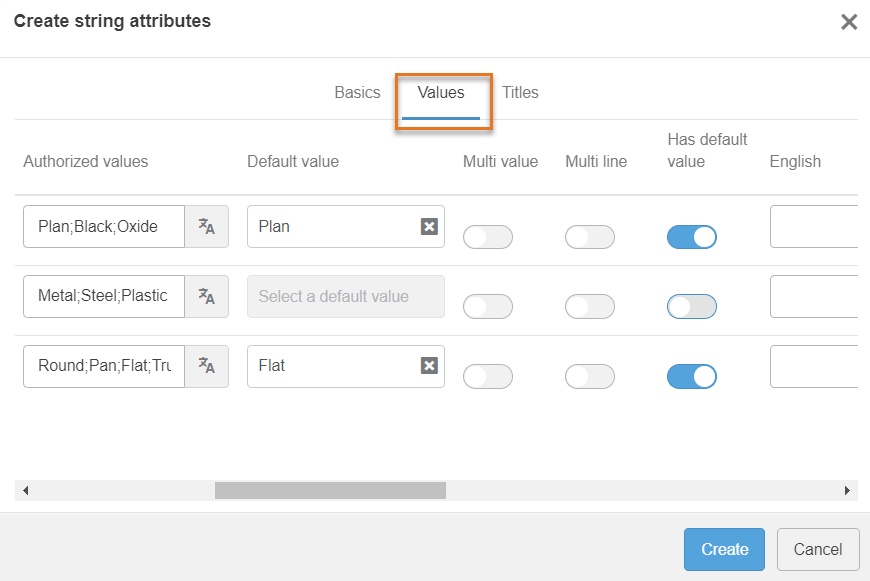
You can now create and manage new classification attributes in ‘IP Classification Editor’ application. You can also decide not to have a default value for a classification attribute. 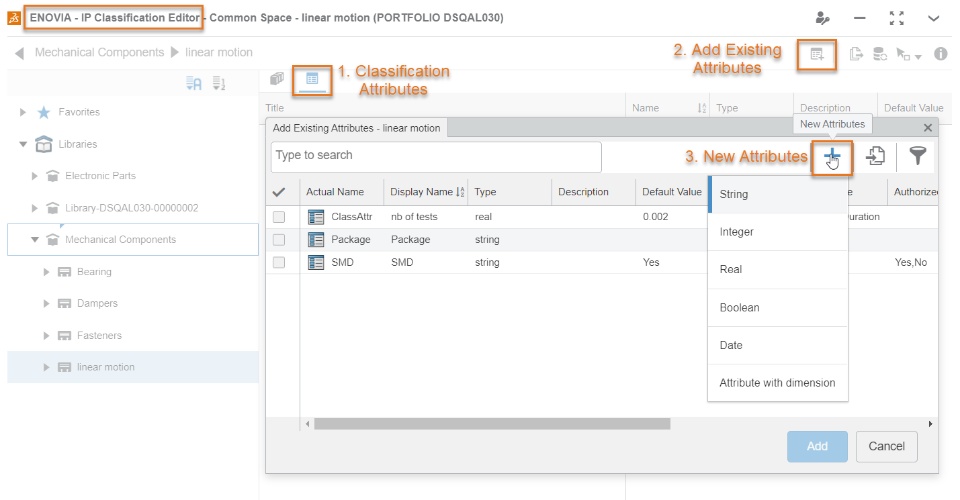
The creation panel consists of three tabs: - Basics: Allows you to set basics information of the attributes, such as Name and Predicate.
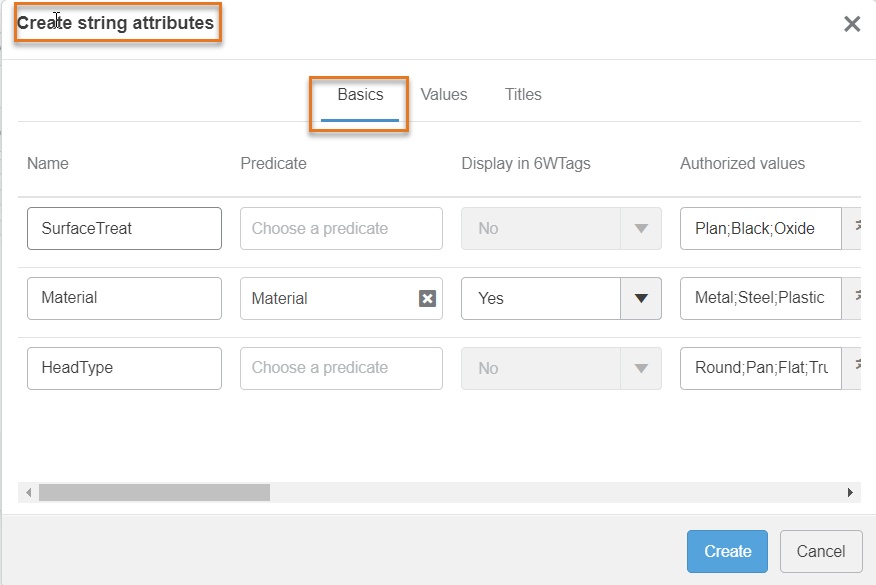 - Values: Allows you to set information about the values such as Default Value, Authorized values and more.
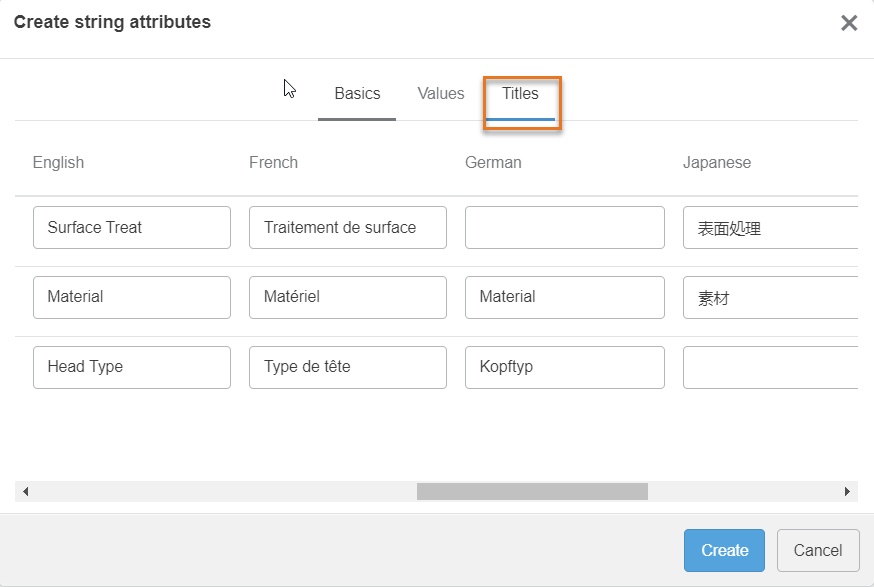
 - Titles: Allows you to provide NLS for the attributes.
The supported languages are: English, French, German, Japanese, Korean, Russian and Chinese.
|
Import & Export of Classification Attributes |
|---|
Why
Improve productivity through exporting & importing of classification attributes in 'IP Classification Editor' widget |
How You can now export and import classification attributes in IP Classification Editor widget. To Export all classification attributes into a zip file, use the ‘Export Attributes’ command available in the toolbar. 
To Import classification attributes from a zip file, use the ‘Import Classification Attributes’ command available in the ‘Add Existing Attributes’ dialog. 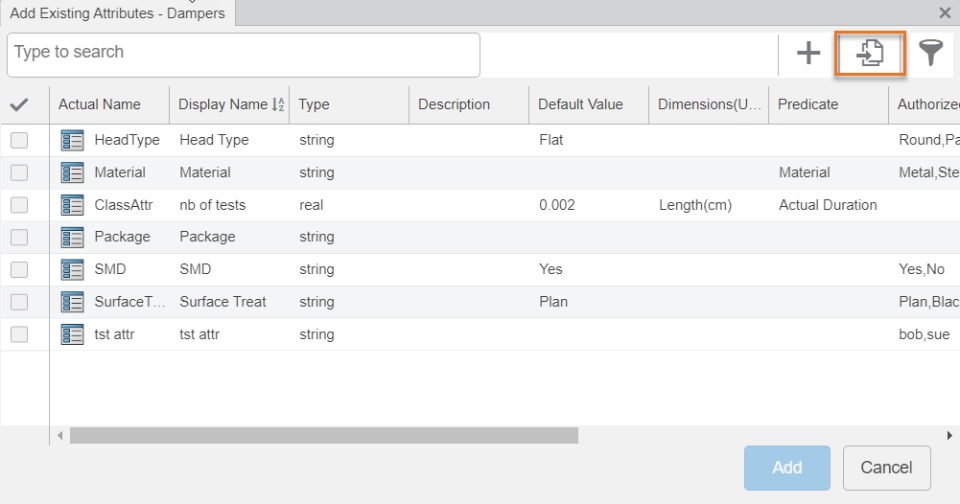
|
Enhanced IP Classification Editor Application Experience |
|---|
Why
Enhance productivity with improved user experience |
How
New toolbar is available at the top of the 'IP Editor Classification Editor' and 'IP Classify & Reuse' widgets replacing the old icon bar.
Some commands are always displayed, others are content-sensitive. 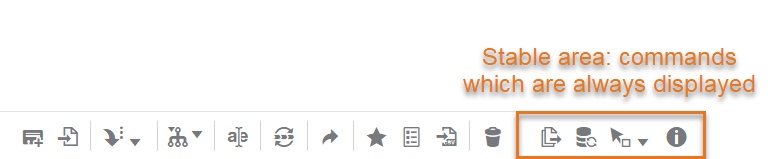
|
🎬 To discover more about these enhancements, watch the video below:
Note that the video has a voice over that can help you better understand the content
If you have any question or comments on these highlights, please share them with us below. 👇
Thanks!

