New enhancement in this release:
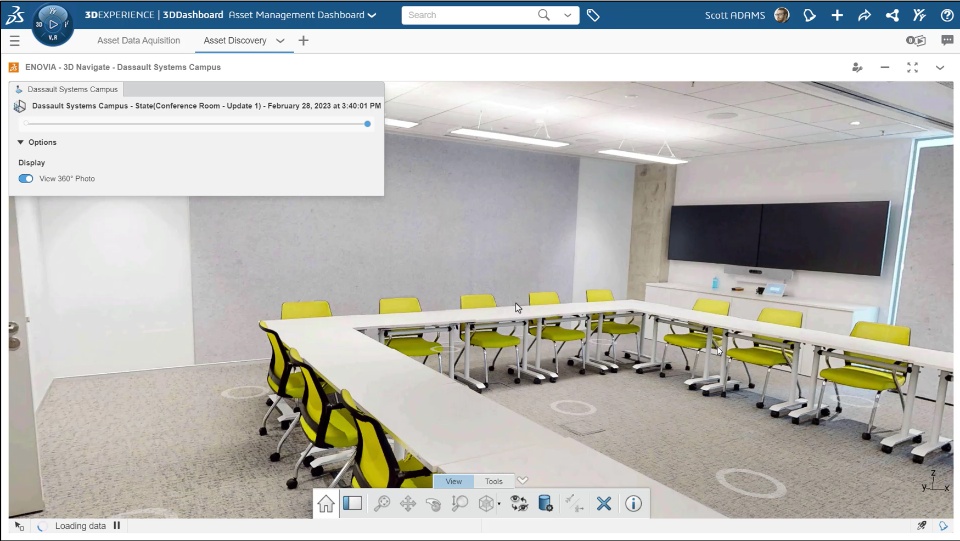
Supporting 360° Photo View |
|---|
Why Improved contextual understanding and eased decision-making thanks to the immersive 360 virtual reality experience of your asset with the 360° Photo View |
How - While viewing your location states in the 3DNavigate app, you can now use the new “View 360° Photo” toggle button to switch from point cloud view to 360° Photo View.
- In the 360° Photo View, you can also use the predefined position (Markers) to relocate and navigate from different viewpoints.
|
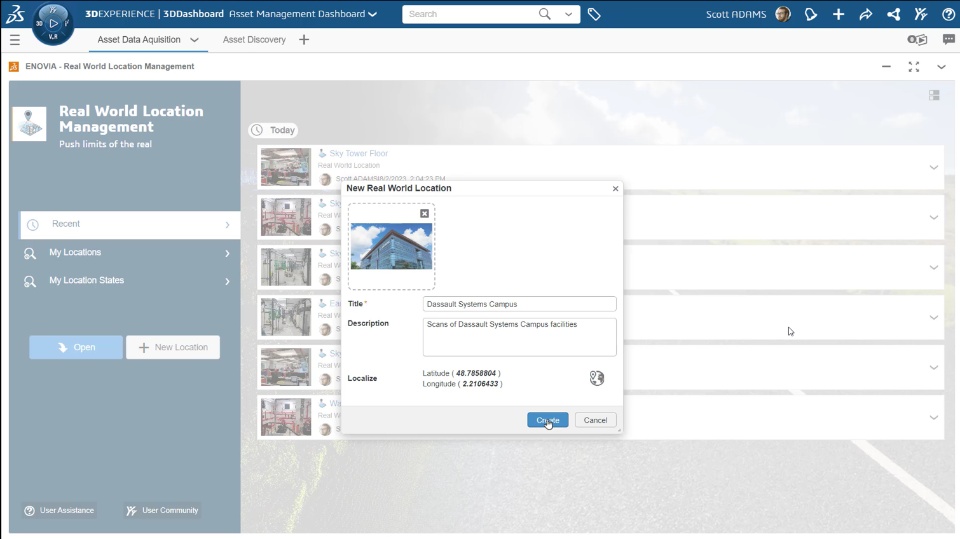
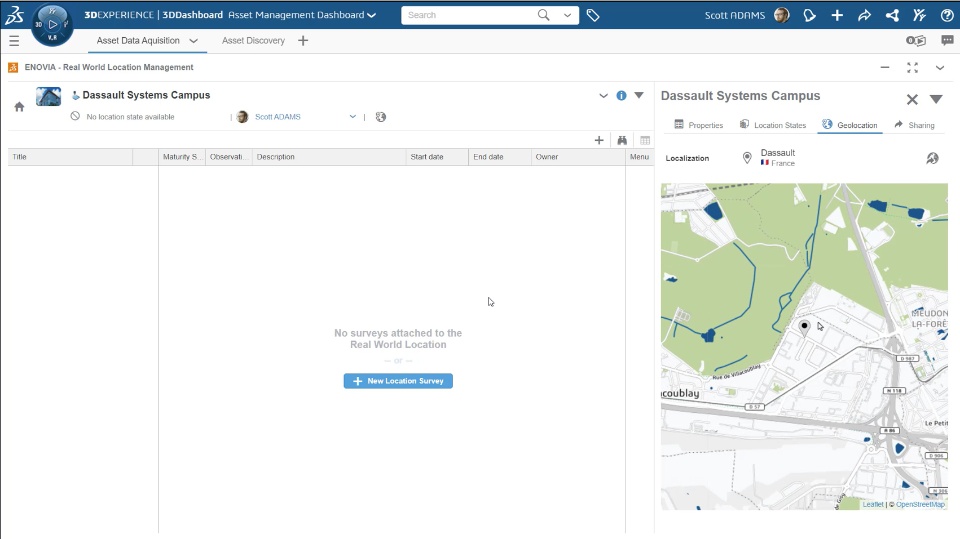
Inserting Precise Geographical Location |
|---|
Why Improved discovery and navigation by mapping the precise Geographical Location of your assets |
How - While creating a Real World Location, you can now provide the precise geographical location. Once mapping is done, the precise Latitude and Longitude appears on the dialog box.
- The new Geolocation tab is also provided in the Information panel of the Real World Location to view it on the map.
|
🎬Discover more about this enhancement, watch the video below:
If you have any question or comments on this highlight, please share them with us below. 👇
Thanks!

