New enhancements in this release:
(Tip: You can use the Table of Content  on the right side, to view the list of all enhancements)
3DStory
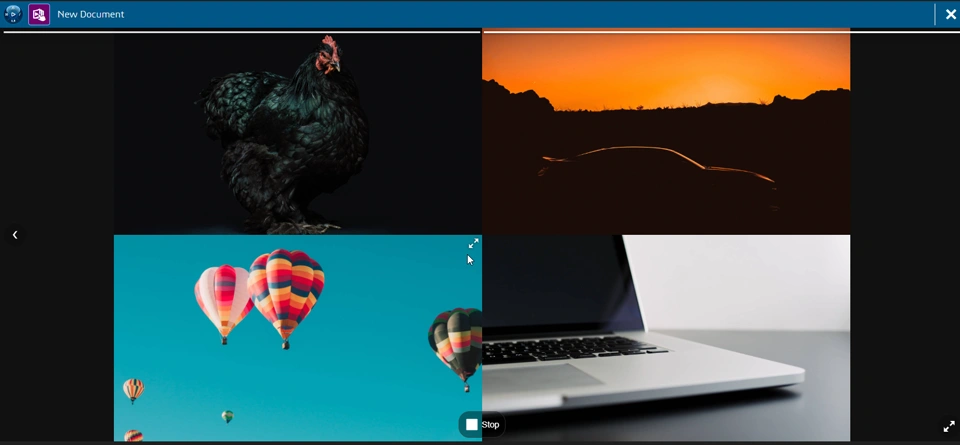
3DStory: View Media in a Fullscreen Mode |
|---|
Why Clearer visualization with the ability to view images and videos in Fullscreen mode. |
How - You can now maximize the size of individual media (Image/Video) while playing your stories to make them even more interactive.
- To maximize a media at play, do one of the following:
- Double-click the media.
- Click the Maximize icon on the upper-right corner of your media.
- With a mobile device, spread your fingers on the media.
 |
| Note: This app and enhancement is available on cloud only |
3DDashboard
Compass - Web Apps Open in a New Tab |
|---|
Why Work directly in your web app without the need to add it in the dashboard |
How - In your Compass, when you click on the web app, it now opens in a new tab. Before this enhancement, a transient web app preview used to open on top of the current dashboard.
- This provides you a choice to work either on the web app opened in a new tab or in the same web app within a dashboard.
|
3DSwym
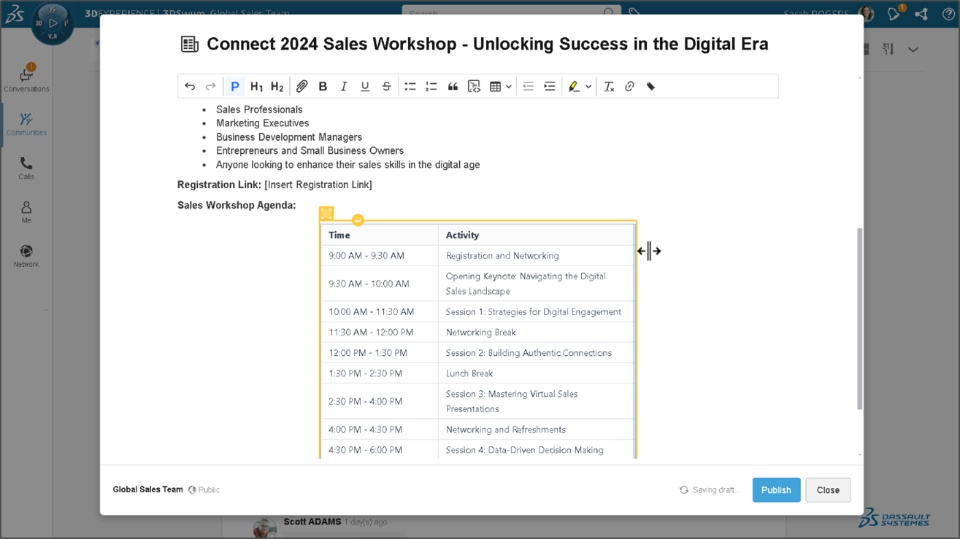
3DSwym: Brand New User Experience Support for On Premise |
|---|
Why Intuitive navigation and seamless collaboration thanks to the brand new user interface |
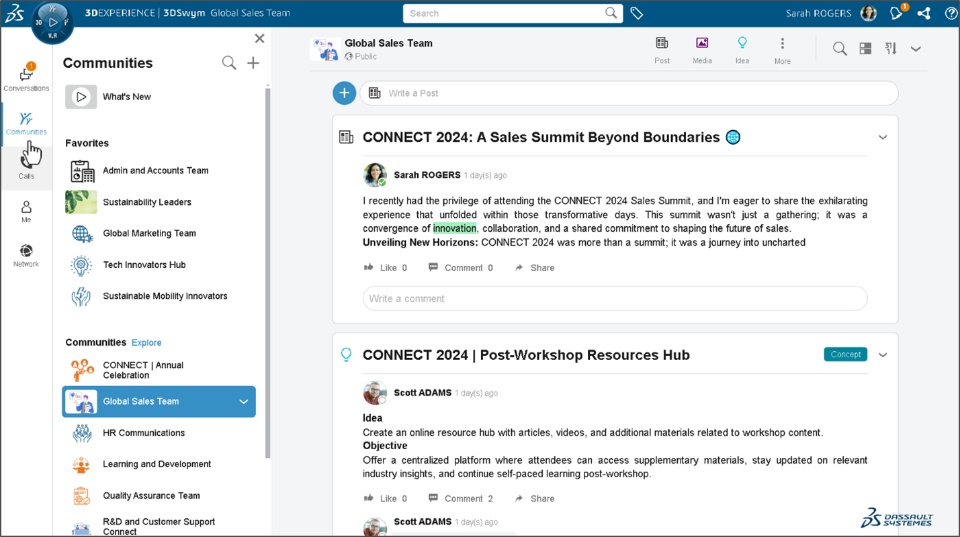
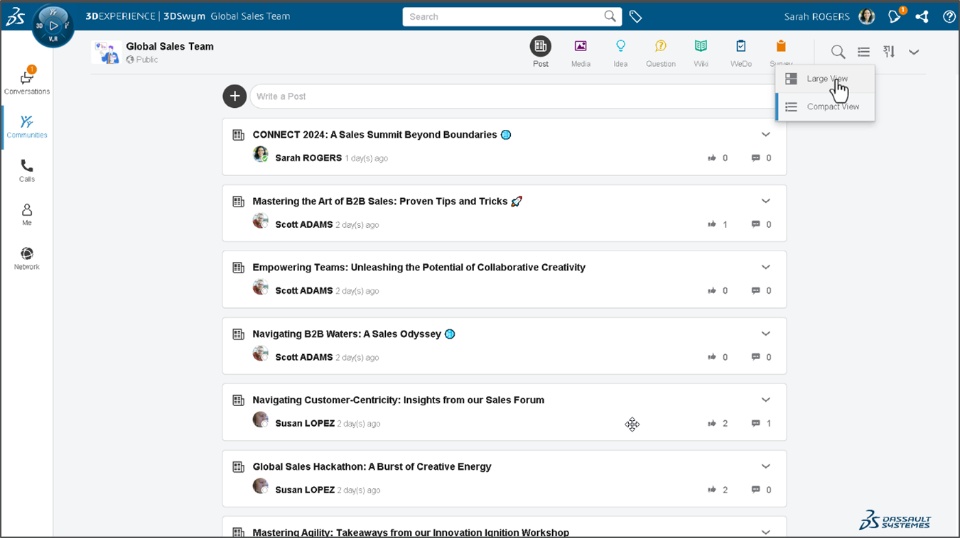
How The brand new user experience for the 3DSwym app was initially supported for on cloud servers. Starting from this release, the support is also extended for on premise to enable intuitive navigation and seamless collaboration - Redesigned Navigation Panel:
- Use the redesigned navigation panel to seamlessly access your Conversations, Communities, Calls, Profile, and Network.
- You can also seamlessly hide the Communities Panel to declutter the space and increase readability.
- You can choose the Compact View for a more efficient display of content with minimal space utilization
- Local Search:
- The local search option within the main section allows you to quickly locate the content you require
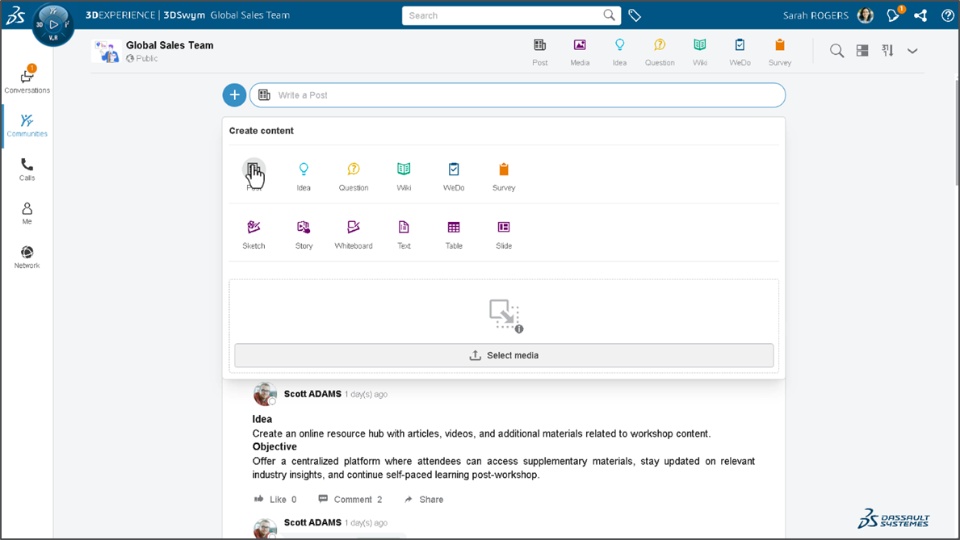
- Redesigned Create Content:
- The redesigned Create Content dialog box allows you to quickly choose the type of content you wish to create.
- You can utilize the new Rich Text editor coupled with colored highlight option for more impactful content creation. You can also conveniently adjust the table column size using the mouse to save time
- Content Forward:
- You can use the revamped content Forward option to quickly forward content to any Community or Conversation. It also allows you to Choose the desired type before forwarding the content.
- 3DSwym Wiki:
- The 3DSwym Wiki interface is improved to deliver a seamless user experience.
- You can adjust the Wiki Panel size for a more convenient viewing experience and to declutter the space.
- You can also utilize the Search function to swiftly locate the desired wiki page.
- Conversations:
- This section is revamped to seamlessly access to all your discussions
- Calls:
- A new Calls section is introduced that allows you to view your preferred contacts and their corresponding call history.
- Me:
- Me section is revamped for quickly accessing your Contributions, Draft, Bookmarked items, and Profile.
- Network:
- The new Network section is provided to easily access your connections and viewing their community activities
    |
3DSwym: Increased Group Conversation Member Limit |
|---|
Why Enhanced group communication by raising the maximum number of members in a 3DSwym Conversation to 100 |
How |
| Note: This enhancement is available on cloud only |
If you have any question or comments on these highlights, please share them with us below. 👇
Thanks!

