New enhancements in this release:
(Tip: You can use the Table of Content  on the right side, to view the list of all enhancements)
3DSwym
3DSwym: What’s New in the Favorite Communities |
|---|
Why Stay up-to-date about new content in your favorite communities using the Favorite option in the What’s New section |
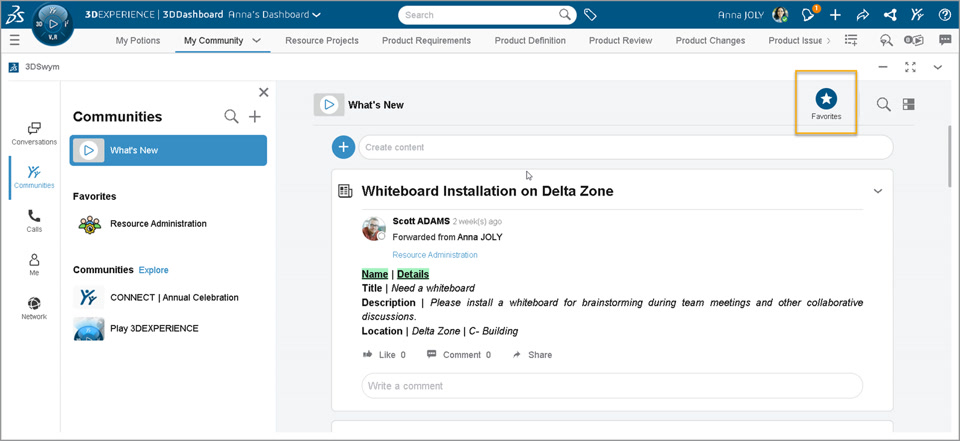
How - When you click on the What’s New feed option in the communities panel, by default it displays new or updated content in all the communities.
- You can now use the new Favorites option to the top right of your screen that lets you filter this content to show only new or updated content from your favorite communities.
 |
| Note: This enhancement is available on cloud only |
3DSwym: Personal Space |
|---|
Why Enhanced control over content development by refining content in a personal space before publishing it in community |
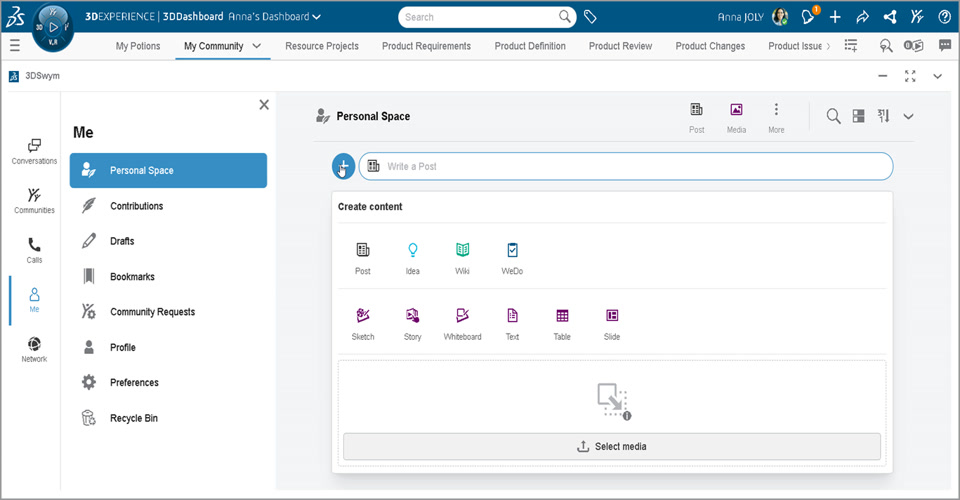
How - You can now use the new Personal Space tab available in the Me section of your 3DSwym app.
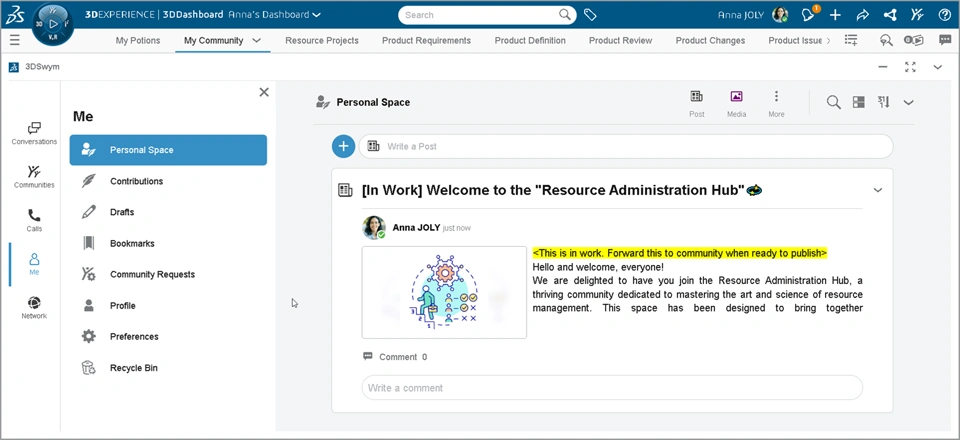
- This section allows you to create and organize content in a private mode. This includes types of content which is usually created in an community. Example: Post, Wiki, Idea, 3DStory, 3DWhiteboard.
- You can work on it privately until it is ready to release. You can then choose whether to keep it for yourself or share it with any community or conversation by using the Forward option.
  |
| Note: This enhancement is available on cloud only |
3DSwym: Using Recycle Bin to Restore Deleted Content |
|---|
Why Enhanced recovery options, ensuring that accidentally deleted content can be easily restored |
How - You can now use the new Recycle Bin tab available in the Me section of your 3DSwym app.
- The 3DSwym content deleted by you and its information (*) is now displayed. You can also restore the content to its source destination by using the Restore option for each content.
- Community owners can now access the community specific Recycle Bin to review and restore (If required) the content deleted by community members.
(*) source community, deletion date, remaining days before its permanent deletion 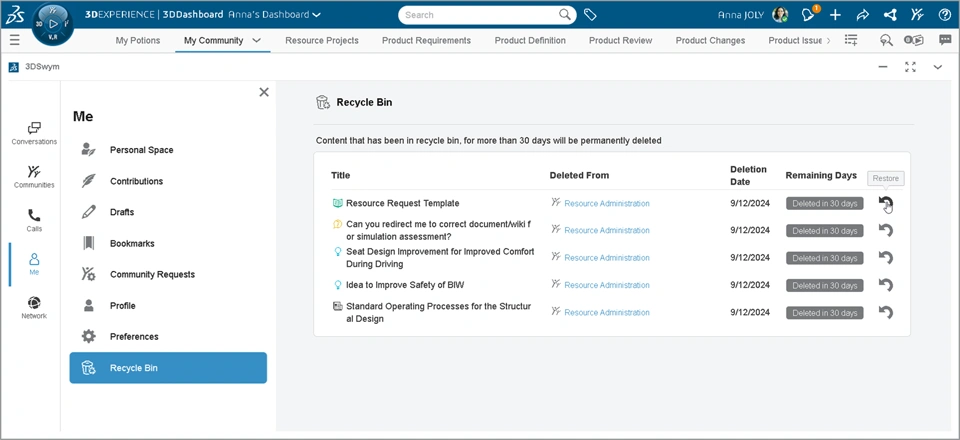 |
| Note: This enhancement is available on cloud only |
3DSwym: Enhancements in the User’s Profile Tooltip |
|---|
Why Improved user engagement through instant interaction options directly from the profile tooltip |
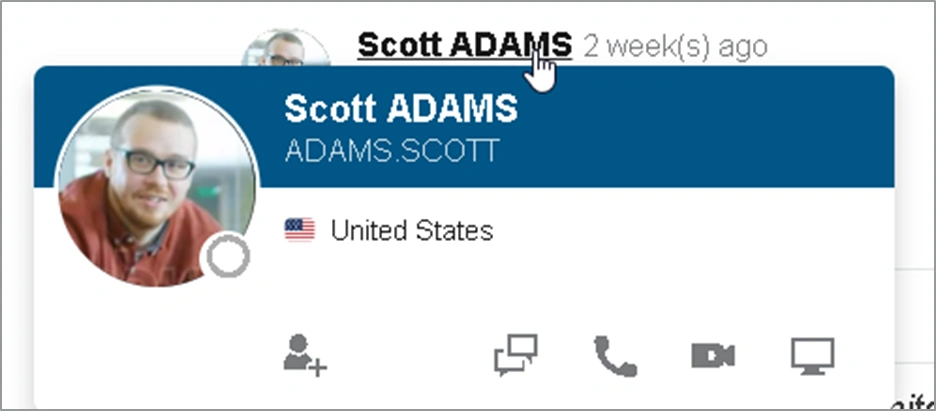
How - A redesigned and comprehensive user profile tooltip appears when you hover over the username or display picture of the user.
- This tooltip is useful for:
- Getting more information about user: Company, Country, Profile Picture
- Adding user to your network
- Starting collaboration through Conversation, Audio Call, Video Call, Screen Sharing
 |
| Note: This enhancement is available on cloud only |
3DSwym: Transfer Idea to App Option |
|---|
Why Improved control over idea content transfer by allowing tenant admins and community owners to manage permission |
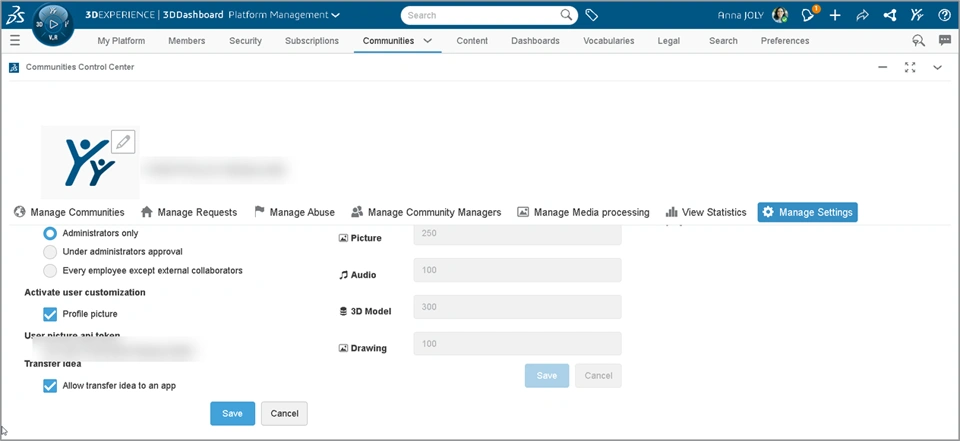
How Transfer Idea to App: This option is available for ideas that you post in the 3DSwym Communities. It allows you to transfer the idea content to specific app. For example, if transferring Idea to Requirement. For Administrators: A new checkbox "Allow transfer Idea to an App" is provided in the Communities Control Center app that allows you to control availability of this option in the community settings of all the communities in the tenant. By default, this option is enabled.
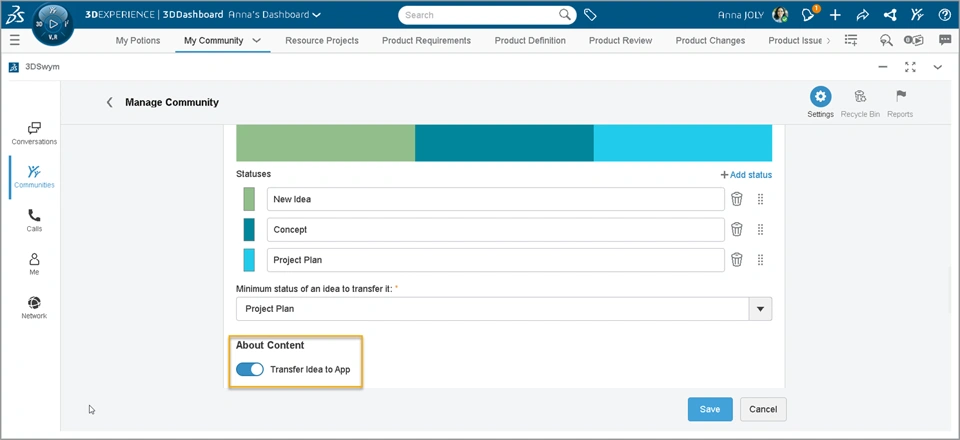
For Community Owners: In the Community Settings, a new “Transfer Idea to App” checkbox is provided. Tenant setting mentioned above determines whether this checkbox is available or not. When this is available, by default it is deactivated for newly created communities.
  |
| Note: This enhancement is available on cloud only |
Potion Lab
Potion Lab: Retrieving Table Content From 3DSwym Posts As Variables |
|---|
Why Save time and improve accuracy during task definition by automating task creation based on content within the table |
How - When creating an action trigger that involves task creation, you can now pull details from the table available within the 3Dswym post.
- You can use the “Get Post Info > Table” variable to add these details in the task's Title and Description fields.
Note: 3DSwym Content must be pre-selected using a trigger ingredient. 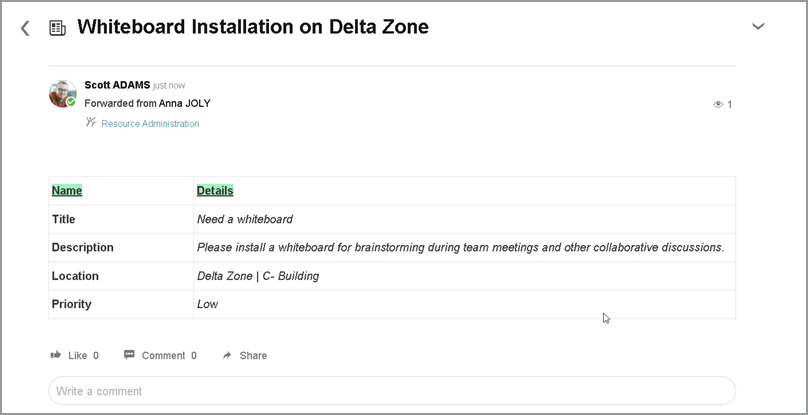 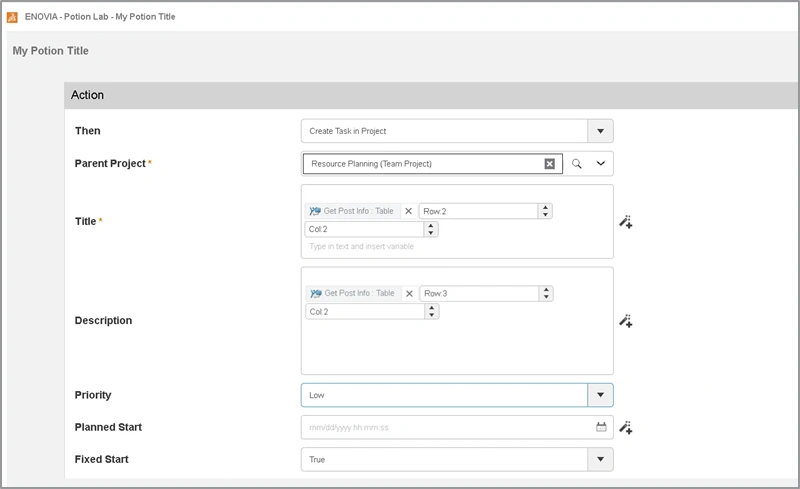 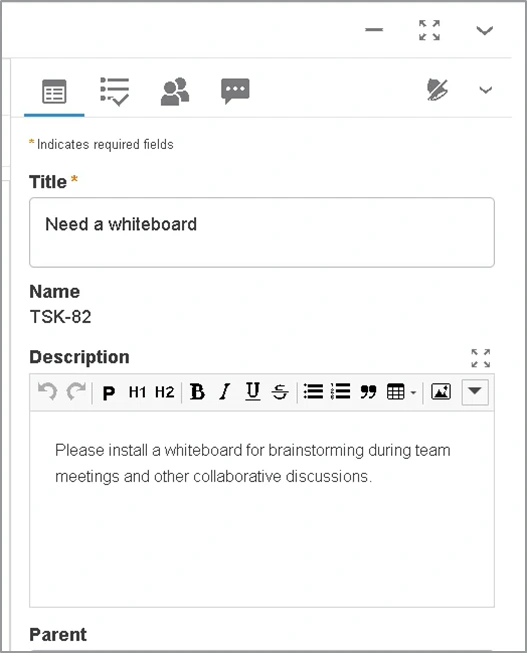 |
| Note: This enhancement is available on cloud only |
Potion Lab: Update Document Maturity State |
|---|
Why Improved control on document maturity state thanks to support of automatic document maturity promotion |
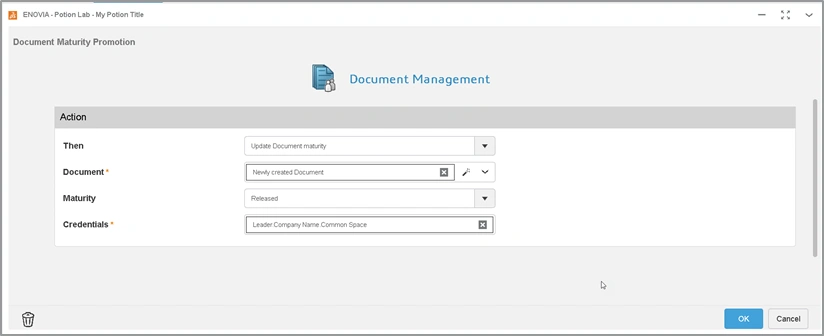
How - While defining an action ingredient containing Document Management app, you can now use the new “Update Document Maturity” option that lets you select the existing document or newly created document and promote its maturity state.
 |
| Note: This enhancement is available on cloud only |
Potion Lab: Enhancements in the Potion Ingredients Scope |
|---|
Why Improved scope and flexibility while automating tasks for Project Planning, 3DSwym, and Risk Management apps |
How - For the Project Planning app, following new ingredients are supported:
- Trigger Ingredient: Gate Maturity Changed.
- Action Ingredient: Update Milestone Maturity & Update Gate maturity.
- For the 3DSwym app, the trigger WeDo Status Changed allows you to select a context community or person in the Who field.
Note: This trigger works only when you are a Creator or Assignee of the context WeDo task |
| Note: This enhancement is available on cloud only |
🎬 To discover more about these enhancements, watch the video below:
3DDashboard
3DDashboard: Duplicated Dashboards Synchronization |
|---|
Why Stay up-to-date about important data by synchronizing duplicated dashboard on demand |
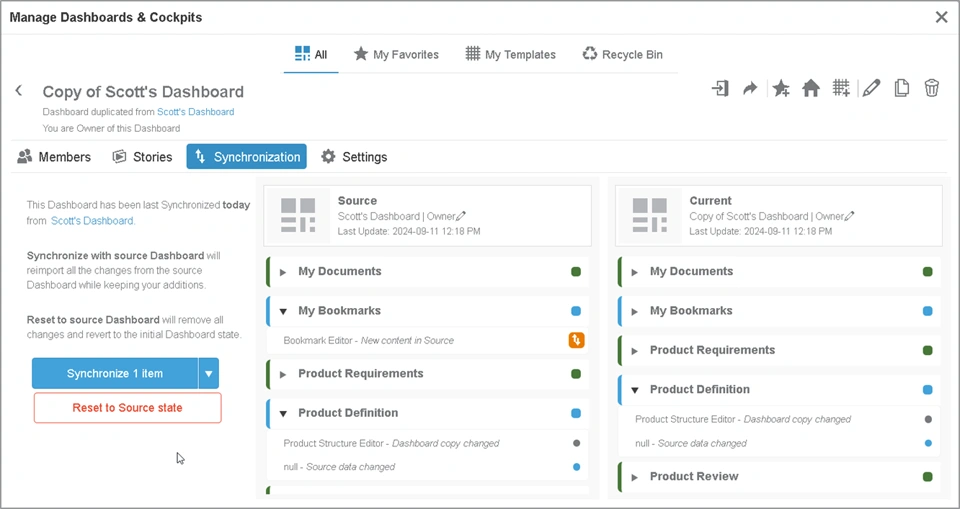
How - You can now synchronize the duplicated dashboard with the source dashboard or set the duplicated dashboard to its original state.
- The owner of the source dashboard can use the new "Enable Duplicated Dashboards to be Resynchronized On-Demand" option in the settings.
- When this is selected, you or members who have duplicated the dashboard get access to the "Synchronization" tab. This tab displays last synchronization status and allows you to perform synchronization on demand through the following 2 options:
- Synchronize with Source: You can refer to the comparison view and synch specific tab or widget from the source dashboard.
- Reset to Source: Remove all the changes and reverts duplicated dashboard to the initial Dashboard state.
  |
3DSearch
3DSearch: Selecting the Predefined Queries to Display in the Help Panel |
|---|
Why Improved speed of search by making most used predefined queries available to users |
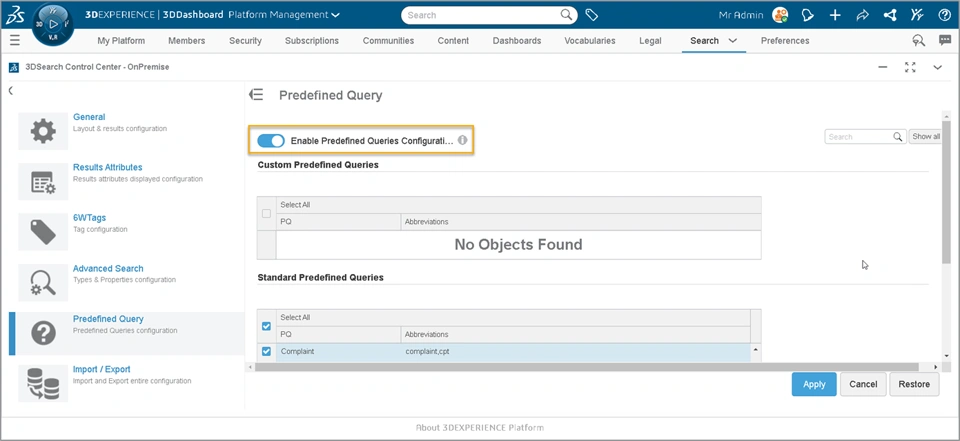
How - The new “Enable Predefined Queries Configuration” checkbox allows Admin users to customize the list of predefined queries that displays in the Help panel of the search menu.
By default, this property is turned off and the Help panel of the search menu displays all the existing predefined queries. - From the 3DSearch Control Centre, administrators can select relevant set of custom and standard queries that are required for their users
 |
3DSearch: 6WTag Layout Redesign |
|---|
Why Improved speed of retrieving specific content thanks to the 6WTag layout redesign |
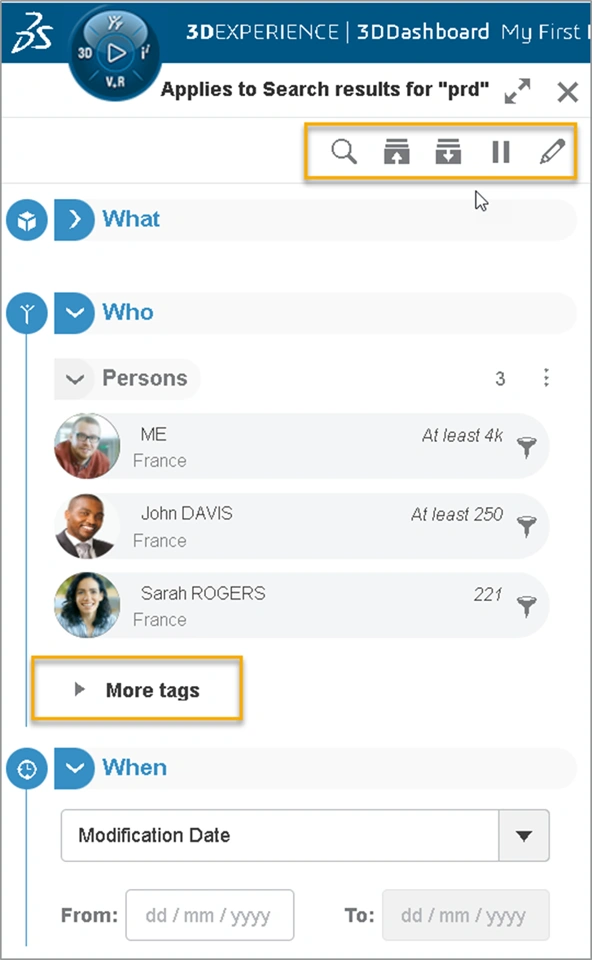
How - All commands in the top bar are now visible in one line. When you select search, commands are minimized within the 3 dots.
- The More Tags section is now available in each W category (Example: What). This allows you to expand more tags available for specific W section. Before this release, only single More Tags option was available for all preferred tags.
- The Show All/Close All option allows you to expand/collapse all W categories and More Tags sections at once.
 |
3DStory
3DStory: Creating Stories Using 3DSwym Personal Spaces |
|---|
Why Enhanced control over 3DStory development by allowing drafts to be refined in a private personal space |
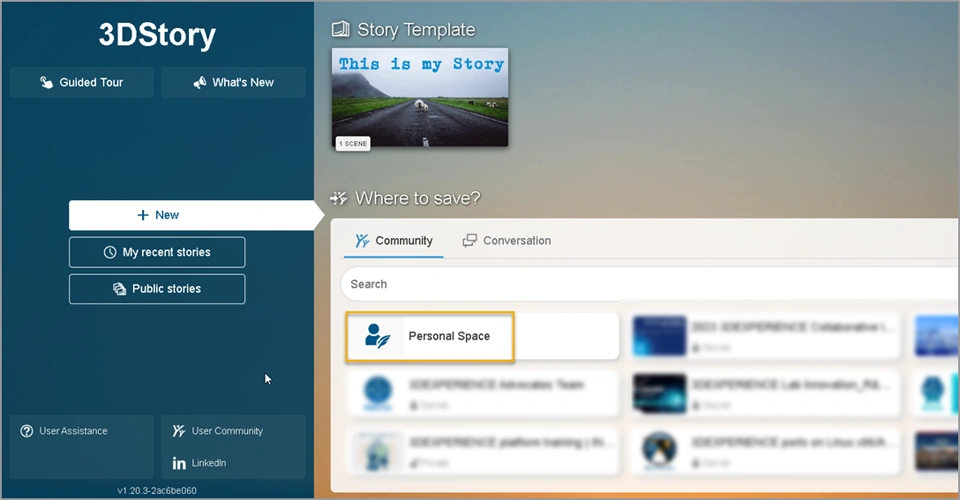
How - While creating a new 3Dstory, the new “My Personal Space” location is available for selection. This allows you to create story in your private personal space before you forward them to larger audience/community.
 |
| Note: This enhancement is available on cloud only |
3DStory: Using the Gyroscope While Viewing Panoramic Images |
|---|
Why Enhanced privacy during the ‘In Work’ phase of stories before publishing them to a wider audience (Community). |
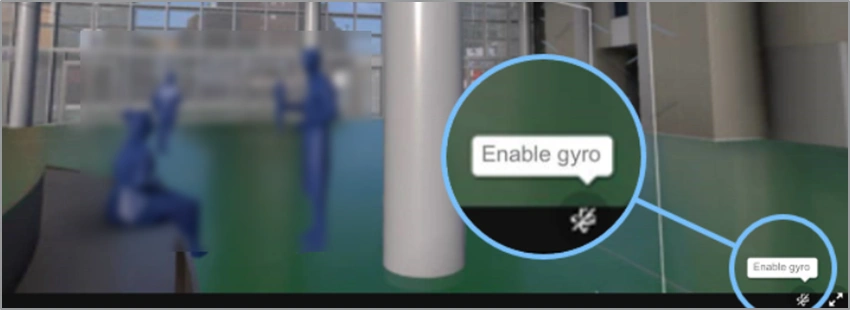
How - You can now leverage your mobile or tablet's gyroscope to seamlessly navigate through Panoramic images in 3DStory app.
- To enable this, select the "Enable Gyro" at the bottom right of 3DStory
 |
| Note: This enhancement is available on cloud only |
If you have any question or comments on these highlights, please share them with us below. 👇
Thanks!

