New enhancements in this release:
(Tip: You can use the Table of Content  on the right side, to view the list of all enhancements)
3DPlay
3DPlay: Support for Controlled Document & STEPA Files |
|---|
Why Improved scope with the support for controlled document & STEPA files |
How - You can now view and navigate through the following files in the 3DPlay web app:
- Single-file Controlled Document
- STPA file
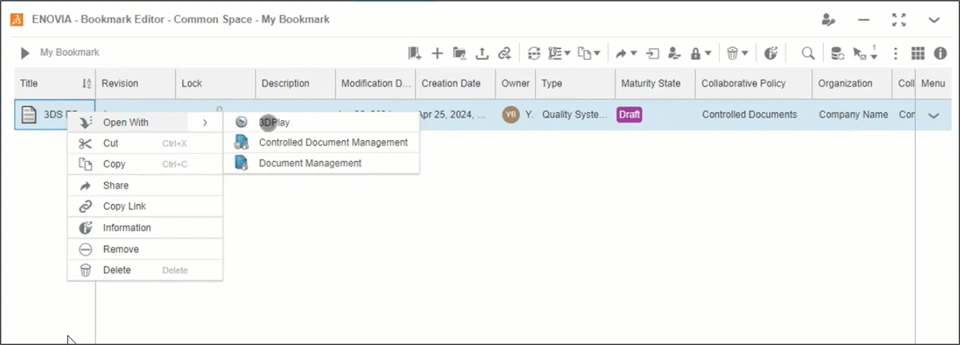 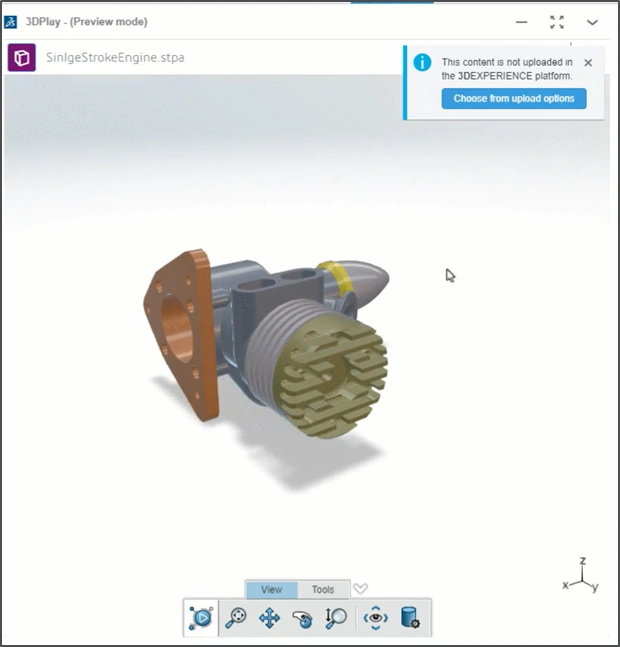 |
3DPlay: Enhancements in the 360 Image Viewing Experience |
|---|
Why Improved viewing experience while viewing the 360° Image in the 3DPlay |
How - The 3DPlay web app now detects the 360° Image and shows pertinent UI options for the best viewing experience.
- You can download the image or view its detailed information from the top menu options.
- Further, if the 360° Image contains equirectangular metadata, only the spherical and planar buttons are displayed.
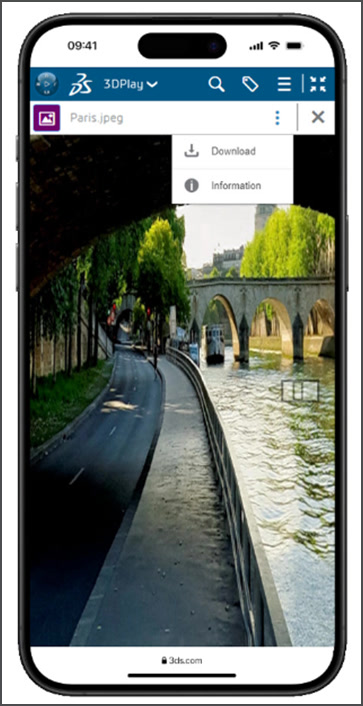 |
3DSwym
3DSwym: Support for Emoji |
|---|
Why Eased communication thanks to the support for expressive emojis |
How - You can now use the new Emoji button to access and insert expressive emoji in the following content:
- Post
- Question
- Idea
- Wiki
- WeDo
- Survey
- You can also insert the emoji by typing its name in the following syntax:
:
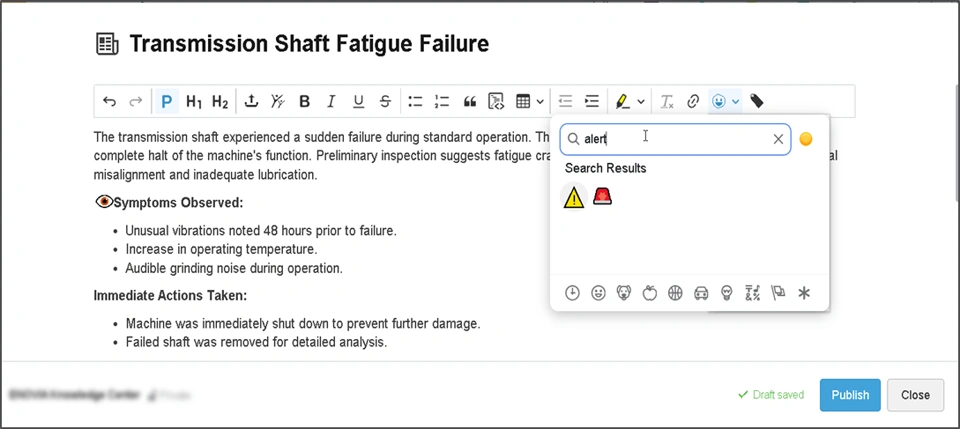 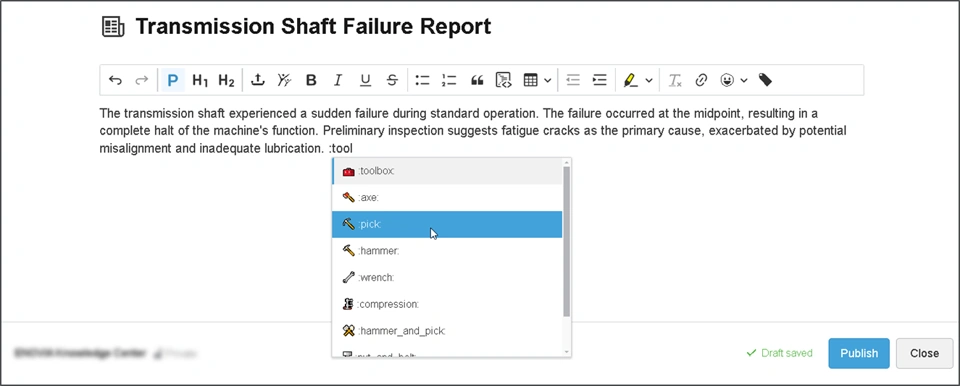 |
| Note: This enhancement is available on cloud only |
3DSwym: Community Terms of Use |
|---|
Why Clarity of expectation by asking members to agree to terms of use before joining |
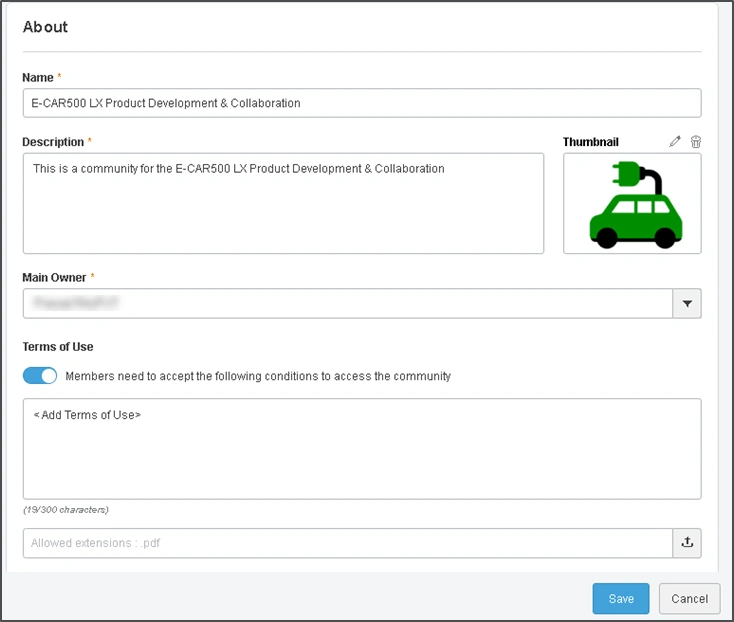
How - The community owners can now use the new select the “Members need to accept the following conditions to access the community” option to ask any member accessing your community to accept the community terms of use.
- You can add a message that will be displayed to the members of your community the first time they log in. You can also upload a PDF document describing the Terms Of Use.
 |
| Note: This enhancement is available on cloud only |
3DSwym: Audio and Video Clip Messages in Conversations |
|---|
Why Enhanced effectiveness of communication with the support for audio and video clip messages |
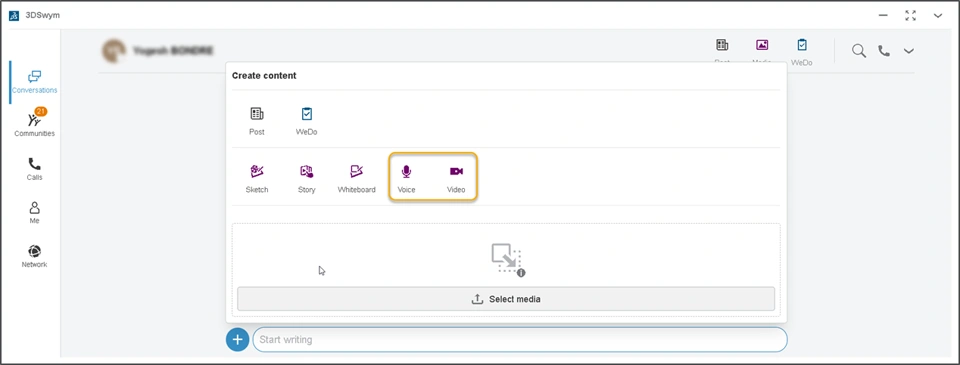
How - You can now send the Audio or Video message to your colleagues using the 3DSwym Conversations.
- The new Audio and Video options are added in the Create Content dialog box within the conversations to support this.
 |
| Note: This enhancement is available on cloud only |
3DSwym: Abusive Content Report to Community Owners |
|---|
Why Eased moderation and Improved visibility to community owners by ability to review reported content |
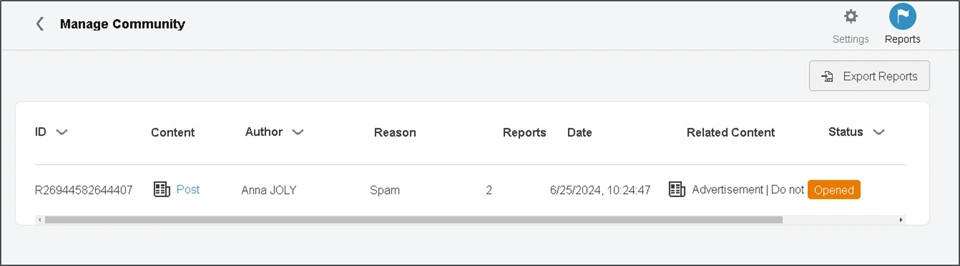
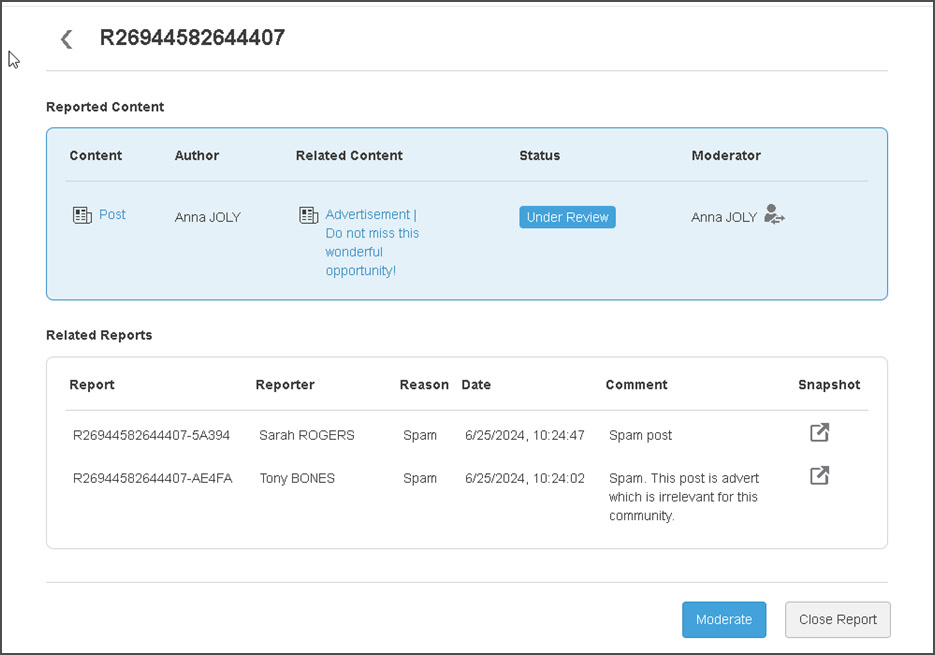
How - The community owners can now review and moderate the reported content. Before this release, this feature was only available to the Platform Administrators.
- This new Reports tab is available for community owners in the community settings. You can see the list of reported content, name of person who reported it and reason of reporting it. Further, you can also export the report in the CSV file.
  |
| Note: This enhancement is available on cloud only |
3DSwym: Consistency in Profile User Interface |
|---|
Why Improved consistency while accessing profile information |
How - The new UI for 3DSwym Profile was available in the Me > Profile section. With this enhancement it is consistently available when profile is accessed from other places. For example:
- When you click on Display Picture > My Profile
- When you click on the user name visible in community or comments.
|
| Note: This enhancement is available on cloud only |
3DSwym: Community Request Management |
|---|
Why Easily track status of your community creation request |
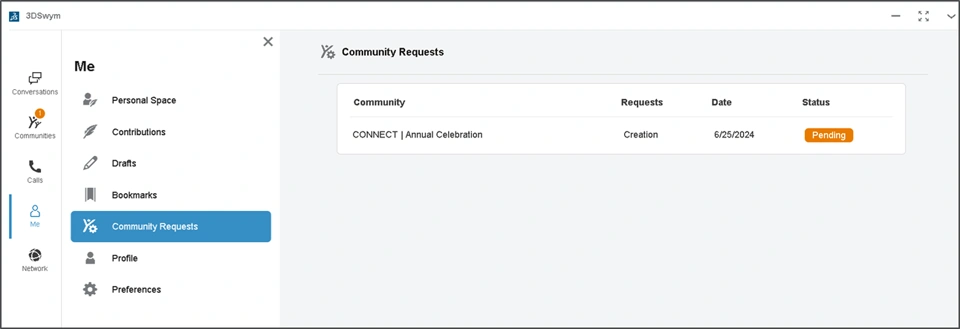
How - The new tab Community Request is now available in the Me section of your profile. This displays status and details of all the community requests sent by you to the platform administrators.
- If your administrator requests for more information to complete the request, you can submit it from this page.
 |
| Note: This enhancement is available on cloud only |
3DDrive
3DDrive: Automatic Renaming for Moved/Copied Files and Folders |
|---|
Why Improved speed while copying and moving files/folders in the 3DDrive |
How - In the 3DDrive, when you move or copy the file or folder into existing location where a file/folder with similar name exists, the name of copied/moved content is automatically renamed.
- After completion of copy or move operation, a success message along with name of the copied/moved file is displayed
 |
| Note: This enhancement is available on cloud only |
3DDrive: Previewing and Downloading Google Sheets/Docs/Slides |
|---|
Why Save time by quickly previewing the google sheets, docs, and slides in the 3DDrive |
How - In the 3DDrive app, you can now Preview the following objects stored in the connected Google Drive:
- Google Sheets
- Google Docs
- Google Slides
- When you select the Preview option, the object is opened in the 3DPlay app.
When you click on the Download, the object is converted and a PDF file for the same is downloaded. Pre-requisite: The Google Drive is set-up in the External Drives section of the 3DDrive.
|
| Note: This enhancement is available on cloud only |
3DStory
3DStory: Free Image Positioning |
|---|
Why Eased story creation thanks to the ability to place & position images in the foreground |
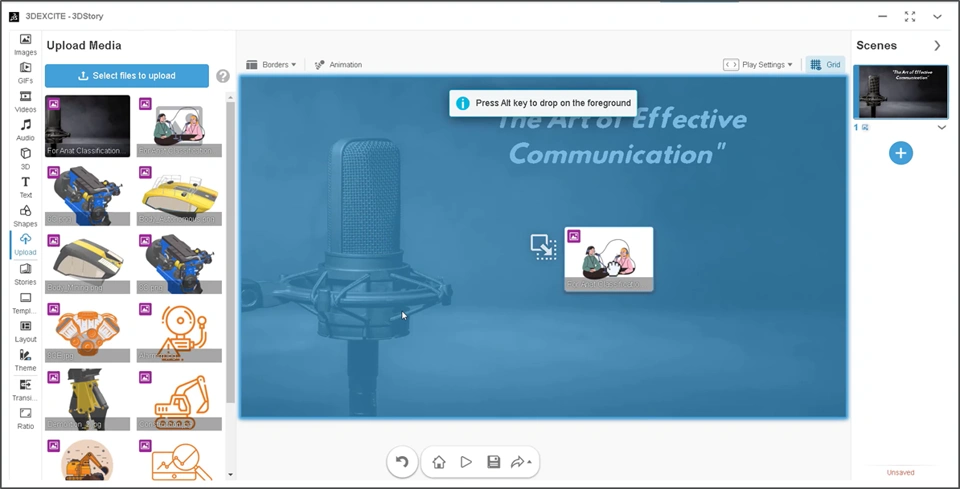
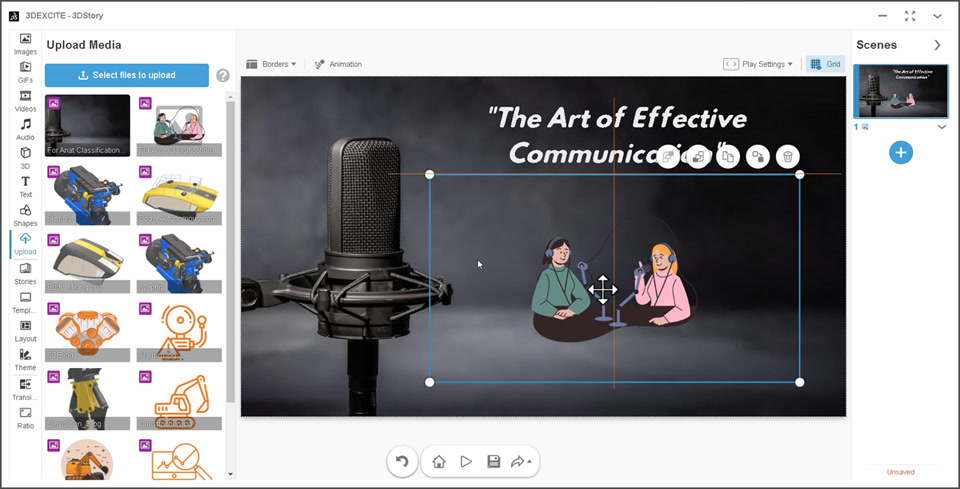
How - You can now place images to the foreground of your story. To do that, press Alt key while dropping images from library to storyboard.
- Further, you can also use the image reference points to resize and position your image in specific position.
  |
| Note: This enhancement is available on cloud only |
3DStory: Arranging Grid Cells |
|---|
Why Improved story creation with precise grid cells creation for easy object placement |
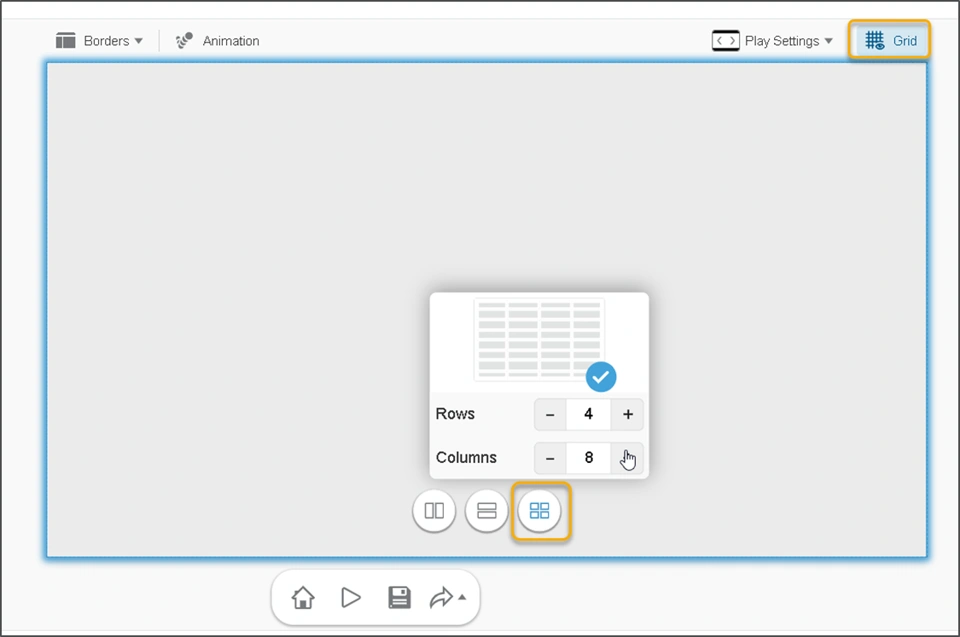
How - In your 3DStory scene, you can now configure number of rows and number of columns in the grid.
 |
| Note: This enhancement is available on cloud only |
🎬 To discover more about these enhancements, watch the video below:
Potion Lab
Potion Lab: Potion Templates |
|---|
Why Save time and avoid errors using potion templates while creating potions |
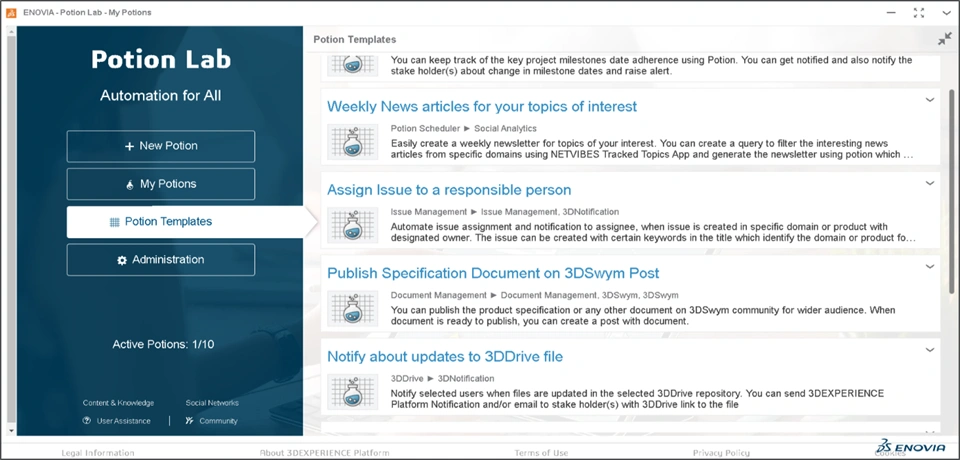
How - You can now access the Potion Templates section to quickly access your Out of the Box (OOTB) Potion Templates. You can refer to the Template Name, Involved Apps, and Template Description to easily select the required template.
Note: The Potion Templates are available in read-only mode and cannot be edited. - While creating a new potion using the template, you can review existing values and define values for the missing ingredients to complete its definition.
 |
| Note: This enhancement is available on cloud only |
Potion Lab: Support for Business Experience |
|---|
Why Save time by automating simple and redundant tasks while creating business experience. |
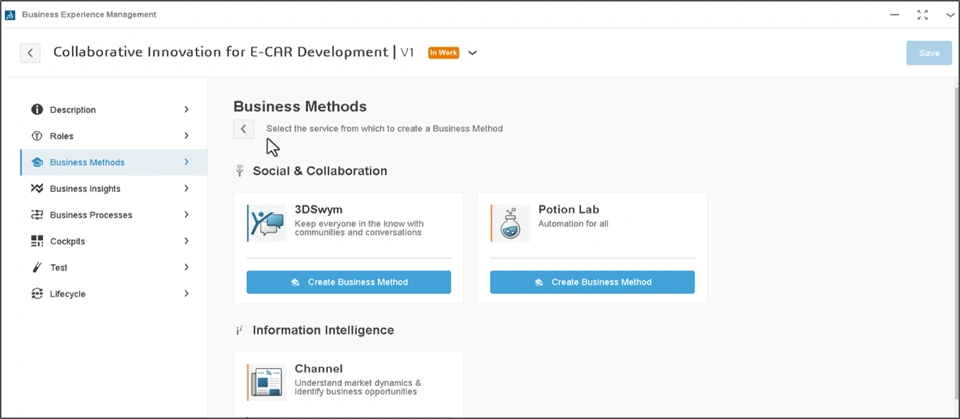
How - While creating a Business Method in your Business Experience, you can now leverage the Potion Lab service to embed customized Potion and enable automation of simple tasks.
- You can use the existing potion as a template and assign a specific potion action to the appropriate business users defined in the experience.
 |
| Note: This enhancement is available on cloud only |
Potion Lab: Change Potion Ownership |
|---|
Why Improved potion delegation by ability to completely transfer the ownership of the potion |
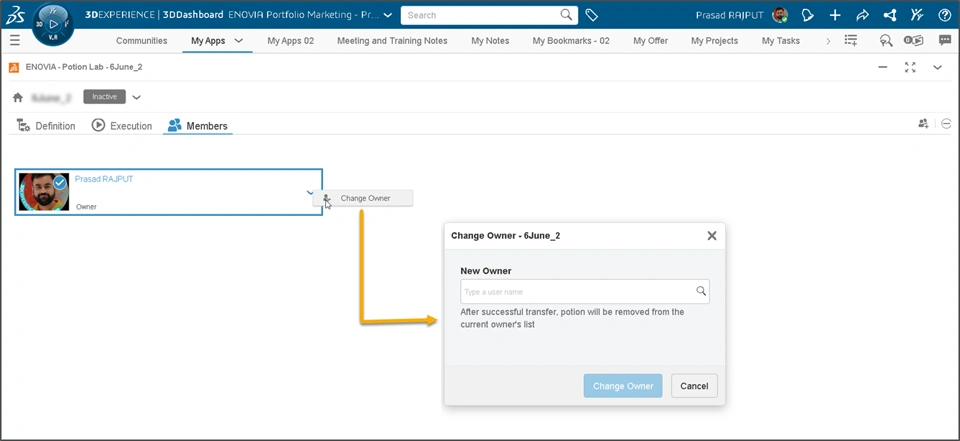
How - You can now use the Change Owner option in Members tab of the potion to transfer the ownership of your potion.
- After the ownership change, you will no longer have access to the potion or be a member of it
 |
| Note: This enhancement is available on cloud only |
Potion Lab: Enhancements in the Action Ingredients |
|---|
Why Improved scope and flexibility while defining certain action ingredients in your potion |
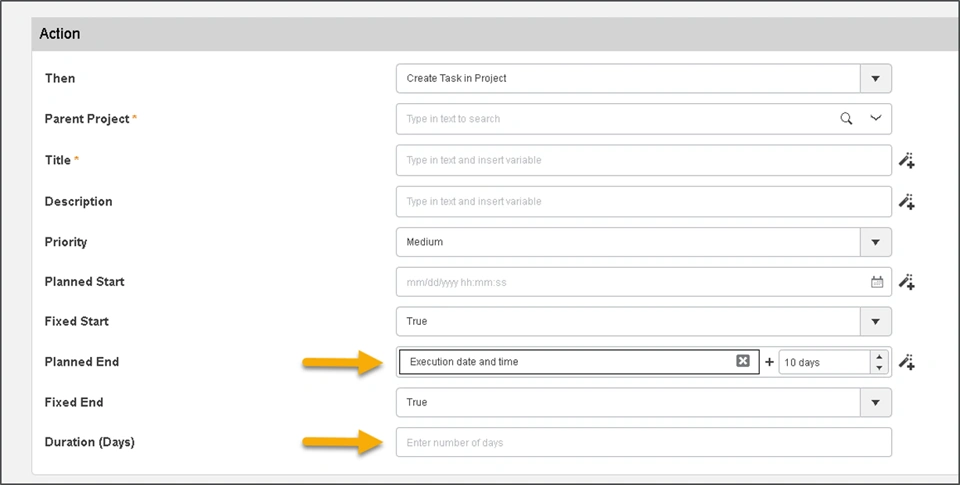
How - In the Project Planning action Ingredient, while creating a task:
- A new variable is introduced that lets you select the date after certain days of the execution of potion. This is applicable for Planned Start and Planned End of tasks.
- Also, you can enter specific number in the Duration attribute
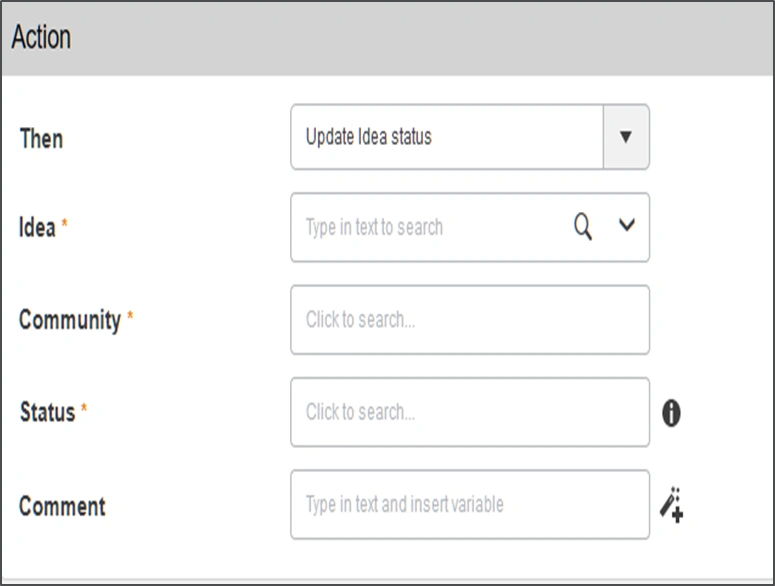
- In a 3DSwym action ingredients, you can now update the Idea status. To define this, you can select the idea, community, and proposed maturity state of the idea.
- In a Bookmark action ingredient “Add Content to a Bookmark”, new object types are supported. Some of these objects types are listed below: Issue, Document, Drawing, Requirement, Requirement Specification, Risk, Change Request, Change Order, Change Action, Product, Variant, Variability Group, Configuration Rule, Product Configuration, Variant Parameter,
  |
| Note: This enhancement is available on cloud only |
🎬 To discover more about these enhancements, watch the video below:
If you have any question or comments on these highlights, please share them with us below. 👇
Thanks!

