New enhancements in this release:
(Tip: You can use the Table of Content  on the right side, to view the list of all enhancements)
| File Transition Assistant for CATIA V5 files |
|---|
Why Expand the ability to migrate unmanaged CAD files to the platform through extended CAD support |
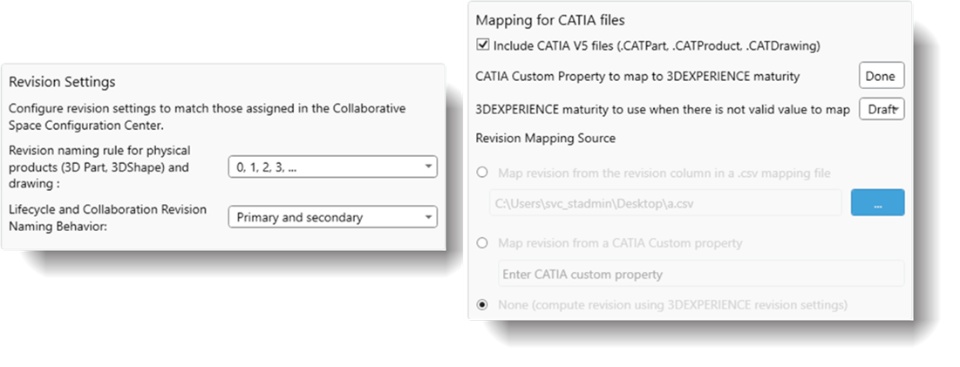
How - You can now use the File Transition Assistant tool to migrate CATIA V5 files (only or along with SolidWorks Files) to a cloud platform environment
- You can provide revision and maturity information of the files through properties or through an associated CSV/TSV File
- The system can also determine the values of revisions based on the revision schema selected on the 3DEXPERIENCE cloud and determine a pre-defined value of maturity for the files being migrated
 |
| Migrate Full Versions and As-built History |
|---|
Why Enhance capture of file transfer history during migration from SOLIDWORKS PDM by capturing revision history |
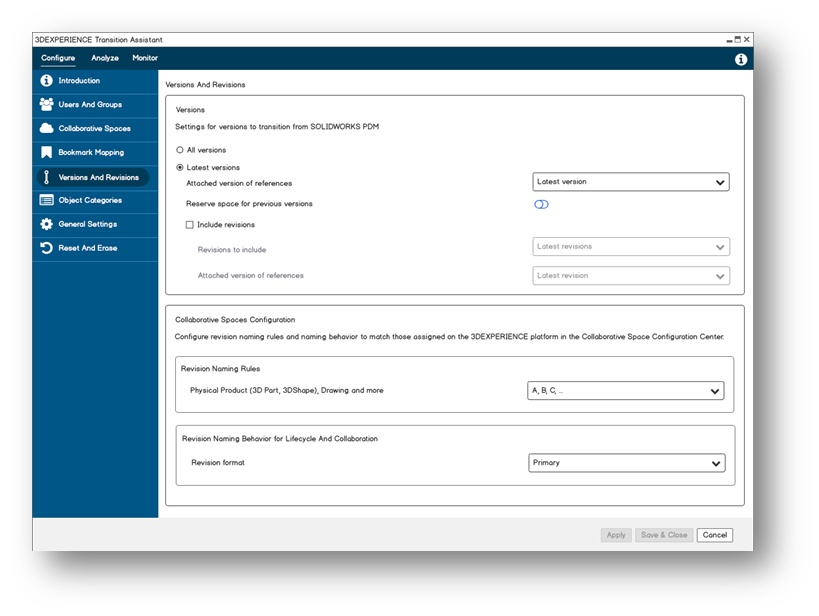
How - You can now migrate all available versions of a SOLIDWORKS PDM database to the platform. This enhancement also provides the ability to migrate the As-built versions of SOLIDWORKS data in addition to the latest version.
 |
ToolBox Support |
|---|
Why Enhance transition of SOLIDWORKS data to the 3DEXPERIENCE platform through Toolbox migration |
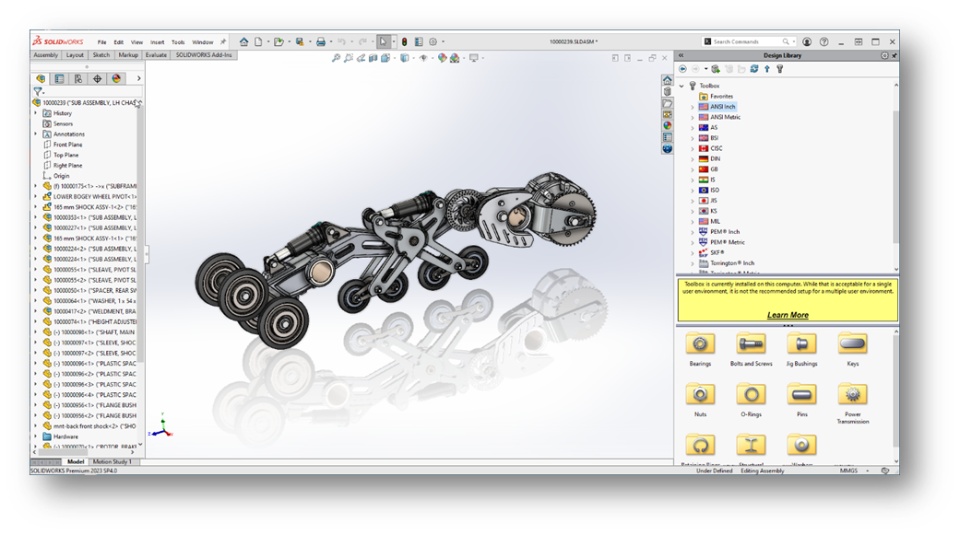
How - Migrating a Toolbox library stored in SOLIDWORKS PDM is now available
- This enables a proper migration of SOLIDWORKS Toolbox data to the 3DEXPERIENCE platform, into a designated collaborative space at the proper maturity status
 |
| Cancel Running Analysis & Migration |
|---|
Why Improved user experience when working with the tool through expanded control of a migration session |
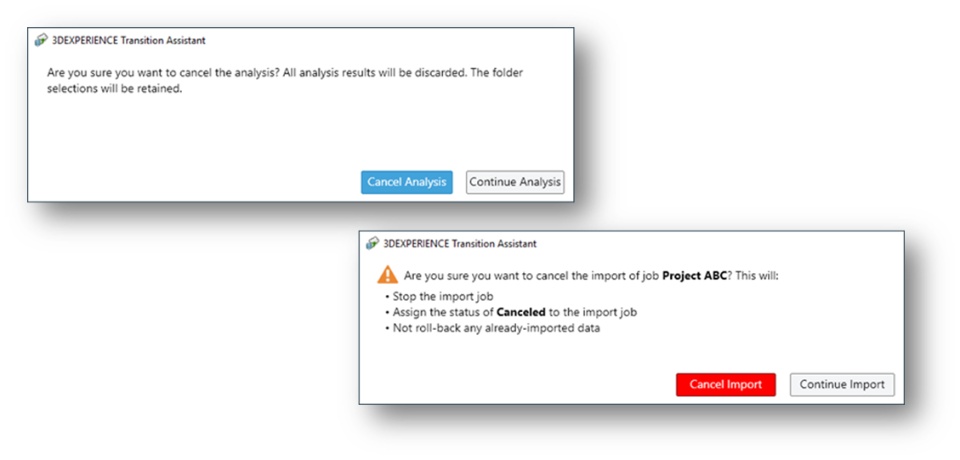
How - You can now cancel a migration or an analysis after it has started, to make changes or corrections without waiting until the process finishes.
 |
If you have any question or comments on these highlights, please share them with us below. 👇
Thanks!

