
I have installed Solid Works, but when I click on the icon (SolidWorks 2009 SP3) it just brings me back through the unzipping and installation process. How do I run the program to start a project? My icon choices are E Drawing, Dwg Editor or SolidWorks 2009 SP3. I'm pretty sure the program is installed because it is using 2,418 MB of space.SolidworksAdministration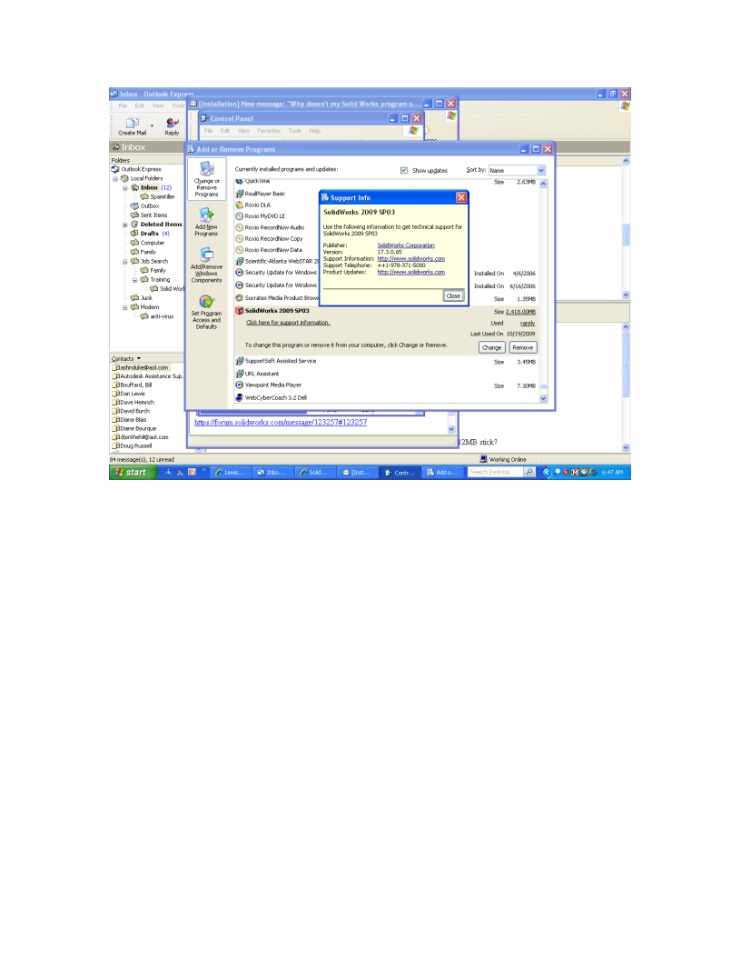

Hi Theresa, welcome to the forums and sorry your having problems..
A bit more information would help.. like your Operating system, how you installed (via disc, direct download, or installation manager) If you upgraded from a previous version or did a clean install, etc. You can also go into your forum profile and enter in a bunch of information there.. Mouse over my name/picture and you will see.
Thanks for the quick response.
I did a clean download from the website.
I am running Winows XP 2002 Home Version SP3 Dell Dimension with Intel Celeron 2.53 GHz, 512 MB ram.
It sounds like you are clicking on the installation executable. What happens if you double-click on a SW document?
Does SW open if you go to C:\Program Files\SolidWorks Corp\SolidWorks and double-click on SLDWORKS.exe ?
If it does, create a shortcut from that executable.
Did you use the install manager or did you download the files manually?
512MB RAM ???
I hope you are not intending to actually create anything in SW. The minimum RAM recommended is 1GB ... and that will run like a slug.
No, there is no "light" version. RAM is cheap, can you not add at least another 512MB stick?
How much free space do you have on the HDD?
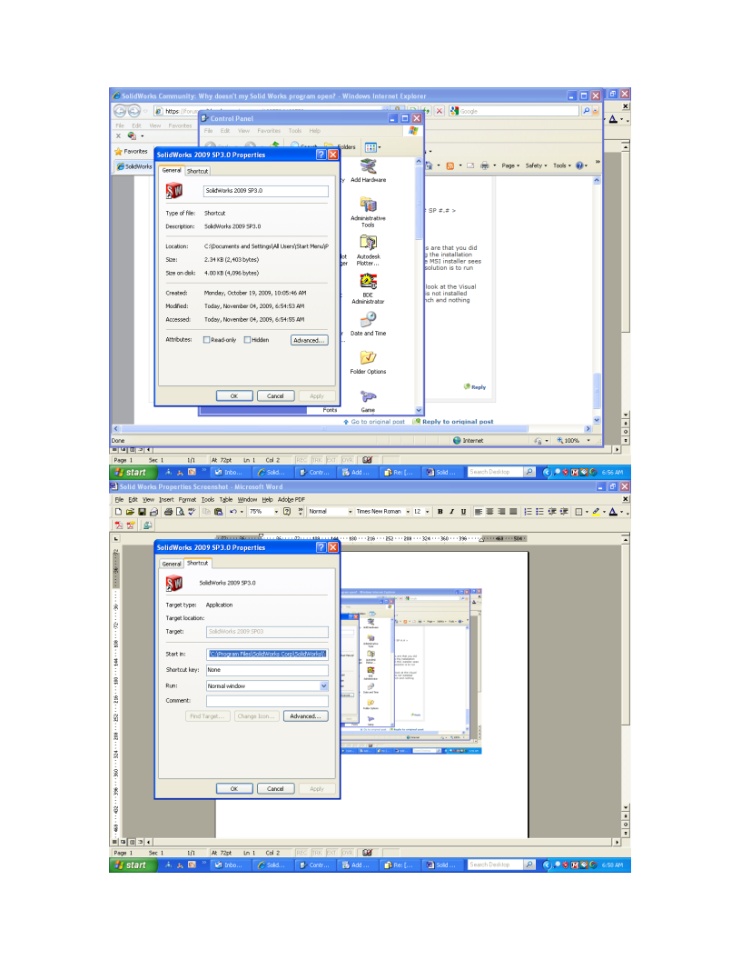
Can you post screenshots of the SW shortcut, it's properties and the install folder of SW?
Go to Start > All Programs > Solidworks #### > Solidworks #### SP #.# > Solidworks #### SP#.#
#### = Relase Year
#.# = Service Pack
If this file (or location) does not exist in the Start menu then chances are that you did not correctly install. If the file does exist and Solidworks is launching the installation again then you did not fully complete the installation originally or the MSI installer sees that somthing required is missing. If this is the case then your best solution is to run through a repair of the installation through Add/Remove programs.
If after selecting the file the software just doesn't load then I would look at the Visual C++ redistro file that is required to run Solidworks. If this package is not installed Solidworks will not launch. Typical behavior is that you click the launch and nothing comes up, not even splash screen.
Let me know if none of this helps.
God Bless,
Chris
I do not see a Visual C++ redistro file.
Where can I get this file to install it?
WIndows XP Home Edition.
I did a direct download, clean install.
I have since added more RAM, and did a repair on the installation, but it still does not run.
(I have updated my profile for system info)
That's the free cad tools, click on the solidworks tab, then go though the version you have, then click on the link that says If the Installation Manager Assisted Manual downloads fail, you can individually
From there you can download the pre-req's