
Recently one of our graphics developers was trying to debugsome performance issues on an internal software product and he hada closer look at my NVIDIA control panel on my FX3700M.
He noticed something unusual in that my Vertical Sync was forced on(or set by Application) and that by forcing it off, it cleared upthe performance issue. He explained that you might want to have iton when you're playing games where screen motion is very high butyou need to retain graphic quality for things like affects etc. butis better if it is off for CAD applications where screen motion isinteractive.
If you are having sluggishness in rotation, panning and zooming,especially on large assemblies, you might want to go over to yourgraphics control panel and make sure that Vertical Sync is forcedoff.
SolidworksAdministration
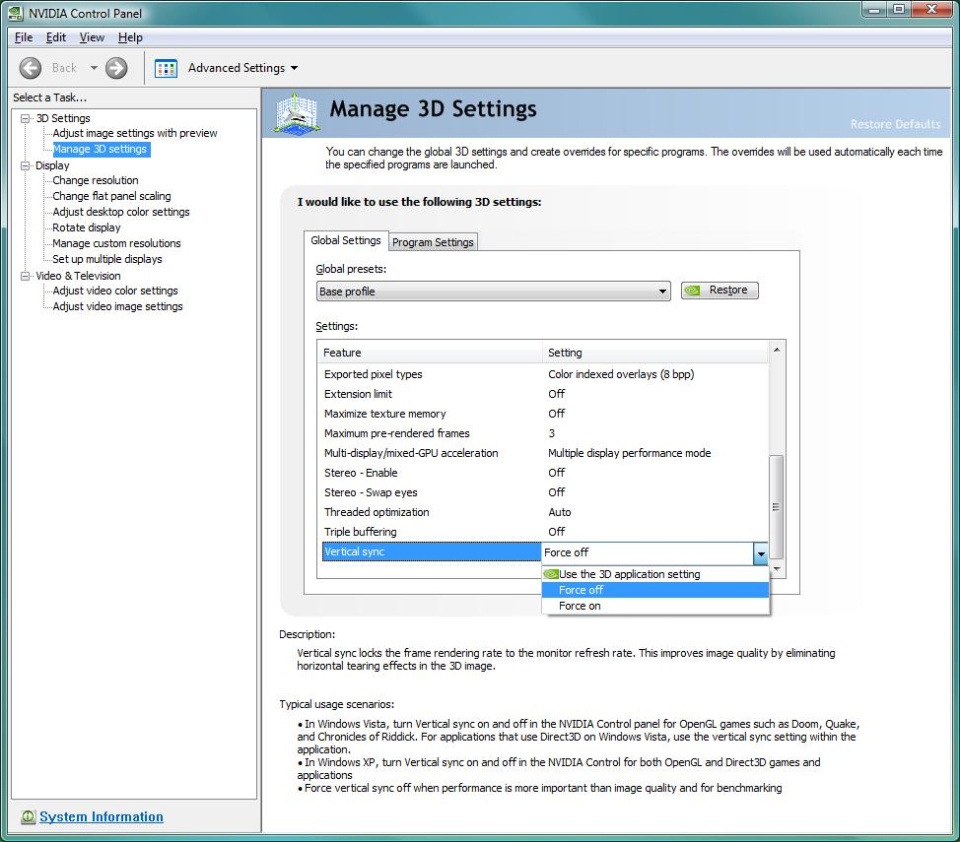
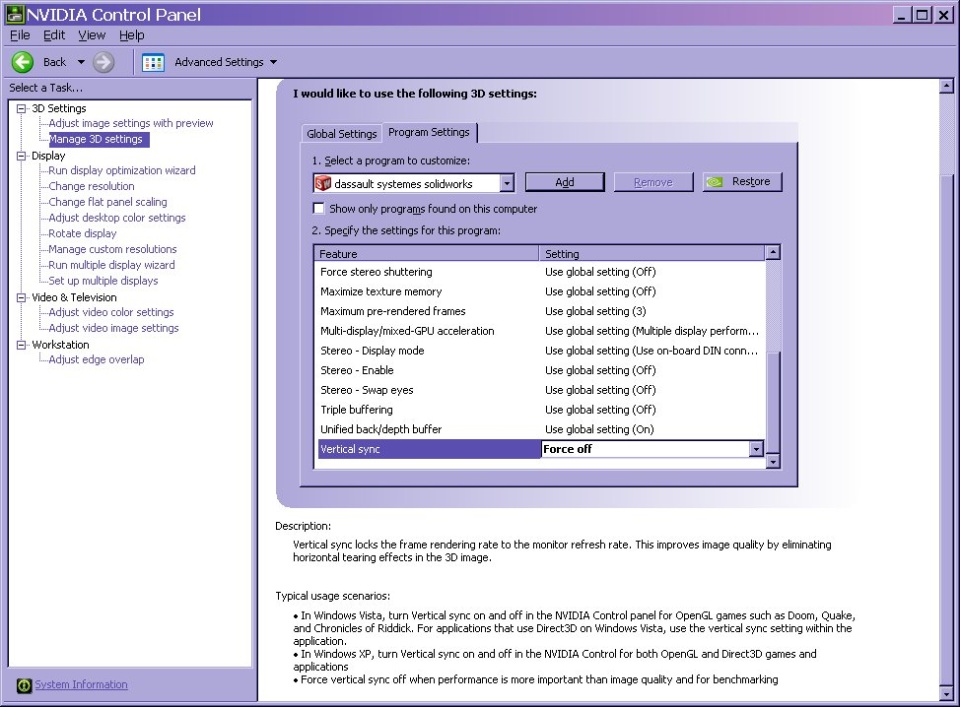
He noticed something unusual in that my Vertical Sync was forced on(or set by Application) and that by forcing it off, it cleared upthe performance issue. He explained that you might want to have iton when you're playing games where screen motion is very high butyou need to retain graphic quality for things like affects etc. butis better if it is off for CAD applications where screen motion isinteractive.
If you are having sluggishness in rotation, panning and zooming,especially on large assemblies, you might want to go over to yourgraphics control panel and make sure that Vertical Sync is forcedoff.
SolidworksAdministration

It seems quicker and smoother when rotating one of my assemblies.
This is certainly valuable information.
From my gaming experience Vertical Sync synchronizes the FPS rateof the game/program to your monitors refresh rate. If your videocard can run a game over 60 fps and your LCD monitor has a refreshrate of 60 hertz you are likely to see tearing across the screenwhen there is movement. With this setting on or off I have alwaysnoticed tearing in the SolidWorks window and the faster you rotatethe more noticeable it is.
The "DS SW global preset" should have it off by default, but justin case it isn't depending on your GPU manufacturer or card, it'sworth checking.
Your discription is exactly what I'm talking about and if yourmovement seems chopping, you are giving up performance forquality.
Thanks for the tip. I have been working on a fairly large assemblyon my HP 8730 with the Quadro FX2700 card and have seen a noticedimprovement since changing this to "forced off"
Thanks again Mark,
NEOSWUG
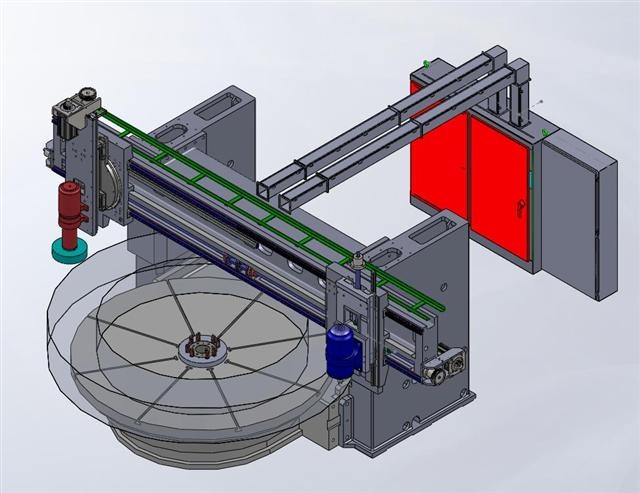
Dave, that assembly looks interesting. Do you mind if I ask whatthat application is pecifically for?
Don
It's a large bearing grinder retrofit project.
Dave
Thanks!!!
Stuart
It is in the Nvidia Control Panel (see image below). You can getto it from various spots, depending on how you set it up. You cango to the Windows Control Panel, click on the Nvidia icon in thetaskbar notification area (beside the clock) or right click on thedesktop.
After htting Apply, it keep come back "Use the 3D applicationSetting"
Chris