
I am having difficulty applying a fillet in a 3D sketch. Theattached pic shows my path for sweeping. There exists a large arcin the XY plane with two segments heading off in the YZ plane atthe top and bottom of this arc. I want to create a fillet (to showthe bending radius of the wire) where these these two segments meetthe arc but it will not allow me to do so. Any suggestions on howto do so?SolidworksParts And Features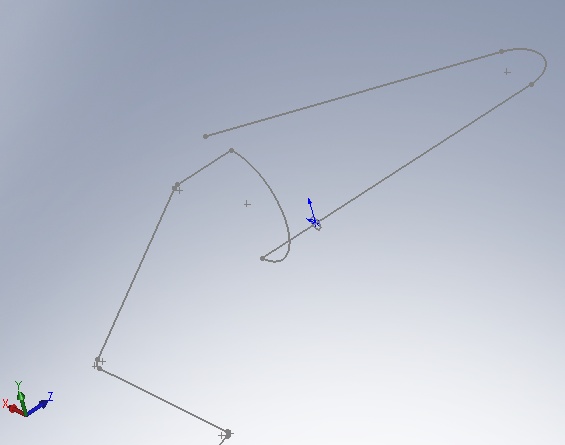
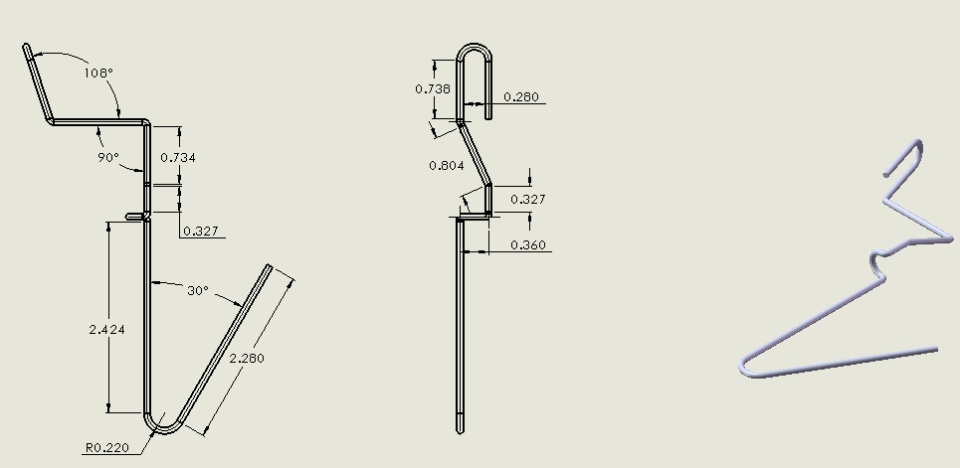


*Edit: The other thing I need to add is that if you are havingproblems getting a 3D sketch to behave the way you want, create itout of multiple 2D sketches. Create the planes for some of theobjects where you need them, and then draw 2D sketches on them.Then create a 3D sketch, use "convert entities" to pull the linesinto the 3D sketch, and then "connect the dots" as required.
This works really well, and although it may clutter up yourfeature tree, typically does not add too much to your rebuild time.Depending on the situation it can make creating 3D sketches a loteasier.
They added the "3D Sketch Plane" feature to overcome this issue,so you can also read up on that in the help file. Basically itcreates mini 2D sketches all inside your 3D sketch. I find, atleast the first time you try, it is easier to just create the 3Dsketches. It is always worth a look though.
There are two ways to get underlying sketches into drawings. Go tothe feature tree on the left, and go through it until you find theunderlying sketch that controls the sweep path. Click on it toselect it. Then go to Tools>Sketch Tools>Convert Entities (orfind Convert Entities on your toolbar, or your keyboard shortcut).This will create the lines in the drawing from your sketch. Thiswill give you the flexibility to edit which lines you want from thesketch in the drawing, because you can edit them after you choose"convert entities".
Another way is to go to View>Sketches. Then find the sketchagain in the feature tree, but right click on it and choose "show".This will show the entire sketch. It will always update (while the"convert entities" may have problems if you edit the underlyingsketch too much, and add lines), however you cannot pick and choosewhich lines to add/delete.