
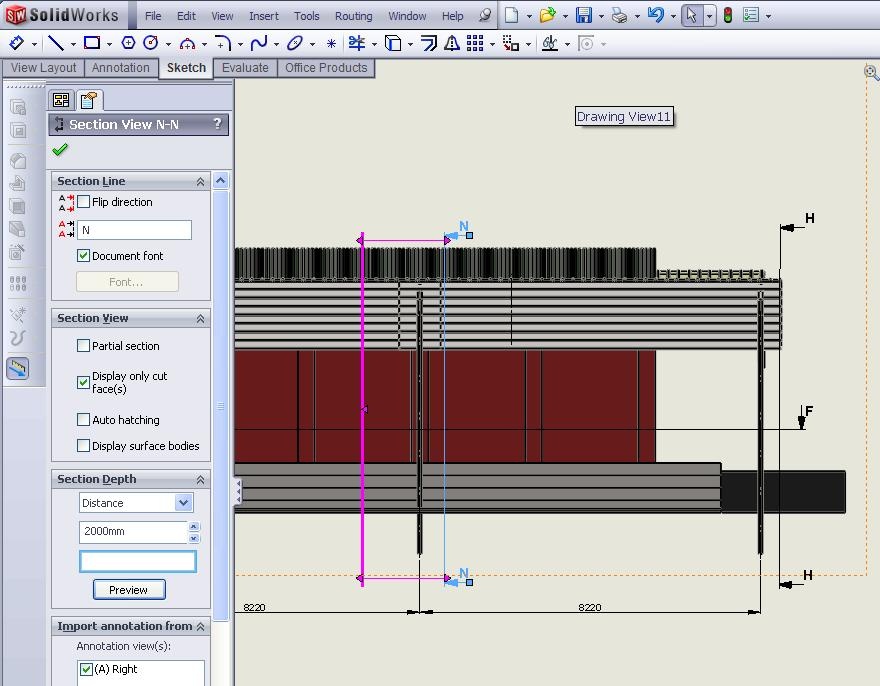
I create a section and specify the depth of the section. The full depth of the section keeps appearing. Any one else had this problem? I seem to get this most on relatively big mdoels. Am using 2009 SP 5.SolidworksDrawings And Detailing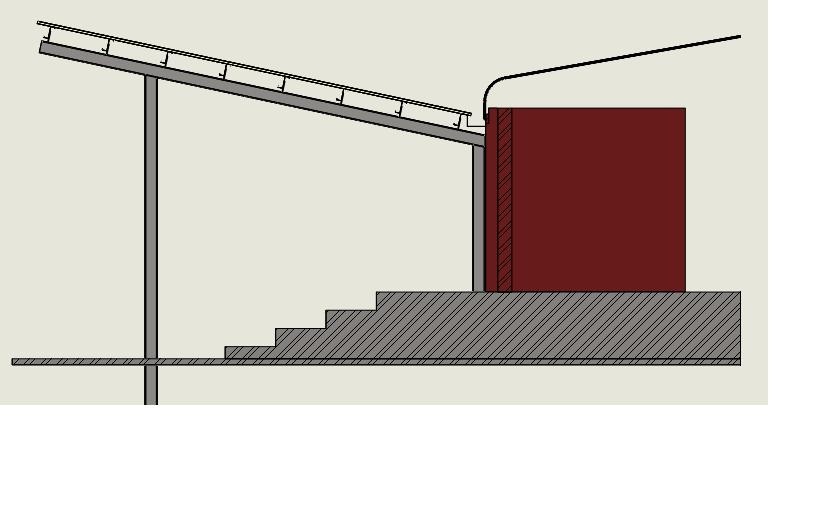
8
GH 2010-01-18 Best Answer
can you post a picture? i think i had this problem. does part of your model go?
NG 2010-01-18
I think this just how the program is designed. The section depth only changes if any components in an assembly are shown in the background of the section view. If you have only one big solid body, it will still show whatever is behind the section no matter what the section depth is set at. You need to use the option "Display only cut faces" to hide the rest of the model.
JM 2010-01-18
Does it start off being at the correct depth and then change or is it always full-depth? Is it in a model/assembly or a drawing? Solid or surface?
GH 2010-01-18
this is the link to the problem i had, and my vars response. basically, it is meant to work like this. https://forum.solidworks.com/thread/27257
SF 2010-01-18
Thanks for quick responses fellas. Attached is copy of the building at the location where the section is taken and then the resulting section. You should only see a brick wall in the section. The wall doglegs in the background and that is what you see in the section. Tried ticking the box to display only cut faces and that didn't help. The building concrete and brickwork is modelled as one large solid. Other ideas?
SF 2010-01-18
Jeff, please see attachments on previous post. Not quite sure what you mean. Steelwork is modelled as a number of parts. The concrete and brickwork is modelled as a single part. All are dumped together in a single assembly.
GH 2010-01-18
have you read the thread above?
SF 2010-01-18
Thanks Greg. I read the thread as you posted your comment and it looks as if this is intended behaviour. My take of the thread was that if a part extends from the section to the depth of cut only one cut is shown, and that is at the section line. The rest of the part gets shown in full.
