Missing company standard

Since loading 09, I haven't been able to find the companystandard toolbox. I do have the directory pointing to the serverlocation under the System Options screen. Then when I click onconfigure, it will only list the SW standard ones. Our companystandard doesn't even show up. Is there a file floating around thatI am missing?SolidworksToolbox

Answers 12
SF
SF 2008-11-10 Best Answer
It sounds like you may have over written the files when 09was installed.

If you have a back up copy of your company standards, write themback to the to ToolBox Browser location.
SF
SF 2008-11-10
The problem we have here is a slow internet connection. So Itook my workstation home and downloaded 09 from there. I then didthe load at home. When it came to the toolbox option I allowed itto go to the default. Then when I got back to work I changed thedirectory specified. This is how I did it in 08 with no issues,since SW removed the toolbox.ini file. I can see the companystandard on the server from explorer. So it hasn't been overwrittenor deleted.
SF
SF 2008-11-10
Is there a way to get SW to upgrade and old toolbox mdb fileto the latest version, without reloading SW from scratch?
SF
SF 2008-11-10
Did you Reboot after pointing your ToolBox to the Networklocation? The settings need to be written to the Registry.
SL
SL 2008-11-10
Hi Kirk,

You could run the "UpdateBrowserData.exe" located in your"SolidWorks install directory\Toolbox\data utilities", but I'drecommend against it in this case. This utility only updates thedatabase, but does not write new part files to the Toolbox"browser" folder structure. Many new parts were added to Toolbox in2009, so I'd recommend running through the installer again, thistime pointing to the Toolbox files on your server. The installerwill handle both the upgrade of the database and the writing of thenew files to the correct folders.

As always, make a backup of your Toolbox before performing theupgrade.

I hope this helps.

-Sal
SF
SF 2008-11-10
I was afraid of that Sal.

Devon, yes I have rebooted several times.
SF
SF 2008-11-10
Completely reloaded SW from the disk. It did find the toolboxdatabase and updated it, but now when I try to do the configuretoolbox, it errors out and says it needs to close. Anyone else runinto this?
SF
SF 2008-11-10
Any other computer on your Network get this Error?
SF
SF 2008-11-10
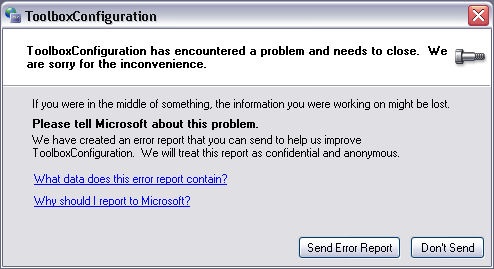
nope. I just got done unloading 09. Used the batch files fromSW to clean everything up. rebooted prior to reinstalling. Duringthe install it showed it as updating the toolbox database, with noerrors. After the install, rebooted again. Able to open SW. It doesnow show the company standard, but when I try to configure the holewizard/toolbox it errors out. see the picture.
SF
SF 2008-11-11
I'm stumped
SF
SF 2008-11-11
Just a guess, but I'm assuming that you have the toolbox on anetwork location.. Do you have the correct perms to modifyit?
SF
SF 2008-11-11
Yes it is on a network. And yes I have the rights to it. Iactually called my VAR yesterday and they opened up an SR. Hethinks it may have something to do with .NET since it involves theaccess database. I will post the answer once I get one.