
am i the only one that has to keep deselecting "Hide AllTypes" whenever i rebuild or open a file or doing some other randamthing. this is most annoying and if it is not a bug SW needs toleave the items to display upt to the user.
very annoying and time consuming. suppose i'll have to map a key tofor this little annoyance.SolidworksUser Interface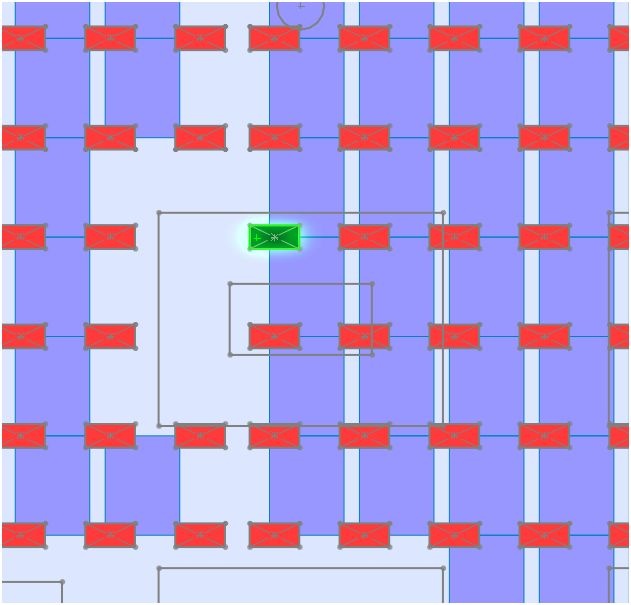
very annoying and time consuming. suppose i'll have to map a key tofor this little annoyance.SolidworksUser Interface

This could perhaps be due to Large Assembly Mode. When it happens,please go to the Tools menu and see if Large Assembly Mode isselected. If it is, this is the cause. You can go to Tools,Options, System Options, Assemblies to adjust what the threshold isto invoke Large Assembly Mode or turn it off completely. Click theHelp button on that options page to get more detailed informationabout Large Assembly mode from the help.
Please post back on whether or not this solves the issue.
Thanks,
Jim
thanks for the tip. i think you that fixed it...now, two otherissues if you are up for it...
i have an assembly with a component array of planar surfacesrepresenting solar panels and their mounts. the array is placedinto another assembly and overlayed onto another componenent thatis nothing but a sketch of the rooftop and its features such asHVAC units. for this project i have to walk thru the array and"delete" the panels and supports that intefere. seems simpleenough.
issue 1: (see image) when i select a surface, SW makes the sketchof the blue panel and the red mount visible. this drasticallyclutters the screen and makes selection difficult since there canbe thousands of components. i have to manually turn it offeverytime.
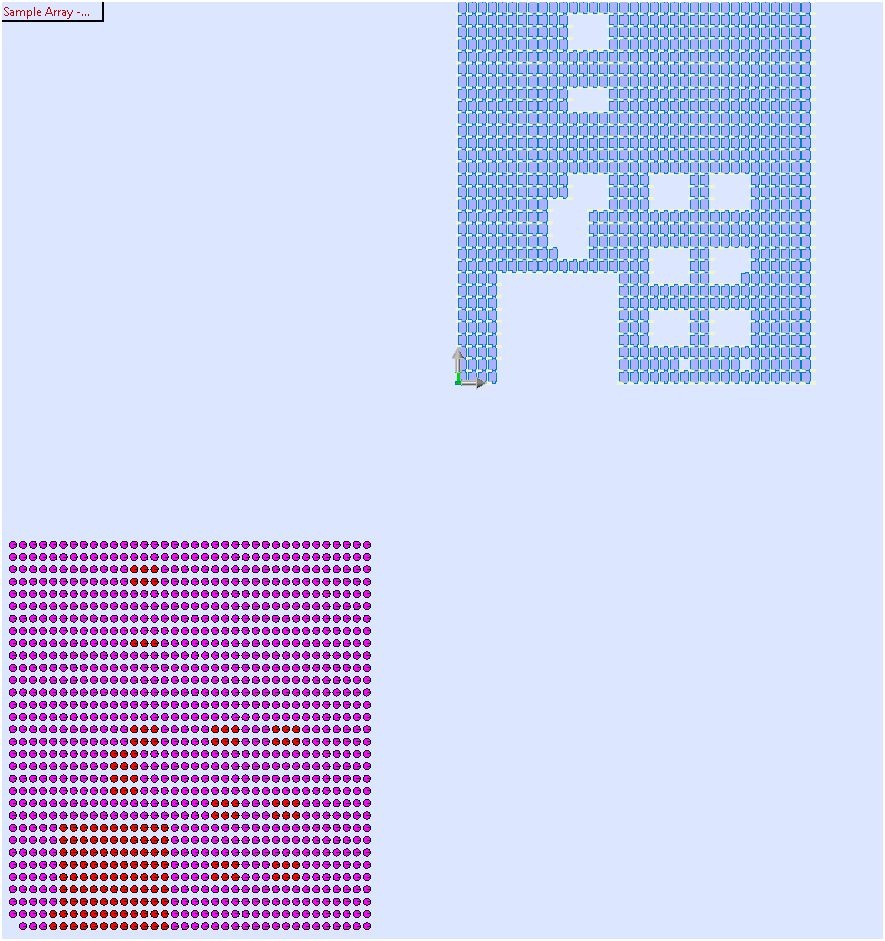
issue 2: (see image) when editing the array to remove "instances toskip" the buttons for the instances are offset so it is impossibleto select the proper button. this only happens when editing thearray in the top level assembly. if i edit the component array itsassy, it works fine. oh, this issue does not seem to show up on winXP, only in vista64.
best,
dave
On the first issue, are you saying the sketch automaticallyswitches from being hidden to being shown (it actually flips theswitch and you have to change it back)? One thing to check is lookto see if Instant3D is turned on in the Feature tab of theCommandManager or features toolbar. Instant3D does some automatichiding/showing and previewing so you can try turning it off. IfInstant3D is off and this is happening, this does not sound like acorrect behavior that I am aware of and should be reported to yourreseller so they can get it in to our Technical Support department.
The second issue definitely sounds like an x64 specific defect andshould be reported through your reseller so an SPR can be assignedto it.
Thanks,
Jim
Yes the sketch automatically turns to "show" and stays shown.Instant 3D is not on.
looks like these are 2 bugs.
thanks,
dave