
I've got a part that has about 500-800 dimensions coming offofevery view but one. Crazy, I know, but its what I was told todo.What I need to do is make all my dimensions single arrow, i.e.onlyone line/arrow per dimension, because I'm referencing off ofacommon datum.
Can anyone throw me a bone how to do this / if its possible?
EDIT:
Ha. Nevermind. I found it.
Properties -> Display.
Happily accepting coffee donations.SolidworksDrawings And Detailing






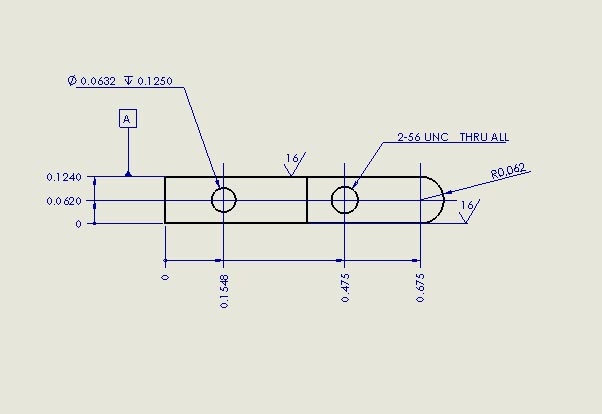
Can anyone throw me a bone how to do this / if its possible?
EDIT:
Ha. Nevermind. I found it.
Properties -> Display.
Happily accepting coffee donations.SolidworksDrawings And Detailing

The first suggestion I would have is to use ordinate dimensioning(everything based off a single 0,0 and you define a location withan x,y)
If you use base line you could highlight all the dimensions and goto properties/display and turn of leaders and extensions in mass.
This might also be a good application for dimensionfavorites.
Much better than a huge unreadable mess...