Selective hidden lines

I saw this question posted from 2004 with no answer, so Ithought I'd try again. Is it possible to show a given view withonly the hidden lines you want, not every single hidden line ofevery component in that view? I realize you can right click on eachline individually and "hide" it, but with the number of componentswe're dealing with I'm hoping there is a better way...SolidworksDrawings And Detailing

Comments 4
SF
SF 2006-12-27
You can, in the FM, RMB on the individual parts a selectshow/hide hidden edges.
SF
SF 2006-12-27
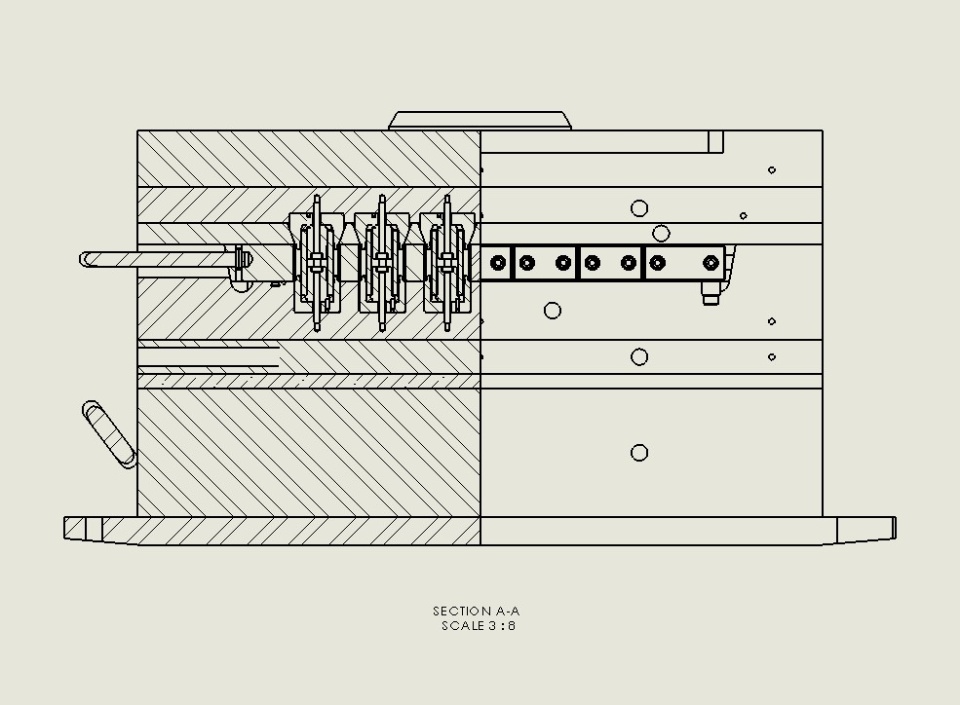
I've attached an image for reference. I want hidden lines onthe right side of the view but not the left...
SF
SF 2007-01-16
Jason,
Have you tried what Jeff suggested?
Works as advertised, see attached.
JC
JC 2007-01-17
Select the view.....over in the property manager that popsup, selec the "Properties" button at the bottom. The dialogue thatcomes up has some tabs and one is for showing which components youwant hidden lines to show for. Use this in combination with Jeffstip.