
What's different between PDMWorks Enterprise for SolidWorksand PDMWorks Enterprise Contributor, because we're test on somemachine that doesn't have SolidWorks software and check in *.sldprtfile. it's can checkin and work well,
thus, what's exact differrent between this two module.SolidworksSolidworks Pdm enterprise Pdm






thus, what's exact differrent between this two module.SolidworksSolidworks Pdm enterprise Pdm

Eirik Saether
Well Innovation AS
Norway
Contributor can view CAD documents, but that user cannot modifythem.
Both versions can work with non CAD docs equally well.
In 2008 PDME Contributor was modified to allow the 'initial'checkin of SolidWorks files. You cannot use the client forcheck-in/check-out of SolidWorks files. Additionally as noted byJWeeney1, you will not have the integrated SolidWorks add-in.
In short PDME for SolidWorks is the client needed for the everydayworking with CAD files.
The PDME Contributor client is for everday working with non-CADfiles (ie: Word, Excel, Powerpoint, PDF, etc)
Regards,
Joy
If so why would anyone need the contributer licence?
The Contributor and Contributor Web clients are different in acouple of ways.
The Contributor client is a 'thick' client vs. Contributor Webbeing a 'thin' client. This means that the Contributor client mustbe installed whereas the Contributor Web client is acccessed via aURL, login and password. The first time a Contributor Web clientconnects to the vault an activex control installs the client.
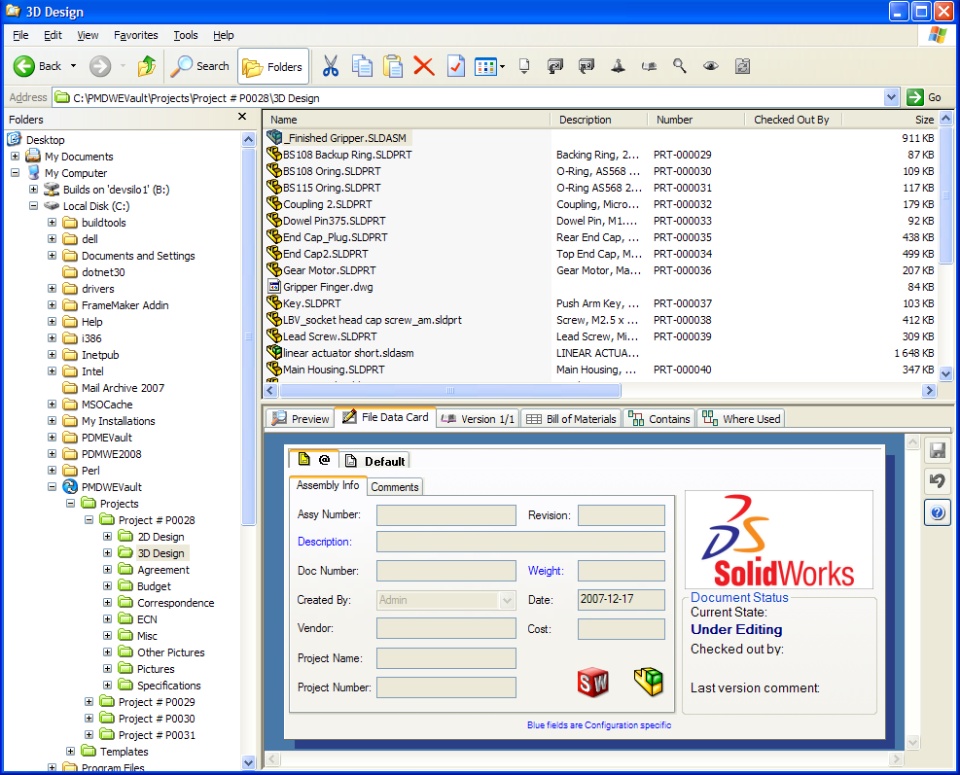
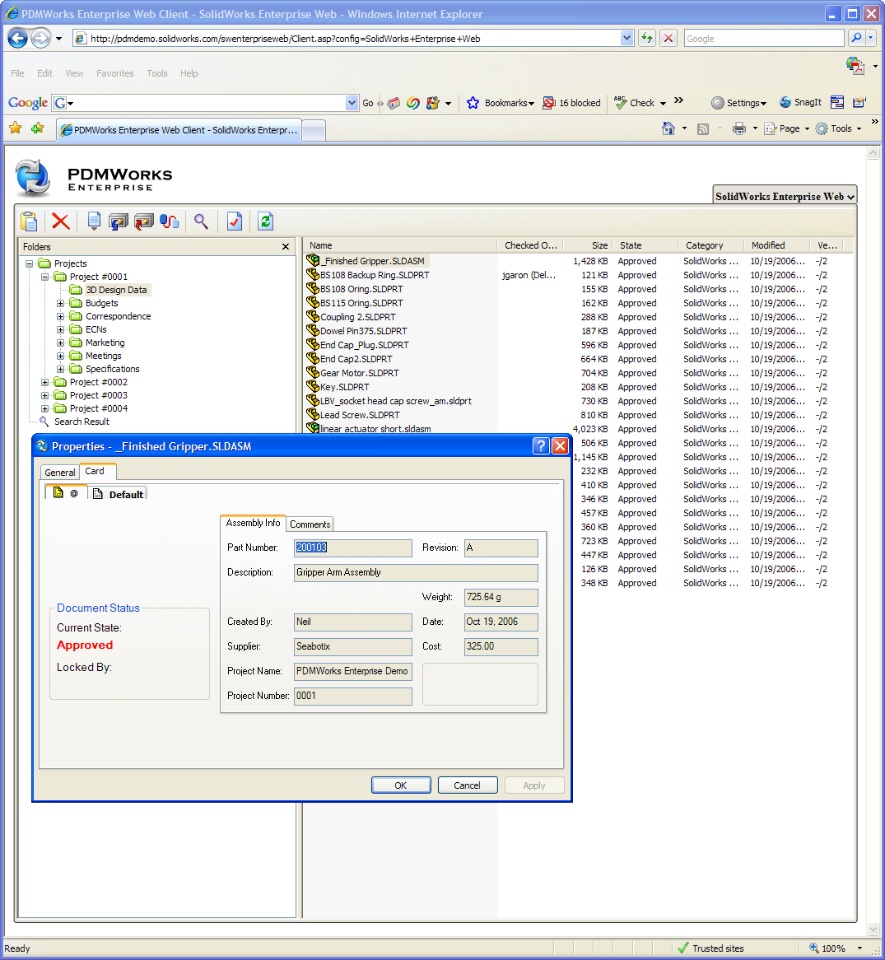
The clients also differ slightly in what the user can do. TheContributor Web client does allow users to check in and check outfiles however, the UI is different. (see attached images) You willnotice the bottom right panel in the thick client does not exist inthe web client.
You can try the web client yourself at:
http://pdmdemo.solidworks.com/...dWorks+Enterprise+Web
There are three combinations of login password:
guesta guesta
guestb guestb
guestc guestc
Regards,
Joy
Can you list the differences between the two?
Have you had or seen any issues putting Non-Solidworks files inPDM? When we try to access an Excel file, it takes a few minutesand we get multiple error messages before being able to access theNon-Solidworks files.
Your VAR should be able to help you with these questions.
Thanks,
Joy
No, I have not seen any issues with putting non-SW files into thevault.
If you are having problems you should contact your VAR. The VARwill need the following information:
What version of PDME are you running, what OS? What are the errormessages?
Sometimes when you see error messages that are specific to one filetype and not another it can be related to a workflow condition orsomething similar. It needs to be investigated to find the cause.
Regards,
Joy
Below is some information from our PDM Enterprise log.
Microsoft Word
Description
The following database error has occurred:
State:08001,Native:17,Origin:[Microsoft][ODBC SQL ServerDriver][DBNETLIB]
State:01000,Native:2,Origin:[Microsoft][ODBC SQL ServerDriver][DBNETLIB]
Location:
Db::mbOpen()
Description:
SQL Server does not exist or access denied.
ConnectionOpen (Connect()).
Error code general description:
Could not access the item in the database.
Microsoft Excel
Description
The following database error has occurred:
State:08001,Native:17,Origin:[Microsoft][ODBC SQL ServerDriver][DBNETLIB]
State:01000,Native:2,Origin:[Microsoft][ODBC SQL ServerDriver][DBNETLIB]
Location:
Db::mbOpen()
Description:
Error code general description:
Could not access the item in the database.
It is very important that you contact your VAR and have them openan SR.
Supply them with a copy of the log also.
Can you put ANY documents in the vault? From the error message itappears that it cannot make a connection to the SQL Server. Referto the Installation Guide and ensure that the proper ports areopen.
Joy
The issue only exists on machines that have SolidWorks 2008. Thefiles open but you have to wait a few minutes and click a couple ofOK boxes. Thanks for the help.