
cannot select a planer surface since it is curved.
if unfold it then add tab, the part cannot be fold back????
help please!!SolidworksSheet Metal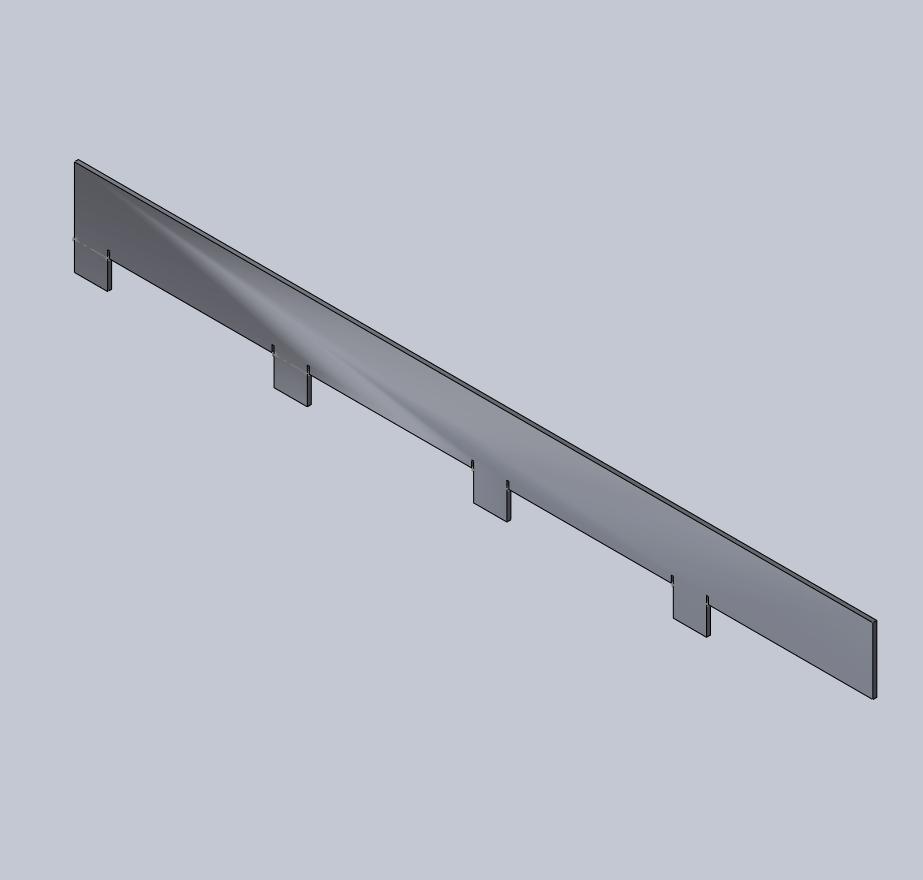


if unfold it then add tab, the part cannot be fold back????
help please!!SolidworksSheet Metal

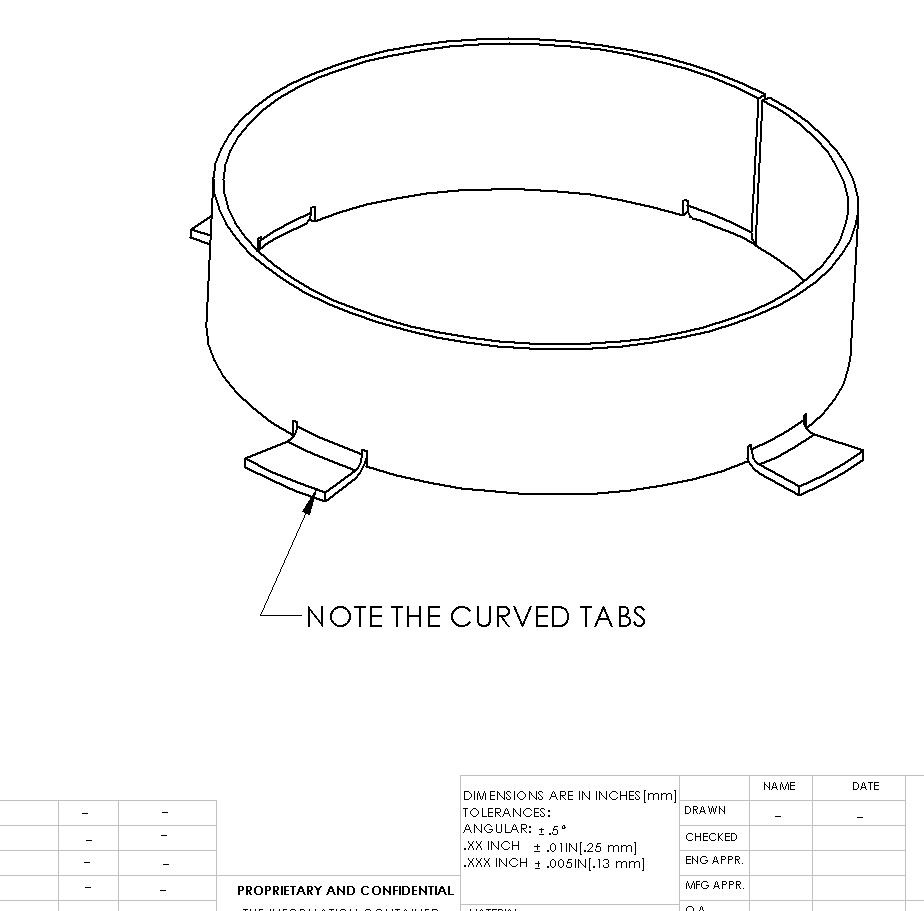
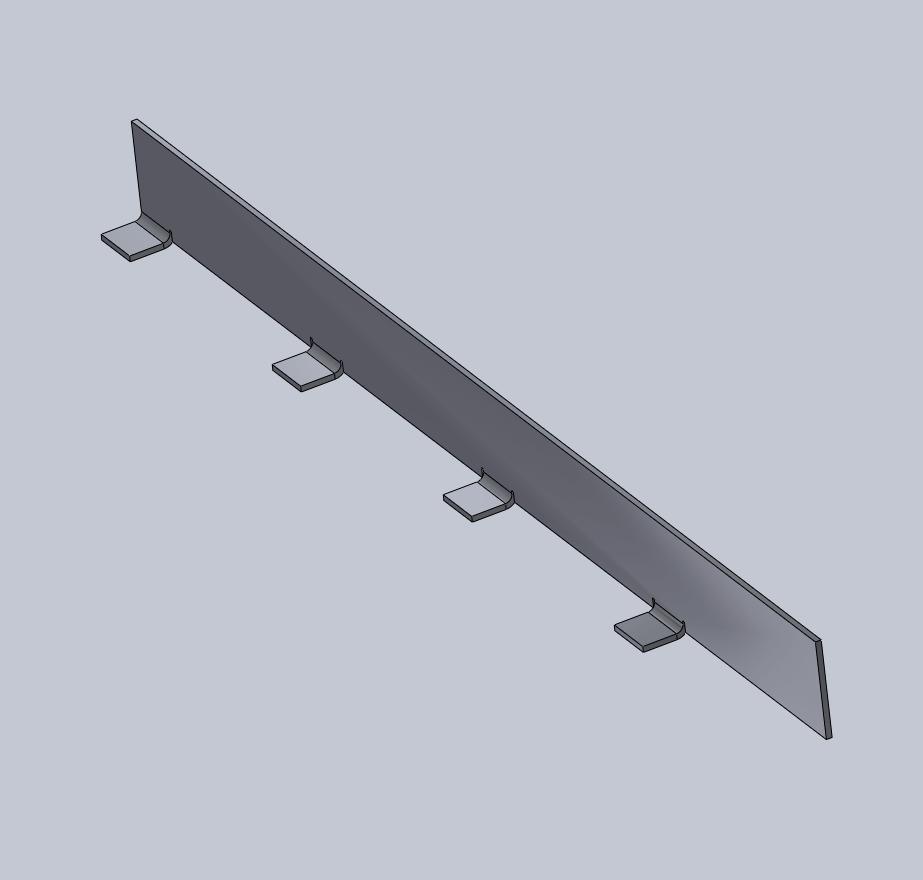
If the tabs are added and bent before the part is rolled, the tabswill deform when the part is rolled because they'll either becomecircular like the rest of the part or they'll unbend to accommodatethe curve. (See the fourth and second attachments.)
It would be very easy to bend the tabs shown in the first image. Inthe real world, metal can be stretched and deformed far beyond thecapabilities of SW.
Well, I think I agree with Mr. Lamport.
Michael
Thanks Kevin, that is exactly what I'm looking to accomplish!
I'm trying to do something similar. I am trying to recreate this autocad drawing into Solidworks and make a flat pattern from it but I am completely lost. I tried to do what Kelvin showed above but it doesn't flatten correctly. The part should flatten longways instead of up and down like it does in his part.
I have the CAD drawing attached.
Any help you can give me would be greatly appreciated!
Thanks,
Rachel
what is the point of needing a flat pattern in SW if you have the 2D drawing already? If you have all the required dimensions I would just sketch the circle from your top view and extrude it to length. Create one of your tabs and pattern the rest around the axis of the extrude. If you NEED a flat pattern in SW just add a small cut to one location on the top view of your rolled part that travels the length of the part. By converting to sheet metal and inserting bend lines where needed you should be able to create a flat pattern.
The problem is creating a tab on a round surface. The first jpeg attached is of the round part folded and unfolded without tabs.
Sorry, I hit crtl s and it sent the response. Anyways, I am able to add tabs to the flat pattern but the tabs will not bend even if I add a line sketch. So, I'm guessing this is one thing solidworks cannot do. I will just have to draw in a sketch line on the drawing and say bend up/down 90 degrees. And to answer your question, the point of the flat pattern is so our sheet metal manufacturer can take the flat pattern and put it in there CNC program in order to run it on the machine.
Thanks,
Rachel
Use the Swept Flange tool.
try using Kelvins solution. Otherwise my point about the flat pattern was in reference to your 2D drawing. if you already have all the necessary dimensions as shown, you can create the flat pattern in your 2D software and export it as a DXF or other format that should be acceptable for your programmer to cut out of the desired thickness material. that would save you a lot of trouble considering there is no standing geometry to be cut with a flat pattern.
Either way, best of luck.
That is a very useful tool that I have not tried before but I ran into the problem with creating the tabs again. I made an L shape and swept it around and it worked. Then, I was able to cut into the bottom part of the L perfectly. However, when I flattened it out, the cut pieces did not tag along and the flat pattern only have the L swept flange. (see jpgs below)
As you can see the cutouts disappear.
I actually came up with a different idea that is a little excessive but I think it'll do. I ended up finding the circumference, dividing it by the tab width and then taking that number and dividing it by 360 to get the angle of 5 degrees. Then I just made a small straight slit every 5 degrees around the circle and then created the sheet metal base from that. Now, I am able to make a bend off the circle because they are just small straight slits all the way around and when I flatten it, everything flattens.
(see jpgs below)
-Rach