
Sorry for the simple problem but I am having problemscreating configurations. I have a simple part, a washer. I want tocreate multiple versions for 3mm, 4mm,... for different sizescrews. I created a washer then I click the configuration manager,add a bunch of configurations. I double click on one to activateit, modify my sketch to the dimensions I want.
The end result is it modifies the dimensions in everyconfiguration, not just the active one. I active anotherconfiguration, modify it and again this change occurs in everyconfiguration.
What is the process of changing sketch dimensions for differentconfigurations?
I have done this before and it worked but is was buggy. Sometimeonly the active config would change, sometime all the configs wouldchange.
Thanks
Shawn
SolidworksParts And Features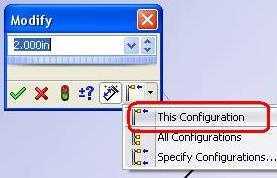

The end result is it modifies the dimensions in everyconfiguration, not just the active one. I active anotherconfiguration, modify it and again this change occurs in everyconfiguration.
What is the process of changing sketch dimensions for differentconfigurations?
I have done this before and it worked but is was buggy. Sometimeonly the active config would change, sometime all the configs wouldchange.
Thanks
Shawn
SolidworksParts And Features

If you know how to use design table, then I will suggest you to usethem.
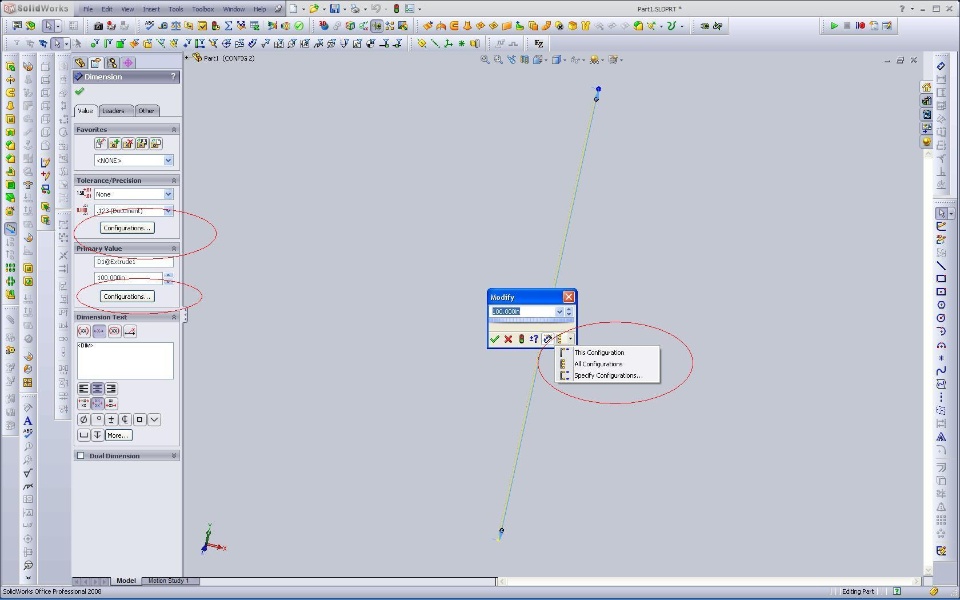
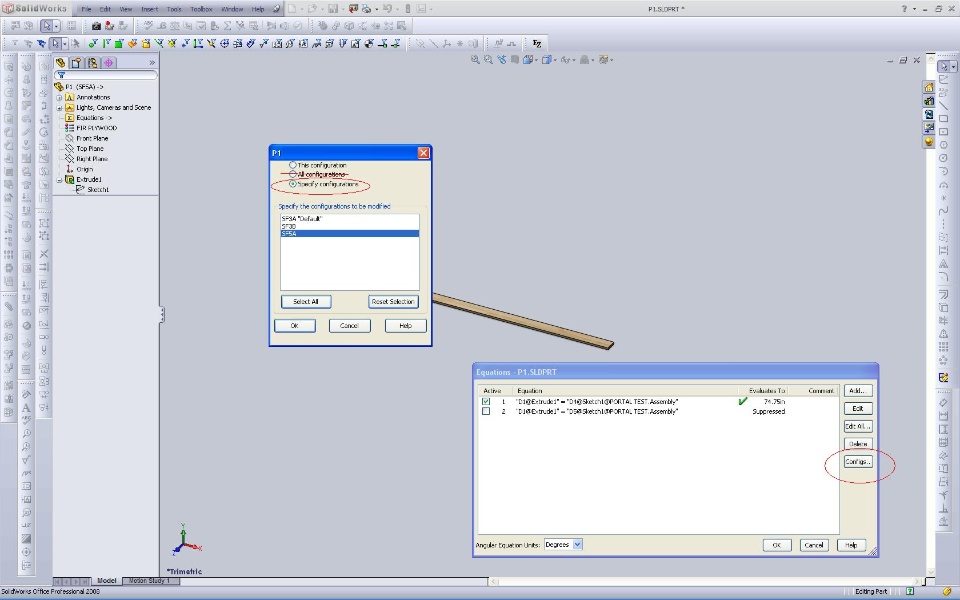
As per the method you are using now, make sure you select theoption "This Configuration" (see attached pic) while you arechanging dimension.