
Somehow, I managed to turn on something that causes a calloutpopup to appear eveytime I click on a face. This is really annoyingwhen you are trying to do anything. It only started occurring afterI imported an autocad .dwg file to make a part from.
Any ideas on how to turn this thing off?
I know I can turn it off by deleting the solidworks registry fileand rebuilding it, but short of that, any ideas?SolidworksParts And Features
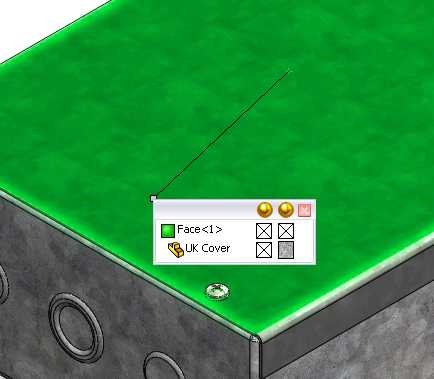
Any ideas on how to turn this thing off?
I know I can turn it off by deleting the solidworks registry fileand rebuilding it, but short of that, any ideas?SolidworksParts And Features

Thanks.
I am a novice to Solidworks and used solidworks for only about 4weeks.
These "Appearance Callouts" started popping up soon after I usedCOSMOS.
And for two to three weeks I thought that's the usual (painful)way.
Thanks to Mark, Garret, and Paul, I could get rid of them or invitethem!