Choose Sheet format when openning

I would like to have the sheet format come up when I go toadd a new drawing. Right now when I open a drawing template the Asize title block comes in and then I have to go to properties andchange the sheet format there. I want to have one drawing templatefile and just choose the different sheet sizes from that pointinstead of having a template for each size of paper. Anyideas?SolidworksDrawings And Detailing
Comments 5
DL
DL 2006-12-20
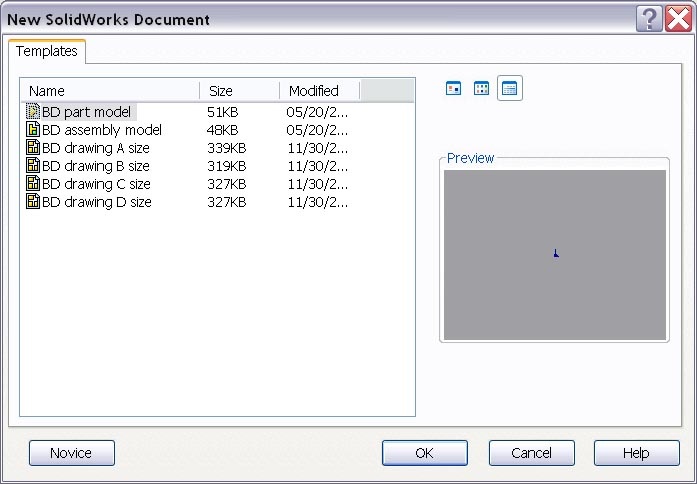
If I select "New" in the "File" drop menu, I get a windowwith a list of templates (see attachment.) If I have a part orassembly open and make a drawing from it, I get a similar window.Of course I made all the template files, put them in our templatefolder, and set options to look for templates in thatfolder.
SF
SF 2006-12-21
Not quite what I was looking. I want to open a template andhave the sheet format menu come up right away with out going to theproperies section. Attached is a screen shot that I would see if Ijust opened a new drawing template.
DL
DL 2006-12-21
Seems to me that saving a template for every size is quicker.You can also have a Revision History Block and other items alreadyin place in the template, without having to re-anchor them if youdo a size change.

Anyway, I don't know of a method to do it as you describe.
SF
SF 2006-12-21
1. Open the drawing
2. Delete the sheet format and revision tables in feature manager
(So it is now an empty sheet)
3. Save as drawing template (.drwdot)
4. Now if you take a new file from that template, Sheet format menuwill come up.

DL
DL 2006-12-21
All right! Good one, Mathew.