
Is it possible to edit some sort of table somewhere to add anM30 x 1.5 Tapped Hole, so it can be inserted using the HoleWizzard?
If so, where would I find the file?SolidworksAdministration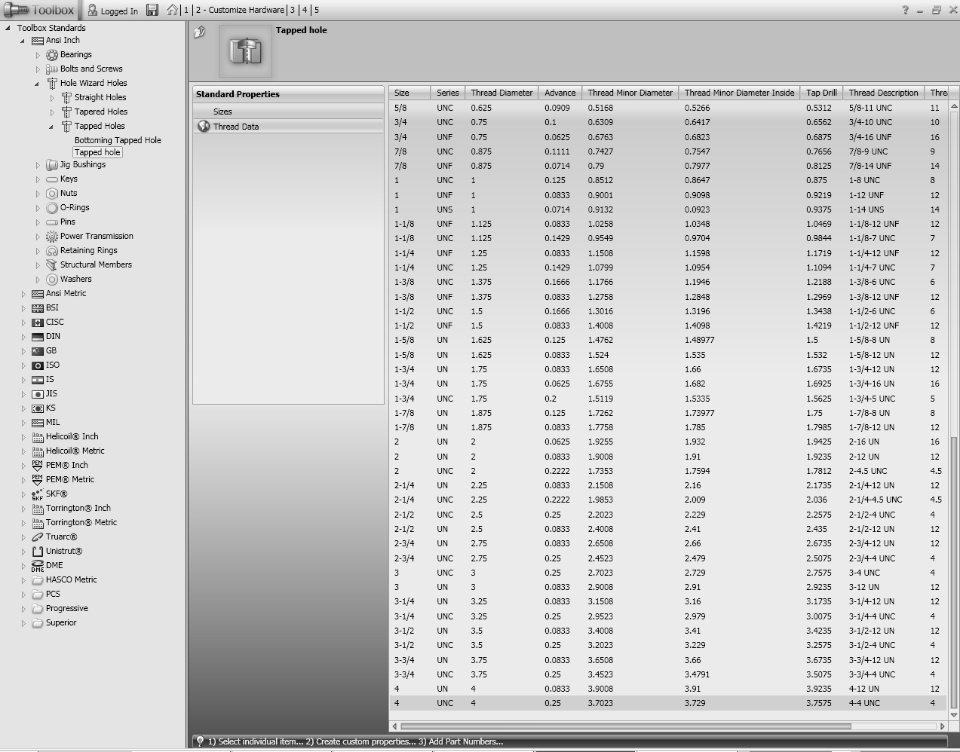

If so, where would I find the file?SolidworksAdministration

http://forum.solidworks.com/fo...catid=4&threadid=10879
Hi,
I tried to follow the links but they do not seem to work anymore... Can anyone help me with this problem?
Thanks
DaveP
Tools > Options > System Options > Hole Wizard/Toolbox > Configure. From there you can create a new standard (required) that you can add to or removed from or modify as desired.
Cheers,
Anna
Hi,
I have looked in here before but must be missing permissions or something... I have been in and set a password in the hopes that this would help.
I think I need to find custom properties somewhere. Everytime I click on the lightbulb tab along the bottom it asks to choose the options I want and then ignores my request to carry them out
confused
DaveP
I'm currently looking through a document posted in a thread by Sal Lama that I hope will guide me through the process. I'll check out your link too, thanks
https://forum.solidworks.com/message/118773#118773
DaveP
You have to create a new standard. You can create a copy of the entire ANSI Inch standard, then make changes to that. These become the company standards that you will use.
Also be sure you are working in a later SP as Brian Lindahl points out. I would recommend the latest for SW2009, SP4.1.
Cheers,
Anna
I have just managed to create a new standard by using the presentation Brian Lindahl directed me to thanks for that link Brian.
I do have another question now that I have managed to add a new hole size... how do you delete off unwanted ones? There is a + to add but can't find a - to delete. Do you just have to overwrite it with another size?
Also, When you input the data it appears possible to input the size without thread data and vice versa. I assume that when you input both with the same size solidworks will automatically see them as one entity but will it cause problems if you only put in size or thread data? thought it best not to mess around too much as I haven't had a crash yet today and wanted to keep it that way.
DaveP
I believe to remove a line just click on the line in the table and press the delete key works.
Entering new thread data for an existing size is covered in the powerpoint I directed you to. I have never tried to enter thread data for a size that is not pre-defined before entering the thread data - sounds like a recipe for trouble. Adding the new fastener size before adding the thread data for the new size just sounds like the right path.