 Any of you who have spent a long time in design departments, you have seen the power CAD systems have brought to your enterprise over time. One great feature was the ability to create “templates”- a great starting point for parts, assemblies, and drawings to speed initiation of new data. It also offered consistency across users and departments. Templates began to proliferate, and “one version of the truth” was no longer the case. Product Data Management (PDM) systems addressed the issue to some degree, but today, far-flung departments needed something more.
The 3DEXPERIENCE platform has begun introducing support and management of templates On Cloud and On Premise through the PowerBy offerings.
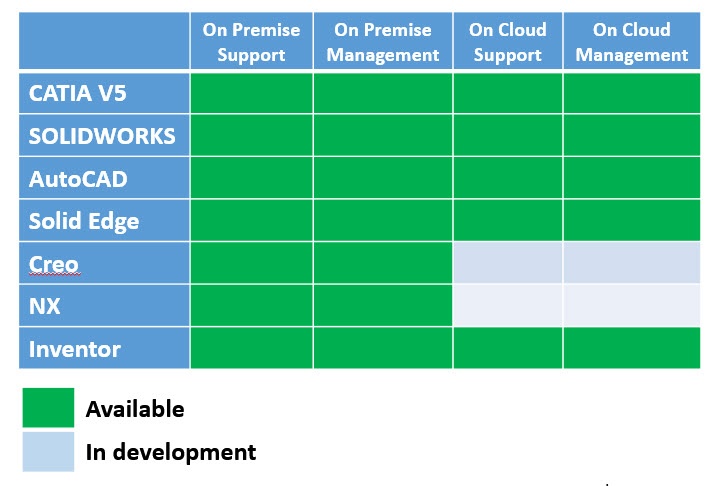
Each CAD integration implements the usage and management of templates uniquely to the user interface (UI) of the CAD product. But, the choices within the UI are consistent. Here is the integration for CATIA V5.
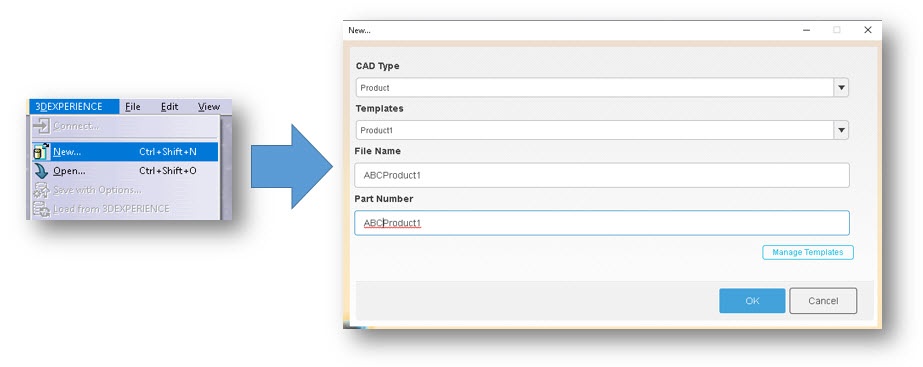
Selecting the “New” command presents the user with a categorized list of templates based on assemblies (products), parts, or drawings. Once selected, a refreshed list of templates appears for the selected category. Once selected, the user optionally fills in any preliminary properties offered by the prompt. Once you choose the OK button, the file is saved to the cache of the CAD system and opens it into session. At this point, the assembly, part, or drawings are not saved to the platform, which is consistent with the standard “New” command available in the CAD interface. Various commands are also available to manipulate the templates. The following images illustrate the commands within CATIA V5.
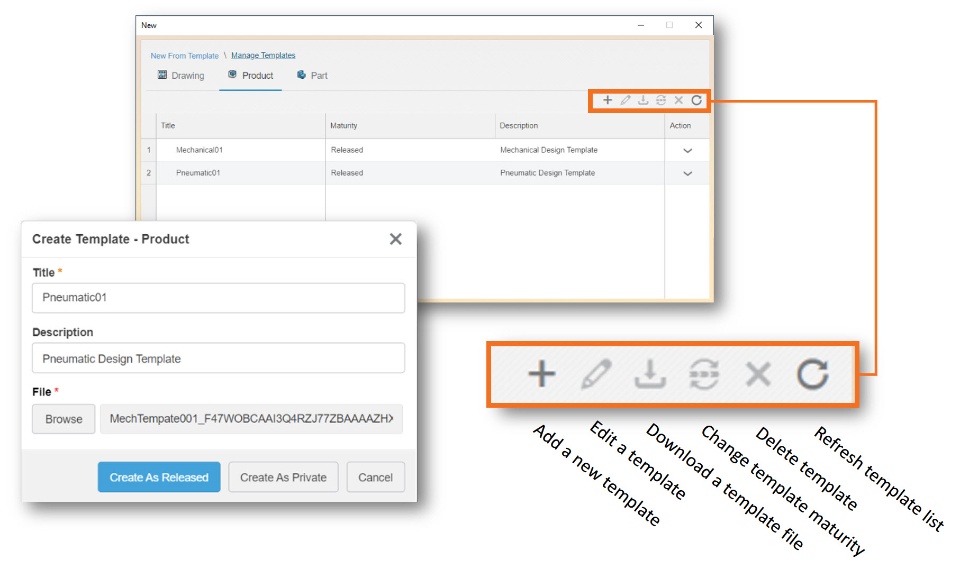
The CATIA V5 offers a unique feature in the prompt allowing the user to promote the maturity of the template to either “Released” or “Private”. “Private” maturity state limits the visibility of the template to the user who created the template.
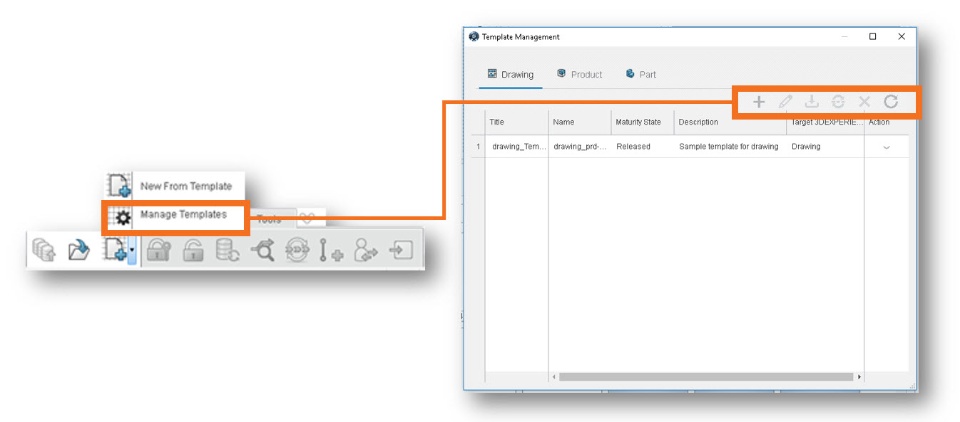
As I mentioned earlier, the UI is unique to the CAD because of the immersive nature of the interface. For Solid Edge, we see the same capabilities delivered in a consistent manner with the UI for the CAD system:
Summary:
The 3DEXPERIENCE platform offers an effective way to manage your Mechanical CAD assembly, part, and drawing templates across multiple CAD systems. The 3DEXPERIENCE platform uses these templates even further: Both ENOVIA roles 3D Product Architect (PAU) and the Product Release Engineer (XEN) take advantage of templates within their processes:
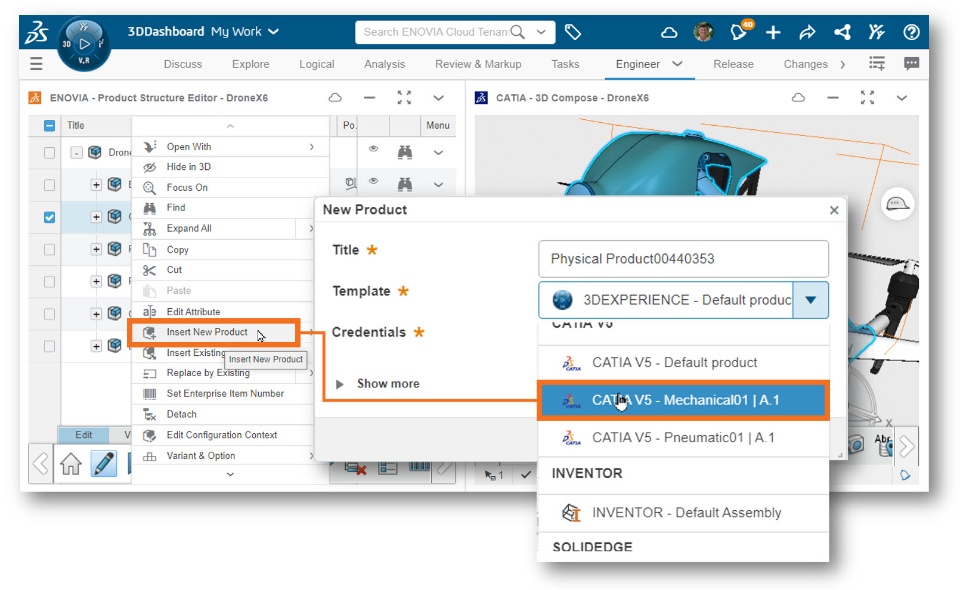
You can define new product structures and create mockups of new ideas, thus expanding the use of 3D to a new group of stakeholders in product development processes. Let’s close by taking a quick review the creation of templates and where they are used within the CATIA V5 environment.

