
xApps (xDesign, xShape etc.)
xDesign
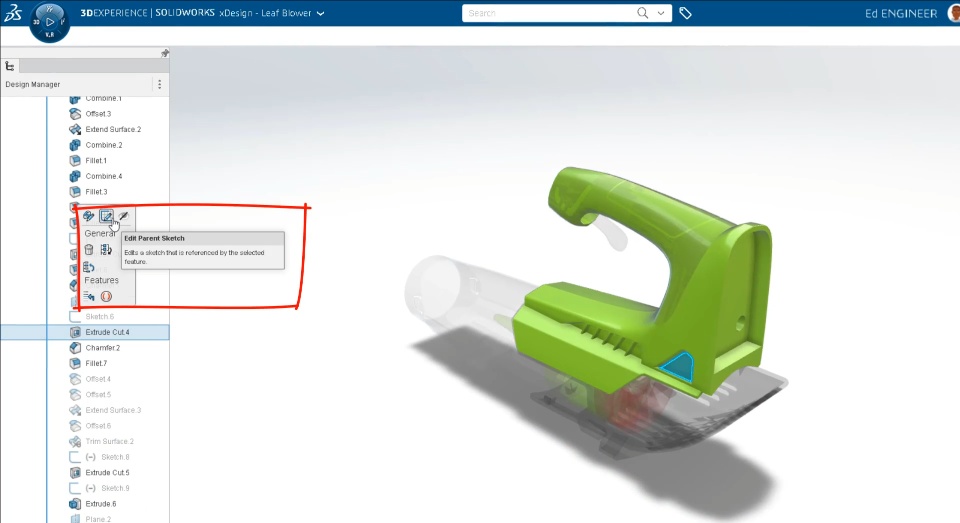
- Edit Parent Sketch Directly from Context Toolbar
Now you can edit parent sketch of the feature directly from the feature's context toolbar. No need to locate the sketch of the feature, which will save lot of time and allows to do rapid changes to the design
 |
xDrawing
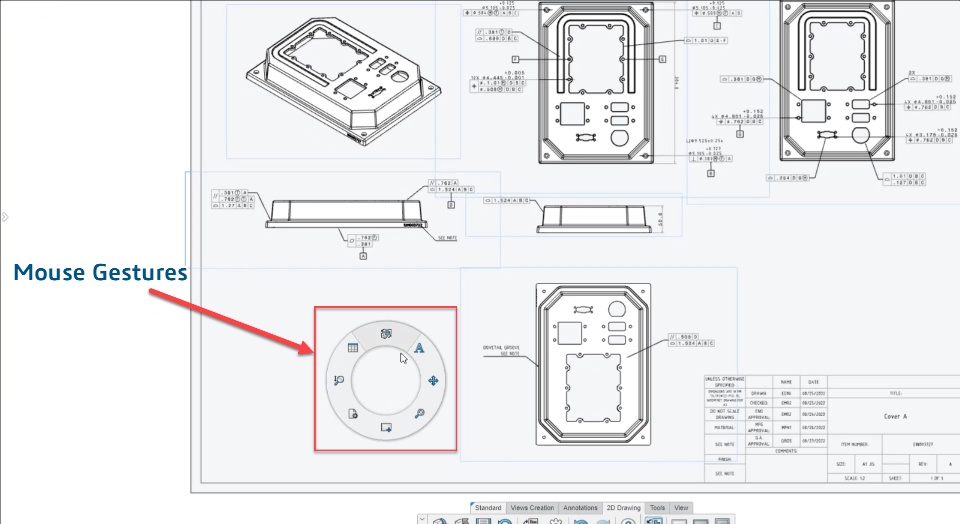
- Drawing Specific Mouse Gestures
Now you can access drawing commands with mouse gestures. It helps in rapidly switching between commands while working.
 |
Common for All xApps
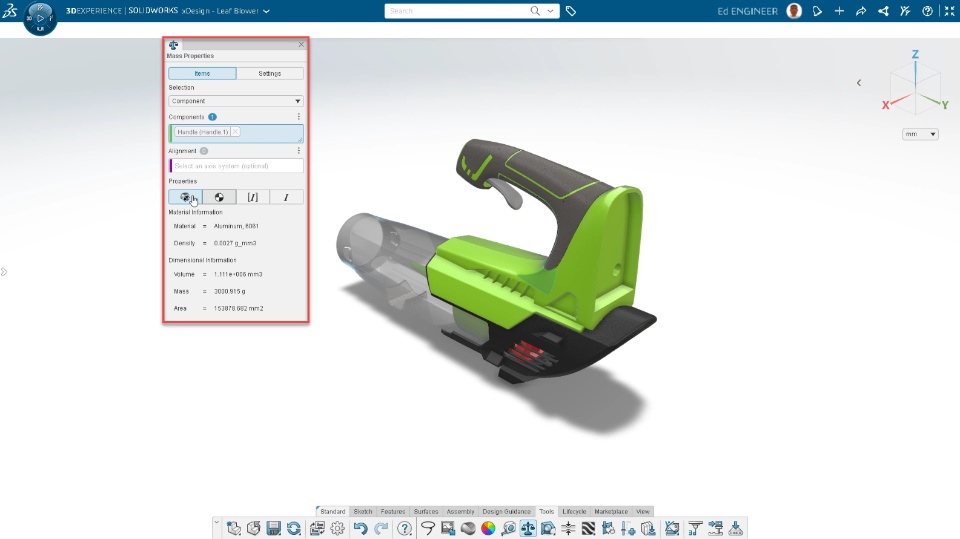
- Enhanced Mass Properties Interface
Analyze your design with clarity using new streamlined mass properties interface and custom settings. It allows you to check the parameters like material properties, center of gravity, moment of inertia and principle axes of inertia.
 |
Social/ Web-Apps
3DSwym
- Community Tags
Now 3DSwym community Administrators will be able to define the User Tags of a new type called Community Tags, which will be used to tag content on the community. Users will then be suggested to Tag content with those Community Tags. These tags appear at the top of the Community Homepage, and will quickly help viewers sort the content to view. Community Tags enable community members to organize community content using a common set of relevant tags that can be suggested and applied by a simple click, eliminating spelling inconsistencies and easier content filtering.- Create a Community Tag (in Community preferences)
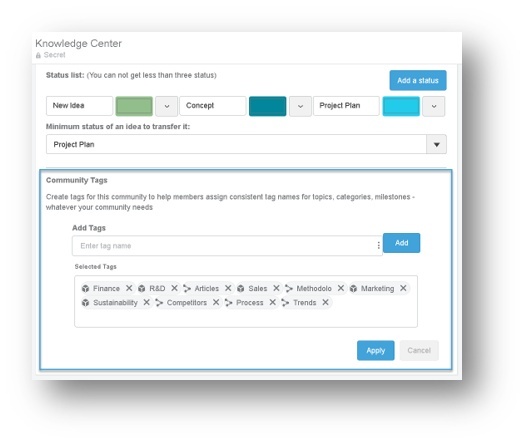 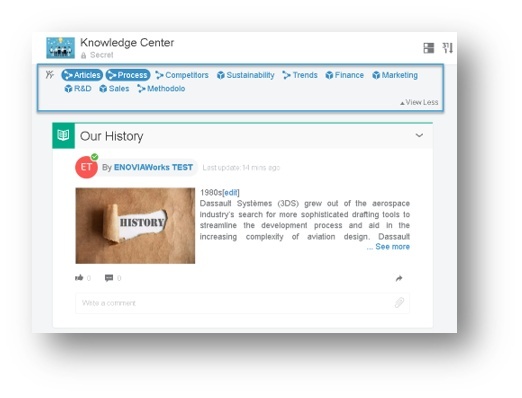 - Tag a new content based on community tags suggestion
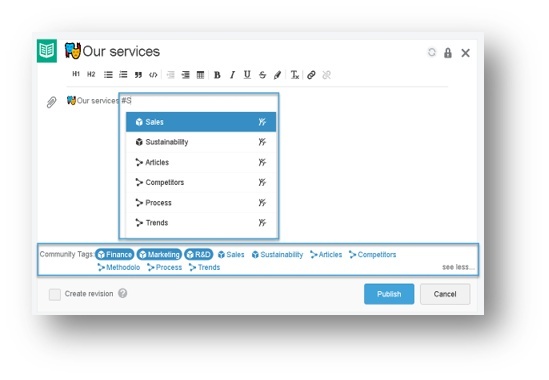 |
3DPlay
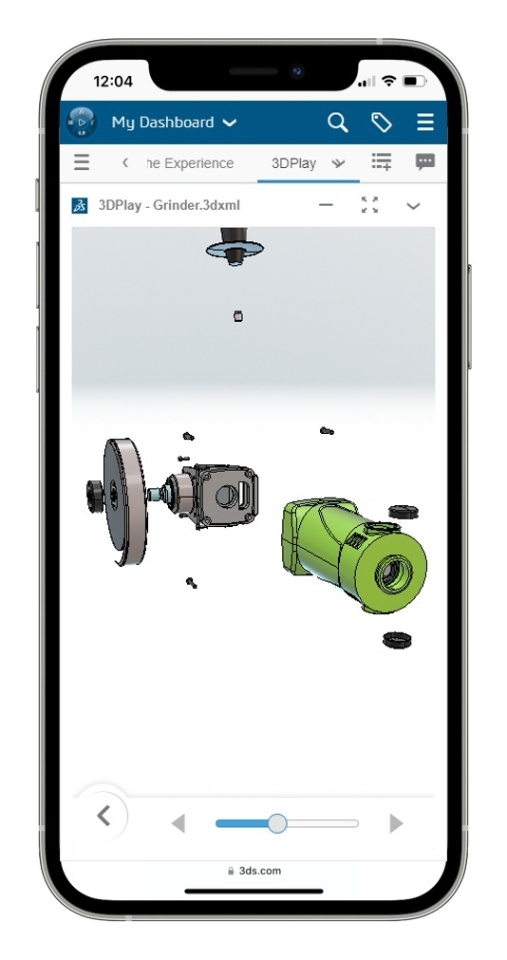
- New explode
A more intuitive UI for the explode command for the user.
 |
Common for Some Web-Apps: 3DWhiteboard & 3DSketch
- Homepage
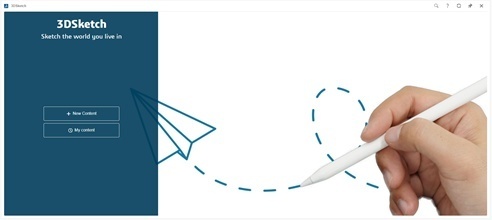
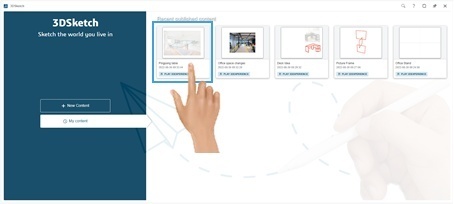
3DWhiteboard and 3DSketch widget apps now have homepages to simplify access to your Whiteboard or Sketch content published in 3DSWYM.
On the Homepage, user can create "New Content" or open "My Content".
 |
3DWhiteboard
- Sticky Notes
Sticky notes are now available in 3DWhiteboard to simply write down ideas, comments and suggestions.
|
SIMULIA
Linear Structural Validation
- Local Mesh Specification support in Linear Structural Validation to get more accurate local stress or strain field results
- New Factor of safety output for virtual bolts allowing a quick check if the bolt has failed or not
Check the Post below for details:
|
DELMIA
Powder Bed Fabrication
- New Support Types for Stronger Structures & Complex Shapes
Expand the scope of printable metal parts with new supports, which utilize a multi-pass wire-gridded print method to produce thicker and stronger structures. This enables the printing of more complex shapes and heavier parts.
Check the Post below for details:
|
Equipment Design
- Robot Energy Consumption Optimization
Optimize the energy efficiency of robots with a new functionality that predicts energy consumption for a given robot program. This prediction makes it possible for the user to reduce energy consumption while maintaining the target production rate.
Check the Post below for details: -
|
SOLIDWORKS
3DEXPERIENCE SOLIDWORKS / SOLIDWORKS Connected
- New Open from 3DEXPERIENCE Dialog Box
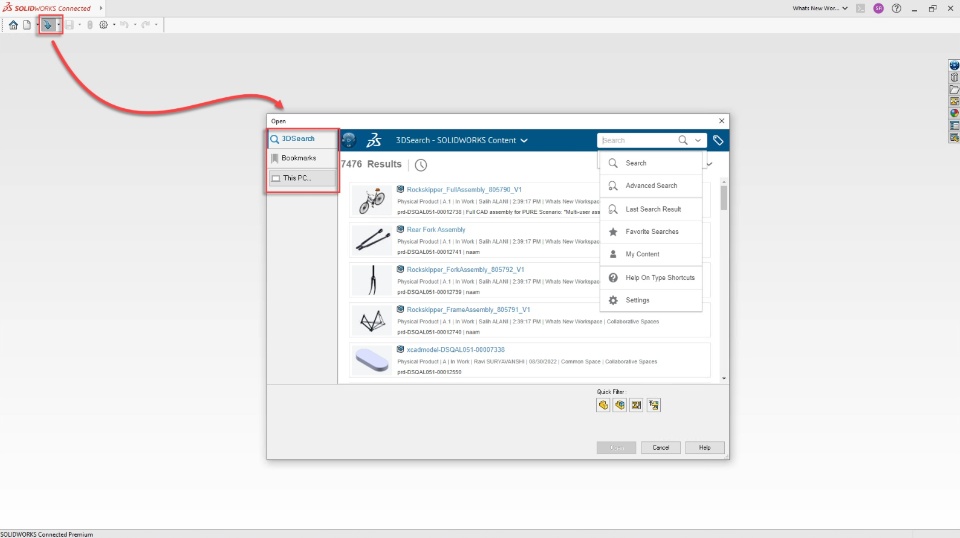
New "Open from 3DEXPERIENCE" Dialog box is available to access your content from 3DSearch, Bookmark Editor or Your PC. So now you can effortlessly open or insert the components from Local computer or the platform.
 - Include Drawings while saving, with "Save as New" option
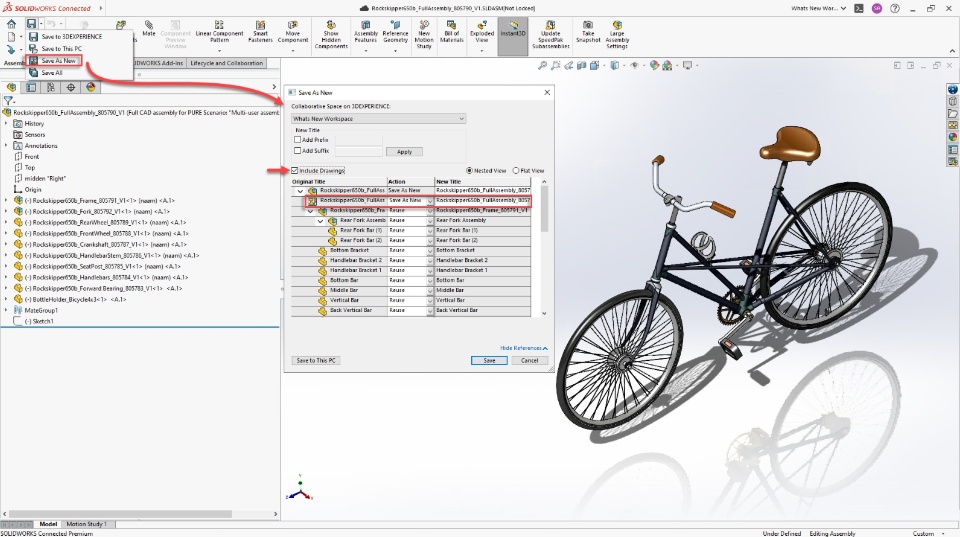
Now you can include the referenced drawings while saving the files in the platform.
 |
For a complete list of all enhancements available in FD04, please visit this page. However, the enhancements listed here are not specific to the Academic/Student version.

