
We need to make a total list of many assemblies, so we cansee how much of each part and assembly is needed to order ormanufacture.
We put all those assemblies of one batch in one big assembly, so wecan export the BOM. There are 3 options, top level, indented andparts only.
Top level works fine, we get a list of the assemblies (see them asdifferent machines of the same kind) we need to built in thisbatch.
Parts only works fine also, we get the numbers of all the parts weneed to make. But not assemblies of course.
As we need parts and all (sub)assemblies, we use indented. Iprinted the list and saw there are 60 machines (that's right) butonly 66 O-rings instead of 120 for example. Now I see how PDM/SWcounts the parts/subassemblies:
It sees for example 6 times the same machine, next row in the listis a subassy in that machine, one per machine. In the BOM, quantityis 1, because it's one time in that machine. That's right, but ofcourse I need to make 6 of them.
So this goes wrong every time you have a (sub)assy or part wherethe assy one level up is more than ones in the main assy.
Some companies use ERP, we don't. How can we make a BOM table withthe right counts? The helpdesk says it's not possible and needs todesign an extra piece of software to do it. I think it should be astandard feature of PDM?
How do you make such lists? By hand? We did before we use PDM andSW, but had to make an excel sheet with 10.000 rows for 60machines. Now we are making 1200 of them (of course there are a fewwhich are not unique)SolidworksSolidworks Pdm enterprise Pdm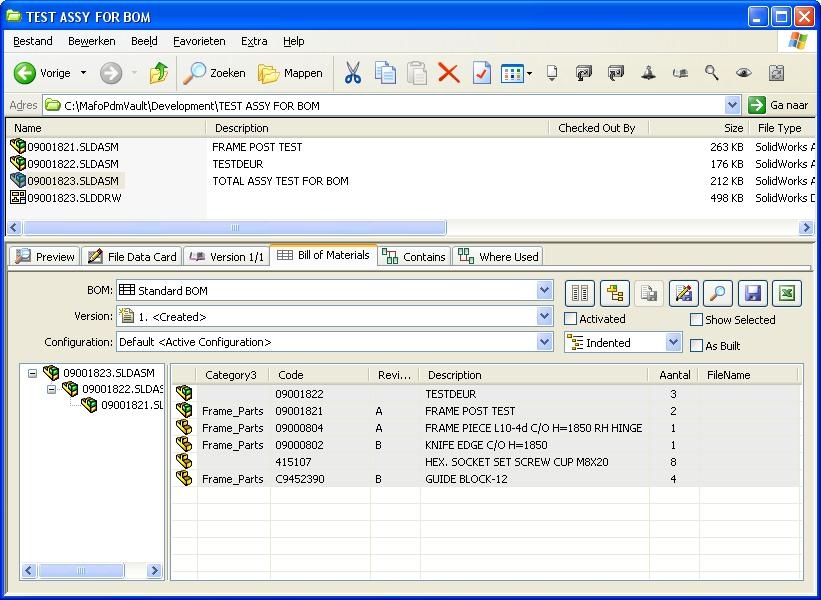
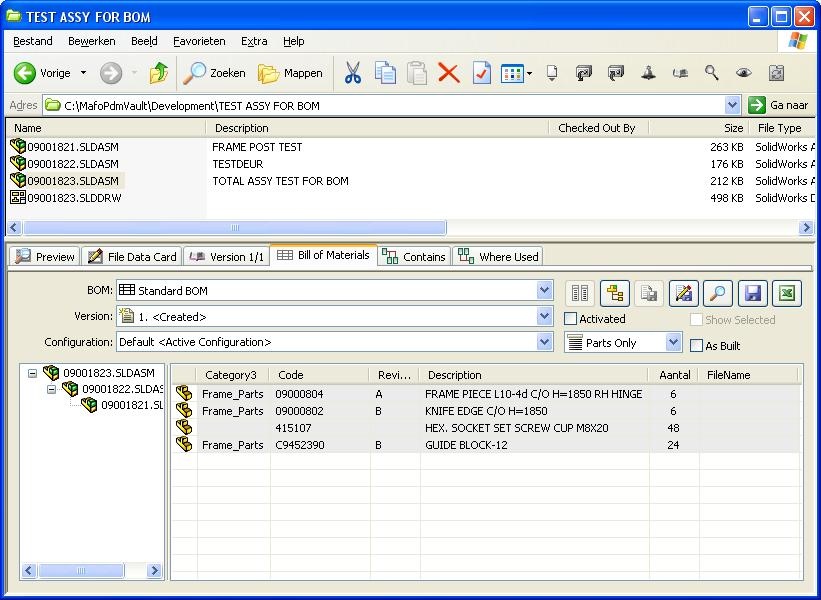
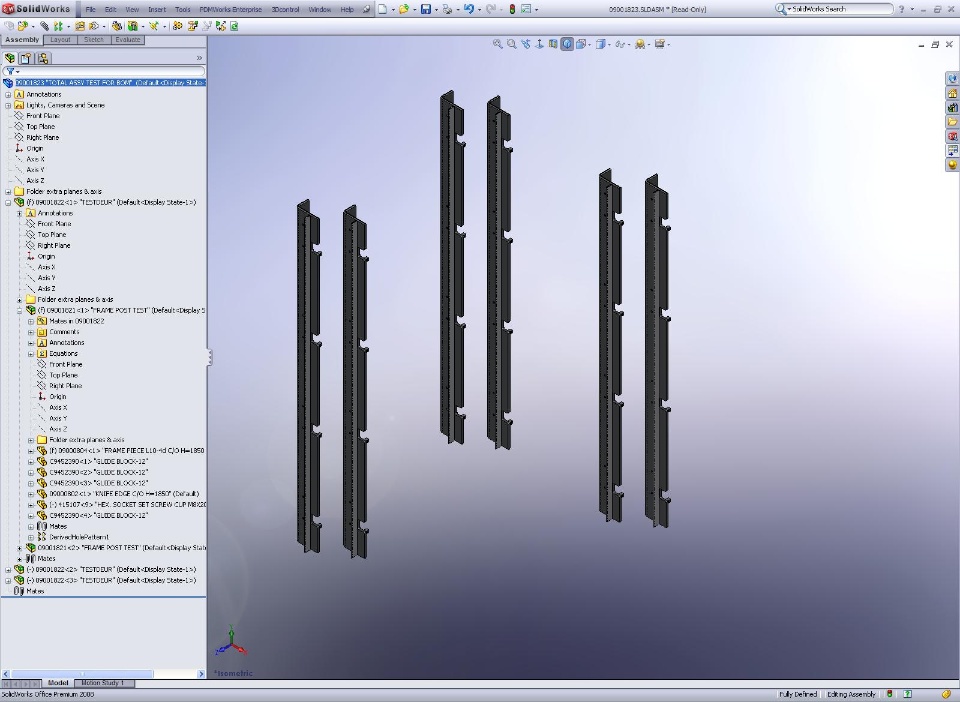
We put all those assemblies of one batch in one big assembly, so wecan export the BOM. There are 3 options, top level, indented andparts only.
Top level works fine, we get a list of the assemblies (see them asdifferent machines of the same kind) we need to built in thisbatch.
Parts only works fine also, we get the numbers of all the parts weneed to make. But not assemblies of course.
As we need parts and all (sub)assemblies, we use indented. Iprinted the list and saw there are 60 machines (that's right) butonly 66 O-rings instead of 120 for example. Now I see how PDM/SWcounts the parts/subassemblies:
It sees for example 6 times the same machine, next row in the listis a subassy in that machine, one per machine. In the BOM, quantityis 1, because it's one time in that machine. That's right, but ofcourse I need to make 6 of them.
So this goes wrong every time you have a (sub)assy or part wherethe assy one level up is more than ones in the main assy.
Some companies use ERP, we don't. How can we make a BOM table withthe right counts? The helpdesk says it's not possible and needs todesign an extra piece of software to do it. I think it should be astandard feature of PDM?
How do you make such lists? By hand? We did before we use PDM andSW, but had to make an excel sheet with 10.000 rows for 60machines. Now we are making 1200 of them (of course there are a fewwhich are not unique)SolidworksSolidworks Pdm enterprise Pdm
