
I'm opening files that are created using SolidWorks from ouroffice in Japan. The files are typically saved with a file namethat's Japanese. I installed the East Asian language support so thefile names will display with their native file name. Withoutinstalling the East Asian language files, the file names areconverted to "Greek" text (for lack of a better description), whichI believed was causing some file association issues.
When I open the assembly file that contains ALL the part files, thepreview window shows the completed assembly, and the final displayof the assembly also shows as complete assembly, at least until thefile completely resolves. Once the file is fully loaded, about 70percent of the parts disappear. I can select "show hiddencomponents" from the toolbar and there are the parts that aremissing. So, I highlight all the items and select "exitshow-hidden," which I believe should make these items visible inthe assembly again. The items do not appear. I've attempted torelink to the parts files, but this is what led me to theassumption that it may be related to file naming. I've attached acouple of screen shots so you can see what I see as the file isloading, and then once the loading is complete. Please note thateven the file name for the assembly showing in the upper right ofthe standard toolbar is a different file name than is displayed inthe assembly tree.
I'm not sure if anyone has run into this before, but I wouldappreciate any wisdom on this matter.
SolidworksGeneral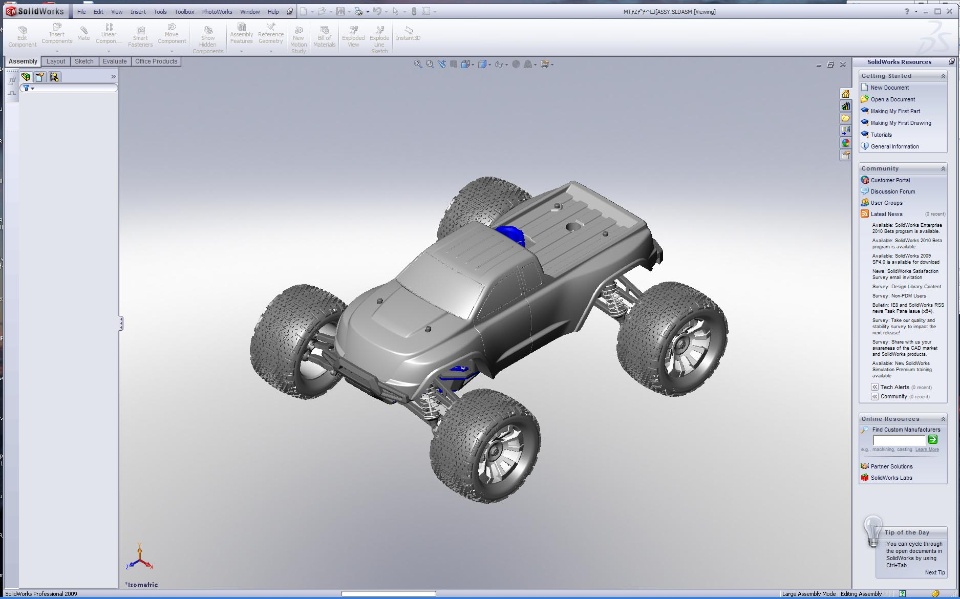
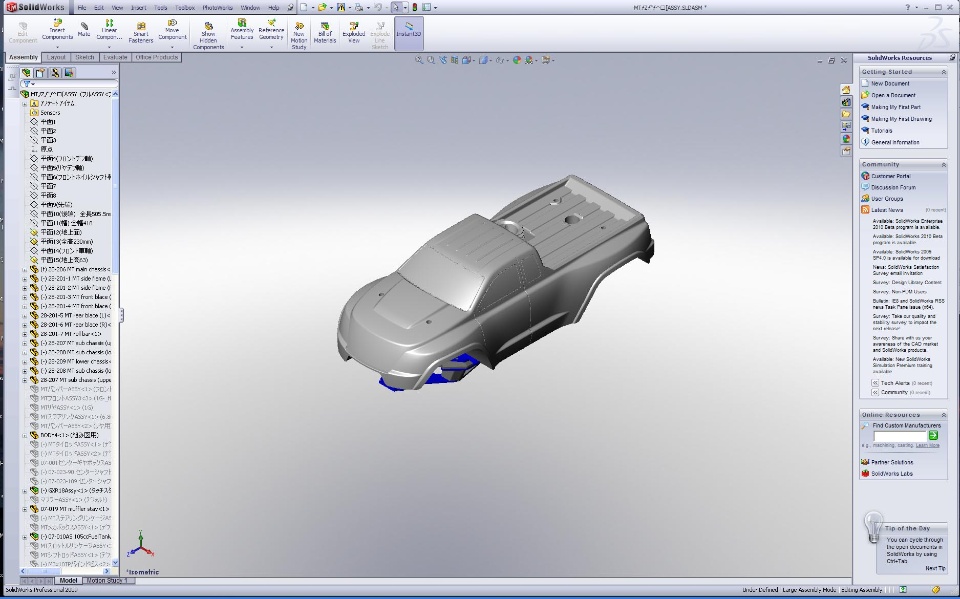
When I open the assembly file that contains ALL the part files, thepreview window shows the completed assembly, and the final displayof the assembly also shows as complete assembly, at least until thefile completely resolves. Once the file is fully loaded, about 70percent of the parts disappear. I can select "show hiddencomponents" from the toolbar and there are the parts that aremissing. So, I highlight all the items and select "exitshow-hidden," which I believe should make these items visible inthe assembly again. The items do not appear. I've attempted torelink to the parts files, but this is what led me to theassumption that it may be related to file naming. I've attached acouple of screen shots so you can see what I see as the file isloading, and then once the loading is complete. Please note thateven the file name for the assembly showing in the upper right ofthe standard toolbar is a different file name than is displayed inthe assembly tree.
I'm not sure if anyone has run into this before, but I wouldappreciate any wisdom on this matter.
SolidworksGeneral
