So, long story short is that I'm a linux user who has to install dassault systemes software (solidworks and also the "assembly design" app) for a class of mine.
To this end, I installed a windows 10 machine in QEMU KVM and attempted to download the latter app according to the instructions in this video.
https://www.youtube.com/watch?v=rwUtYrSpP8w
The gist of it is that dassault systemes requires you to download a "3dexperience launcher" which interfaces with the dassault systems website and enables you to subsequently download the actual apps.
I downloaded the 3ds launcher and installed it on the VM. This went fine, and the icon appears in the lower left of the windows taskbar. However, after doing so, when clicking again on the "assembly design" app, I am again prompted to download and install the launcer; this is in contrast to the video, which states that, after installing, clicking on the "assembly design" icon should produce a dialog with a download link for the actual app: https://youtu.be/rwUtYrSpP8w?t=121
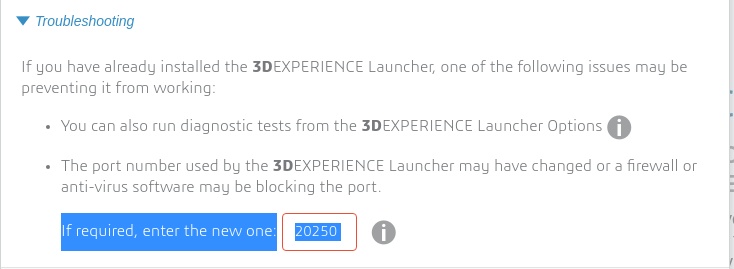
I've tried the the various troubleshooting methods suggested by the website. When running the troubleshooter in the options section of the "3dexperience launcher", it completes all checks correctly. When I try to enter the port on which the launcher is running, I am told that the website cannot connect with it (see the attached image).
I've disabled all windows firewalls inside the VM, but that doesn't seem to help.
I'm truly at a loss. Has anyone else had experience installing Dassault Systemes software inside a VM, and would you be able to provide some tips?
Edu 3DEXPERIENCE

