
Rant # 1: I've got "large assembly mode" set to 4500components, to prevent SWX opening my assemblies in Lightweightmode.
Why then, is SWX opening all my drawings & assembliessystematically in Lightweight mode - regardless of the number ofcomponents which is way under 4500...
Rant # 2: I installed sp2.1 believing that the (graphic) issues indrawings would be resolved.
The description in the fixed SPRs states: Drawing view(s) do notupdate until switching between different display styles. Well, thesymptoms I experience in drawings are similar: views created behaveerratically. Upon switching from 1 sheet to another, or switchingfrom the assembly to the drawing, the scale of some of the standardviews will change, or detail views will be moved all over thesheet. Ctrl Q, and everything is back to normal...
Sometimes, I place a balloon on a view, and the balloon is"invisible". I "hover" my cursor where the balloon should be andit's highlighted but not shown, until I do a Ctrl Q...
Rant # 3: our drawing templates use ISO standard.
Arrow heads for annotations are set to arrows, which is fine formost annotations except balloons where we need a dot. Beforestarting an assembly drawing where most annotations are balloons,the first thing I do is change the arrow head style to dots(Annotations - Attachments).
Prior to 2009, no hassle. Nothing else was affected by the change.
Since the upgrade, when I make a change in the Document Properties,I get a warning: "Overall drafting standards has been changed toISO-MODIFIED". I proceed and change the arrow head style, and SWXwill change without warning the font height for the balloons,change the Leader display from Straight to Bent, and God knows whatelse... I haven't been through all the options to find out.
The frustration is growing by the day...
SolidworksDrawings And Detailing
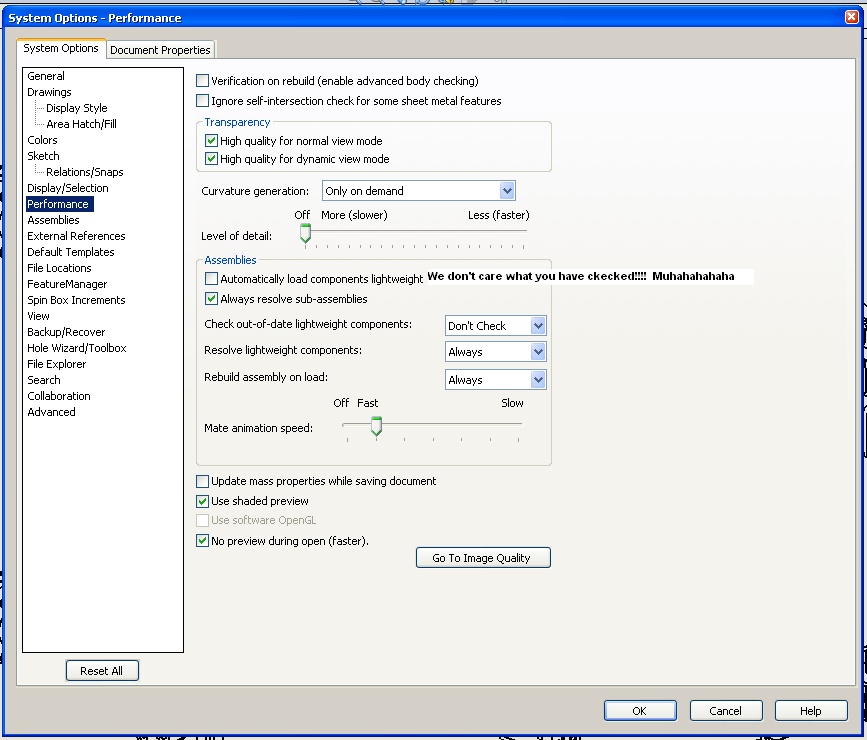
Why then, is SWX opening all my drawings & assembliessystematically in Lightweight mode - regardless of the number ofcomponents which is way under 4500...
Rant # 2: I installed sp2.1 believing that the (graphic) issues indrawings would be resolved.
The description in the fixed SPRs states: Drawing view(s) do notupdate until switching between different display styles. Well, thesymptoms I experience in drawings are similar: views created behaveerratically. Upon switching from 1 sheet to another, or switchingfrom the assembly to the drawing, the scale of some of the standardviews will change, or detail views will be moved all over thesheet. Ctrl Q, and everything is back to normal...
Sometimes, I place a balloon on a view, and the balloon is"invisible". I "hover" my cursor where the balloon should be andit's highlighted but not shown, until I do a Ctrl Q...
Rant # 3: our drawing templates use ISO standard.
Arrow heads for annotations are set to arrows, which is fine formost annotations except balloons where we need a dot. Beforestarting an assembly drawing where most annotations are balloons,the first thing I do is change the arrow head style to dots(Annotations - Attachments).
Prior to 2009, no hassle. Nothing else was affected by the change.
Since the upgrade, when I make a change in the Document Properties,I get a warning: "Overall drafting standards has been changed toISO-MODIFIED". I proceed and change the arrow head style, and SWXwill change without warning the font height for the balloons,change the Leader display from Straight to Bent, and God knows whatelse... I haven't been through all the options to find out.
The frustration is growing by the day...
SolidworksDrawings And Detailing
