
You might already thought about tracking metrics based on model data. However how difficult is to create your own metric?
Using MagicDraw metrics capability and structured expression dialog to setup almost any metric logic and calculate it requires no coding.
If you already using structured expression dialog to query model for derived properties or smart package it is definitely nothing new for you. Even if you do not, simple query is as simple as find results. But how to convert result as list of the elements into number?
It is simple. JavaScript function to convert list of elements into number is:
arg.size()
Here are couple of examples of metric logic specification using structured expression dialog and converting result into number (size). For “How To” check video and download sample project file at the end of this post.
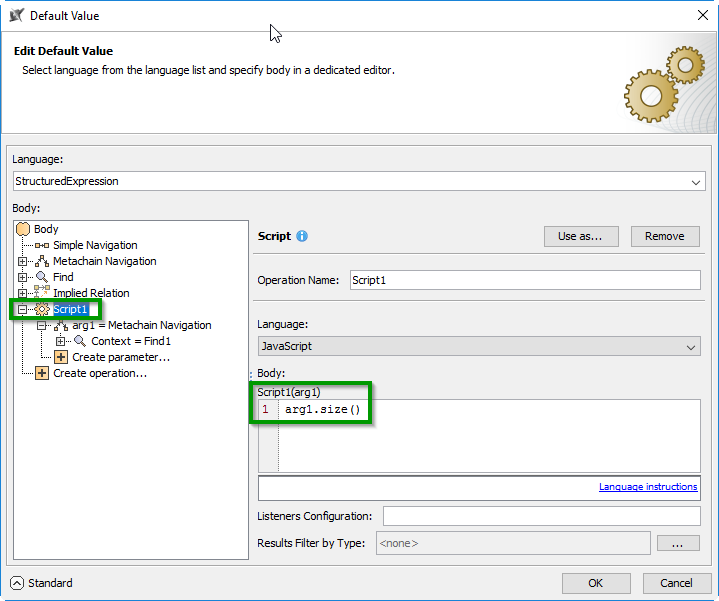
Figure 1. Converting Metachain Navigation query results into number.
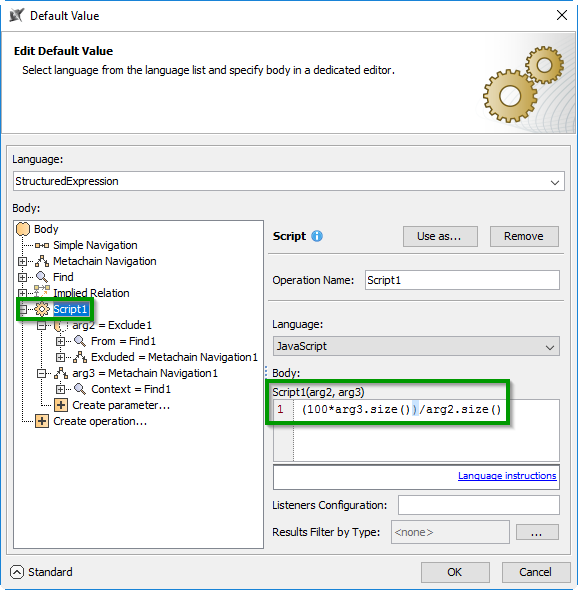
Figure 2. Calculating percentage requirements covered by satisfy relation.
Resulting metrics look like this:
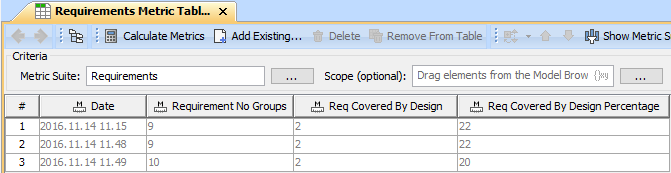
Figure 3. Metric results.
Metric specification:
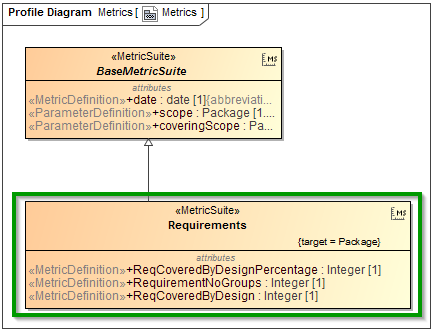
Figure 4. Metric Specification.
Model under analysis:
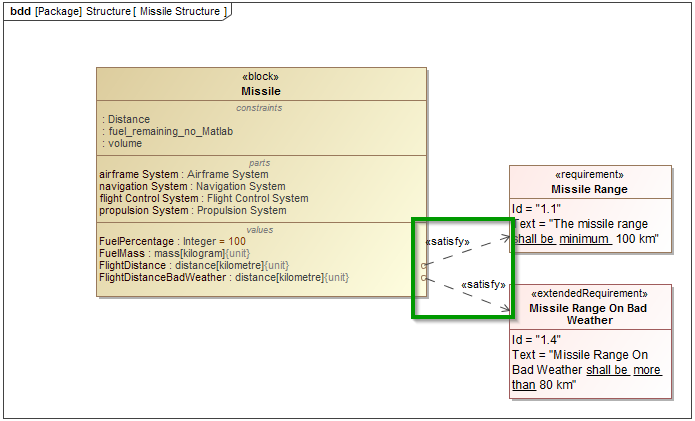
Figure 5. Model under analysis.
Derived Properties
Same method can be used for derived properties also to convert from list of results into number.
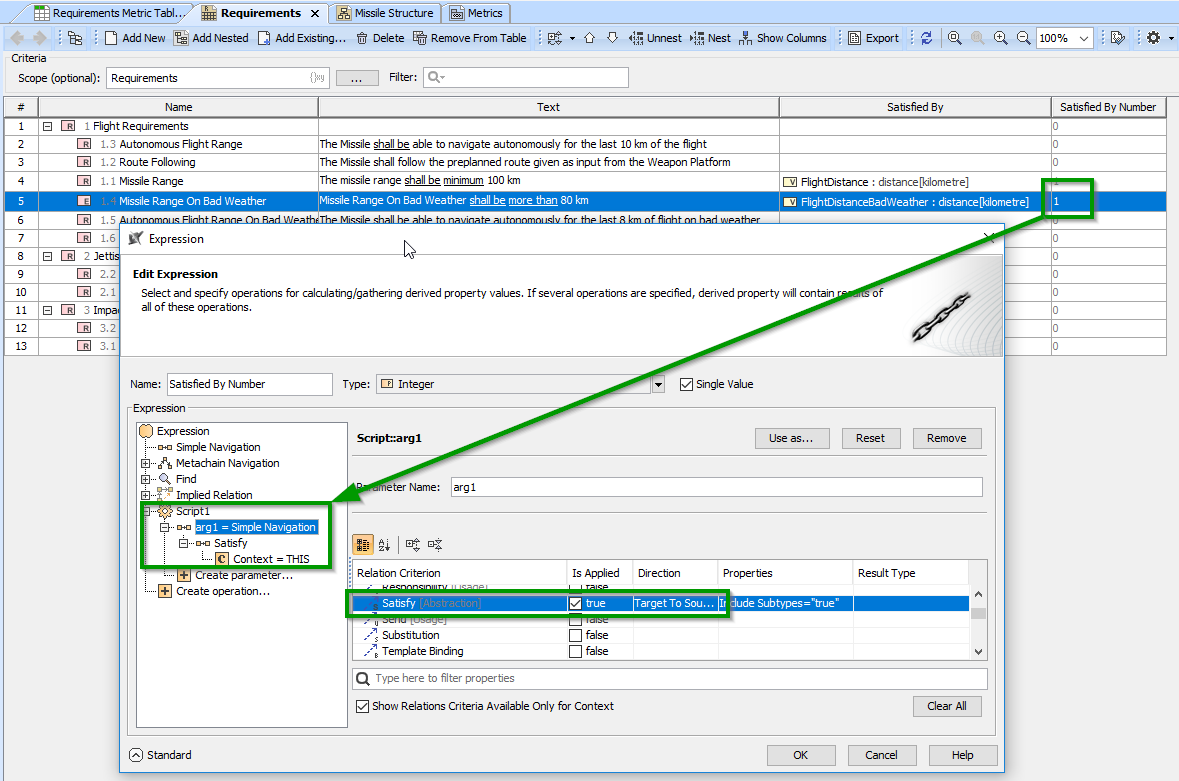
Figure 6. Number of Satisfy relations requirement has.
Video covering steps how to create derived property, metric, and convert to number:
