
Understanding the 3DEXPERIENCE Project Planning App
The Project Planning App, a powerful set of tools with many features that can help project managers and teams to achieve their goals efficiently.
Project management is fundamental to success in today's high-speed and rapidly changing work environment. The right tools at your fingertips are vital whether you are in charge of a small team or managing an intricate interdisciplinary project. Introducing 3DEXPERIENCE Project Planning App, aimed at optimizing workflows, promoting collaboration, and enhancing overall operational effectiveness throughout each stage of project implementation.
Key Features:
Task Management: The app provides a centralized platform for creating, assigning, and tracking tasks across your project. With customizable task lists, deadlines, and priorities, project managers can ensure that everyone is aligned and focused on the right priorities.
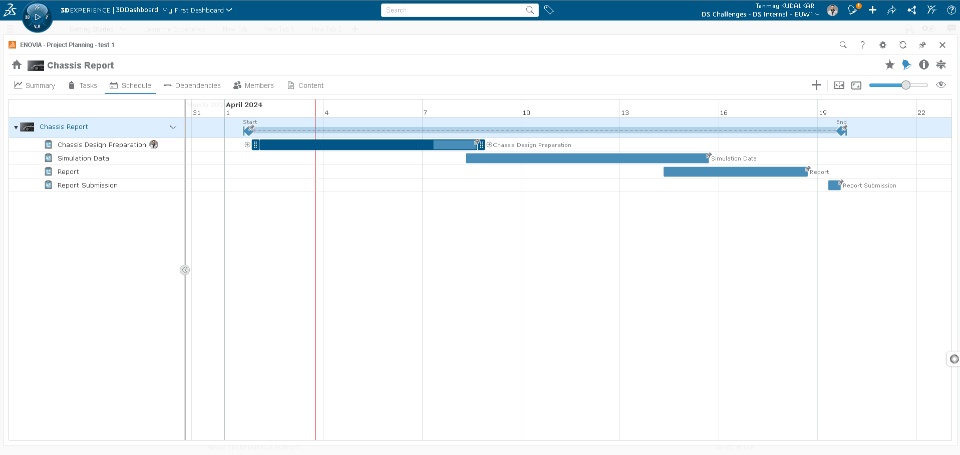
Gantt Charts: These timelines are interactive and can reveal key events in a project, dependencies on prior activities or critical paths for each. To avoid unnecessary delays on your project you can readily adjust timeframes.
Collaboration Tools: collaboration and communication among team members with built-in chat, messaging, and file-sharing capabilities. Whether you're brainstorming ideas or sharing project updates.
How the App Benefits Teams & Businesses
Improved Efficiency: By centralizing project management activities, the app helps teams work more efficiently and effectively. With streamlined workflows and real-time collaboration, projects can be completed faster .
Enhanced Collaboration: Regardless of geographical location or time zone, create conditions for team members to collaborate freely without silos. Share knowledge better through integrated communication tools and shared project spaces that facilitate seamless collaboration among teams.
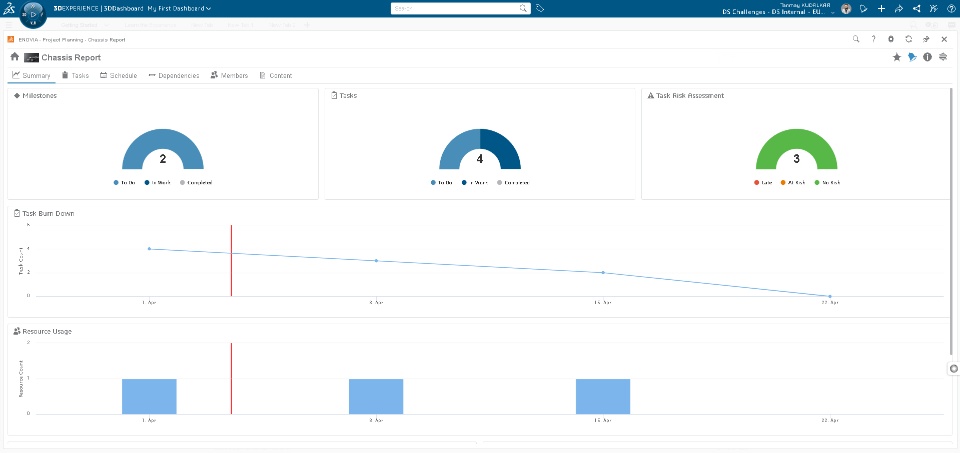
Better Decision-Making: With this application, project managers have access to real-time data and analytics hence they are able to make informed decisions quickly following a changing situation.
Increased Transparency: It improve transparency and accountability by enabling project managers to see how projects are progressing in terms , deliverables, etc.
How to Get Started
Explore the Features: Take the time to familiarize yourself with the app's features and capabilities. Experiment with different workflows and configurations to find what works best for your team.
Set Up Your Project: Create a new project and define your project scope, objectives, and deliverables. Break down the project into manageable tasks and allocate resources accordingly.
Invite Your Team: Invite team members to join your project and assign roles and responsibilities. Encourage active participation and collaboration to maximize the benefits of the app.
Monitor Progress: Keep track of project progress, milestones, and deadlines using the app's tracking tools and dashboards. Address any issues or bottlenecks promptly to keep the project on track.
